Incident Triage and Routing
The only multi-branch Coral workflow in this repository assembled one action at
a time, with a screenshot after every command. Seventeen stills, 00 through
16, from an empty canvas to a published flow.
| Fact | Value |
|---|---|
| Tenant | Cypherdyne (darbotlabs / darbot@timelarp.com) |
| Workflow id | 29162552-181c-6272-eadf-4638b99c471e |
| Captures | captures-2026-06-17/showcase/annotated/00..16 |
| Built | 2026-06-17 |
| Branches | 3 |
Every other workflow record in this repository is either a node-type inventory (see Phase 7, which captured thirteen node types in isolation) or a linear three-step pipeline (see Phase 8). This is the only one that shows a branch being created, configured, and completed.
The pattern
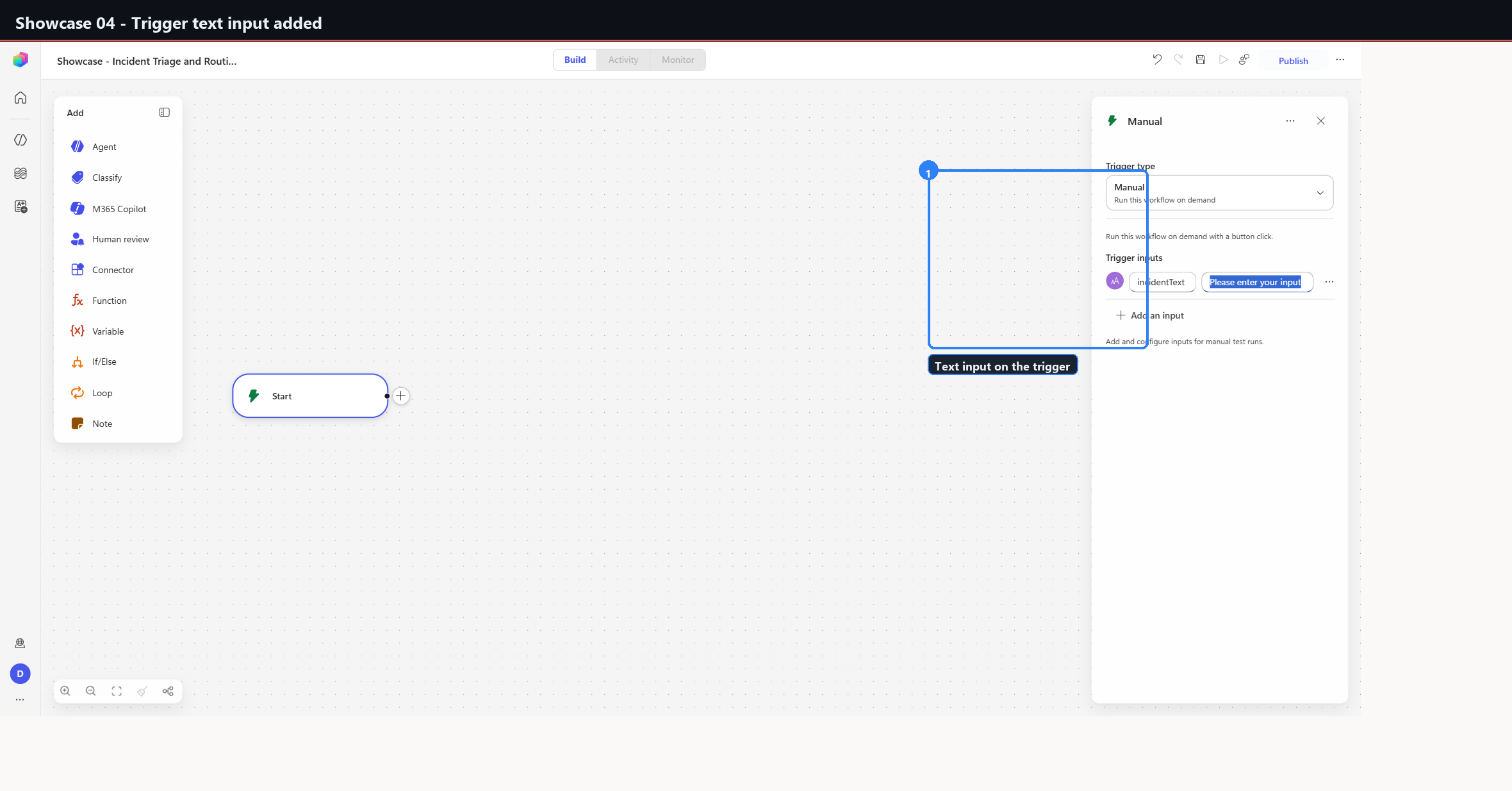
Start (trigger: text input "incidentText")
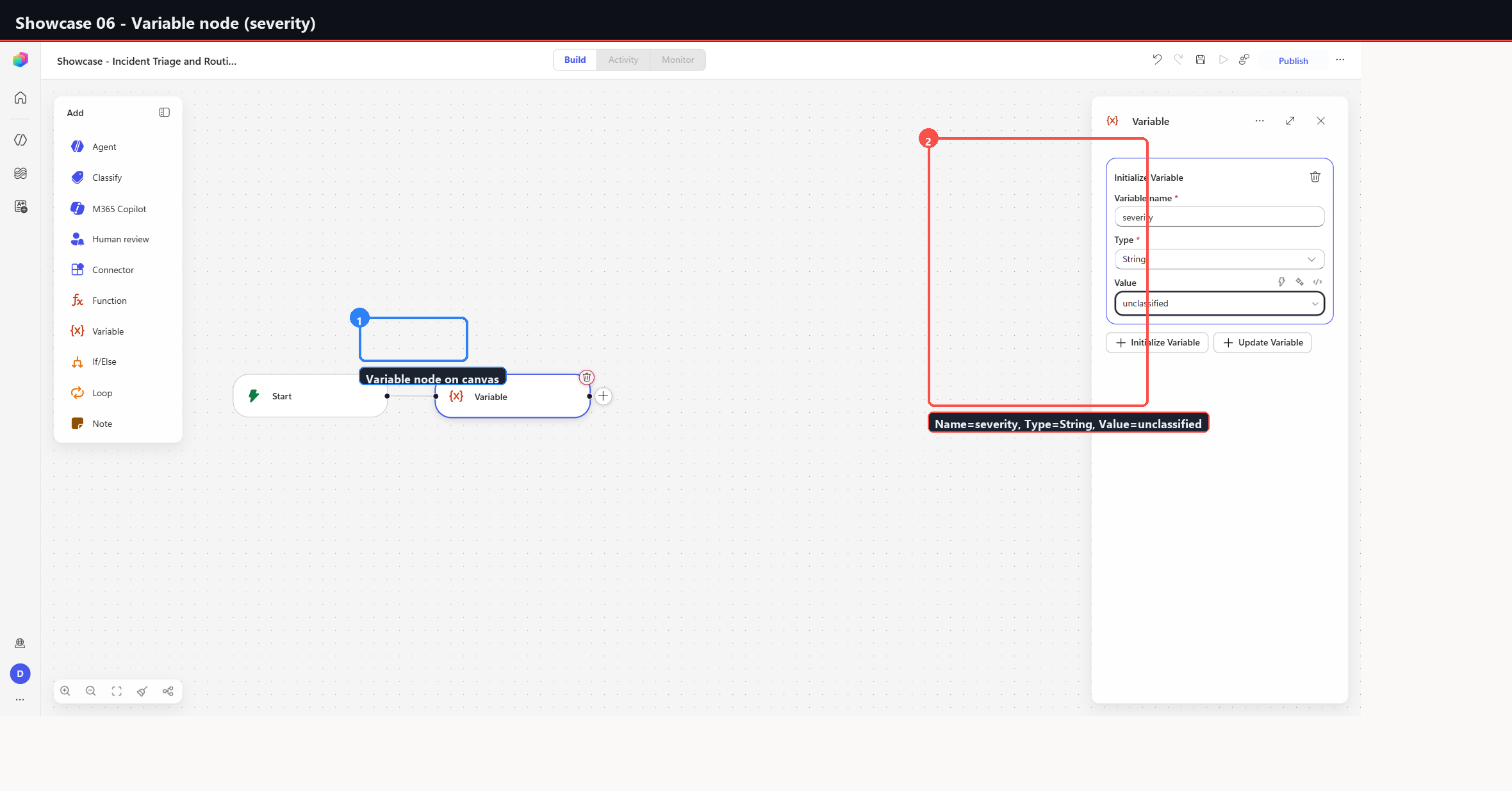
  -> Variable  severity = "unclassified"  (String)
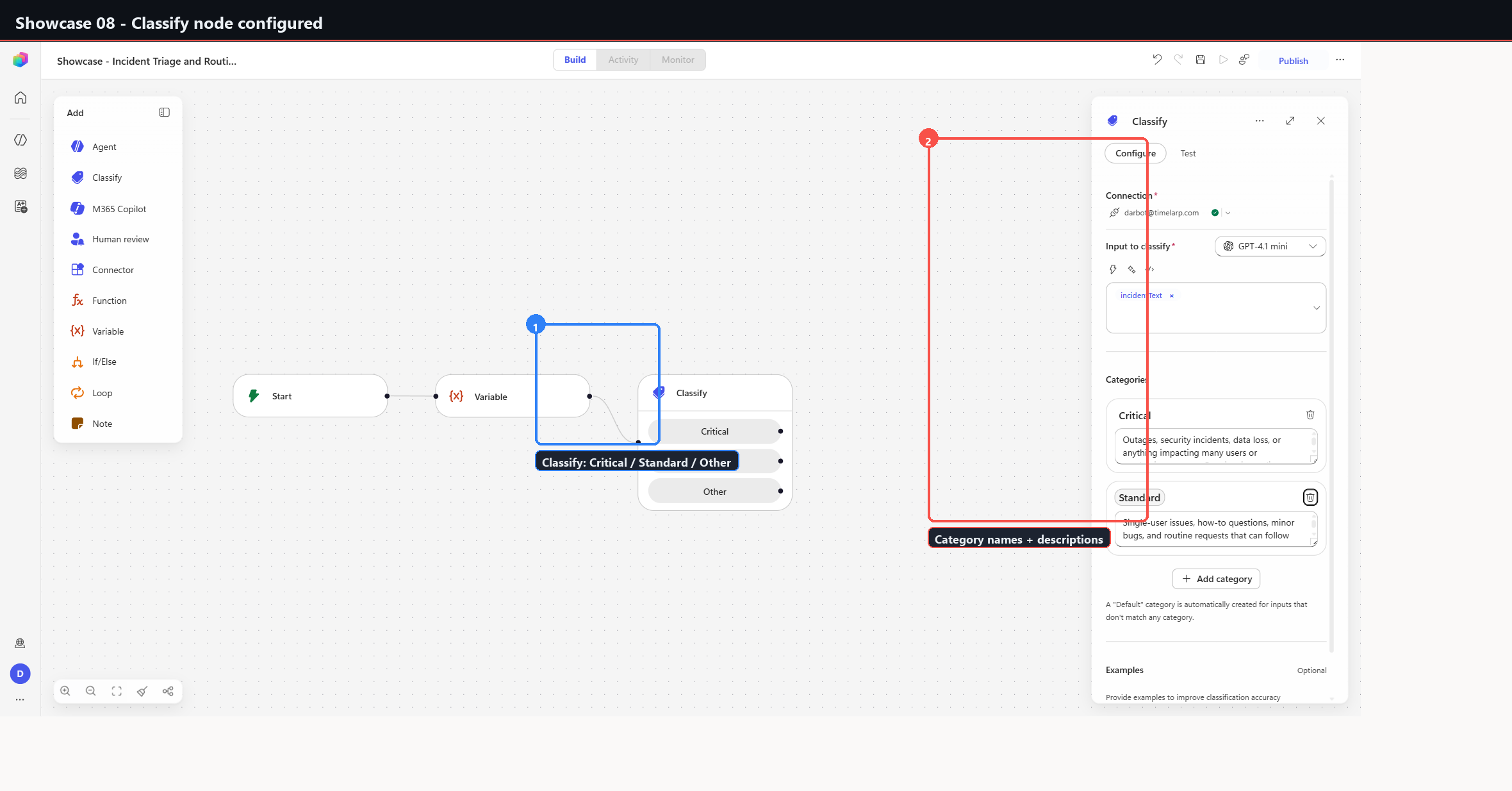
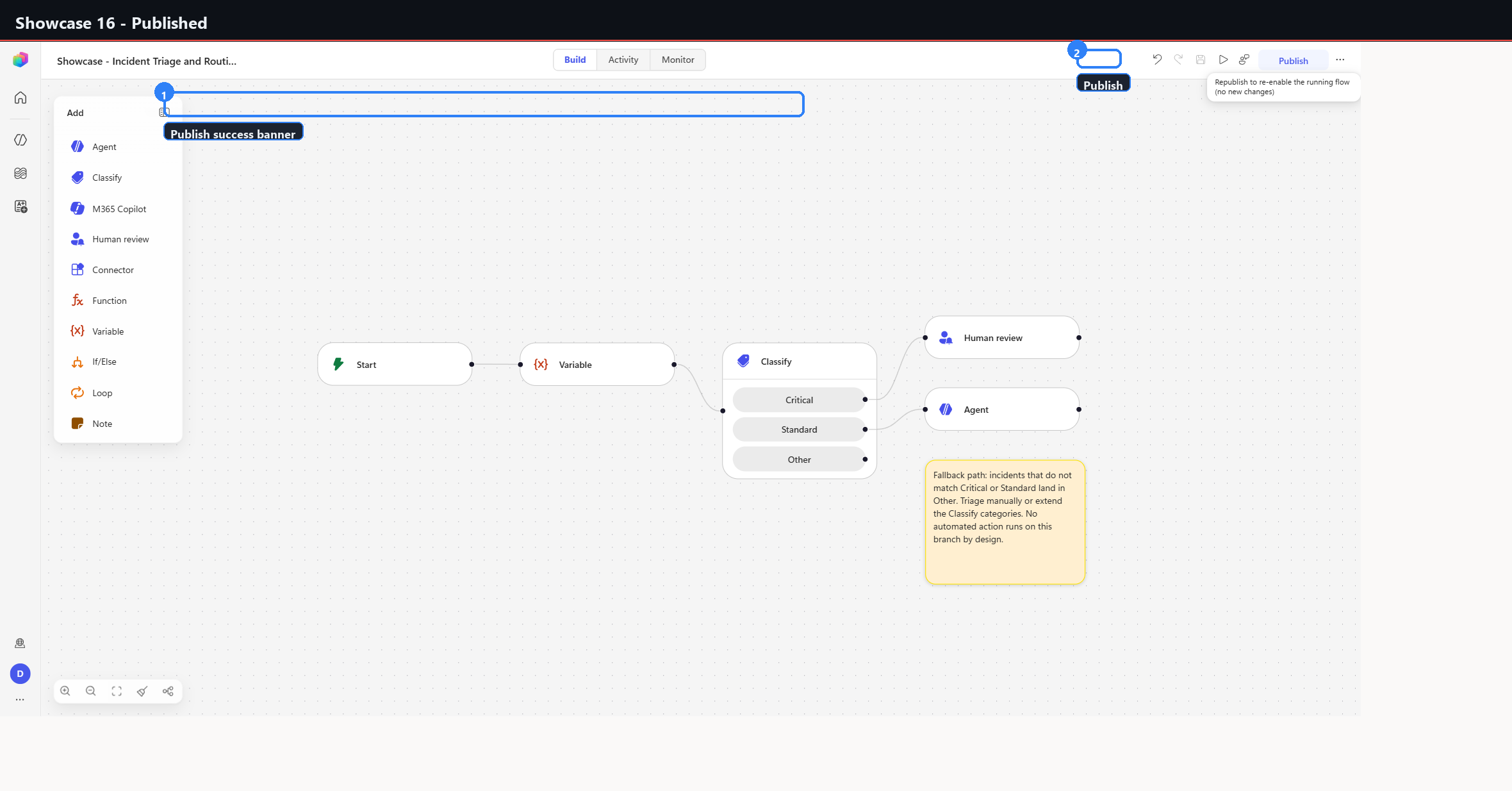
  -> Classify  incidentText into { Critical | Standard | Other }
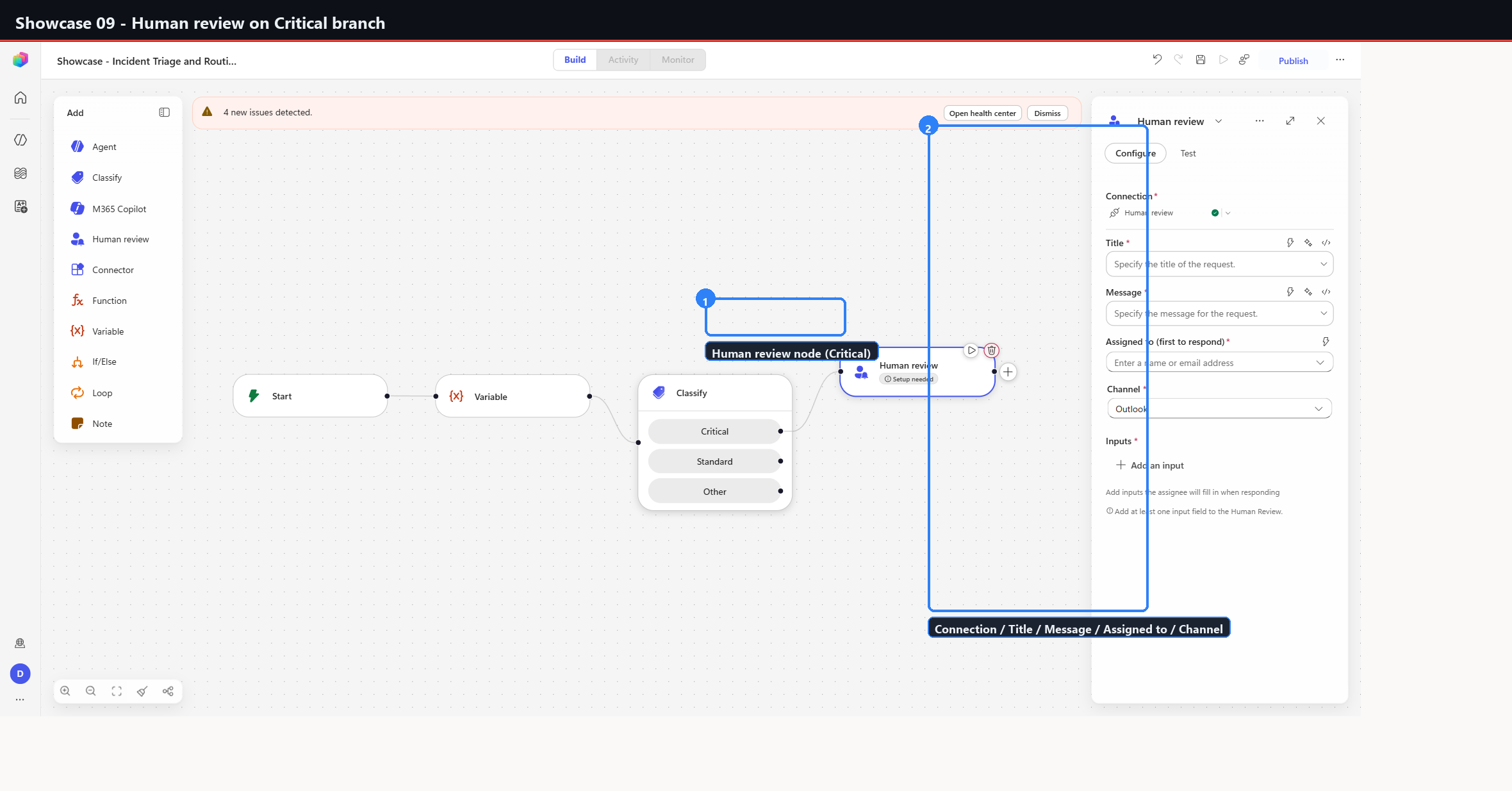
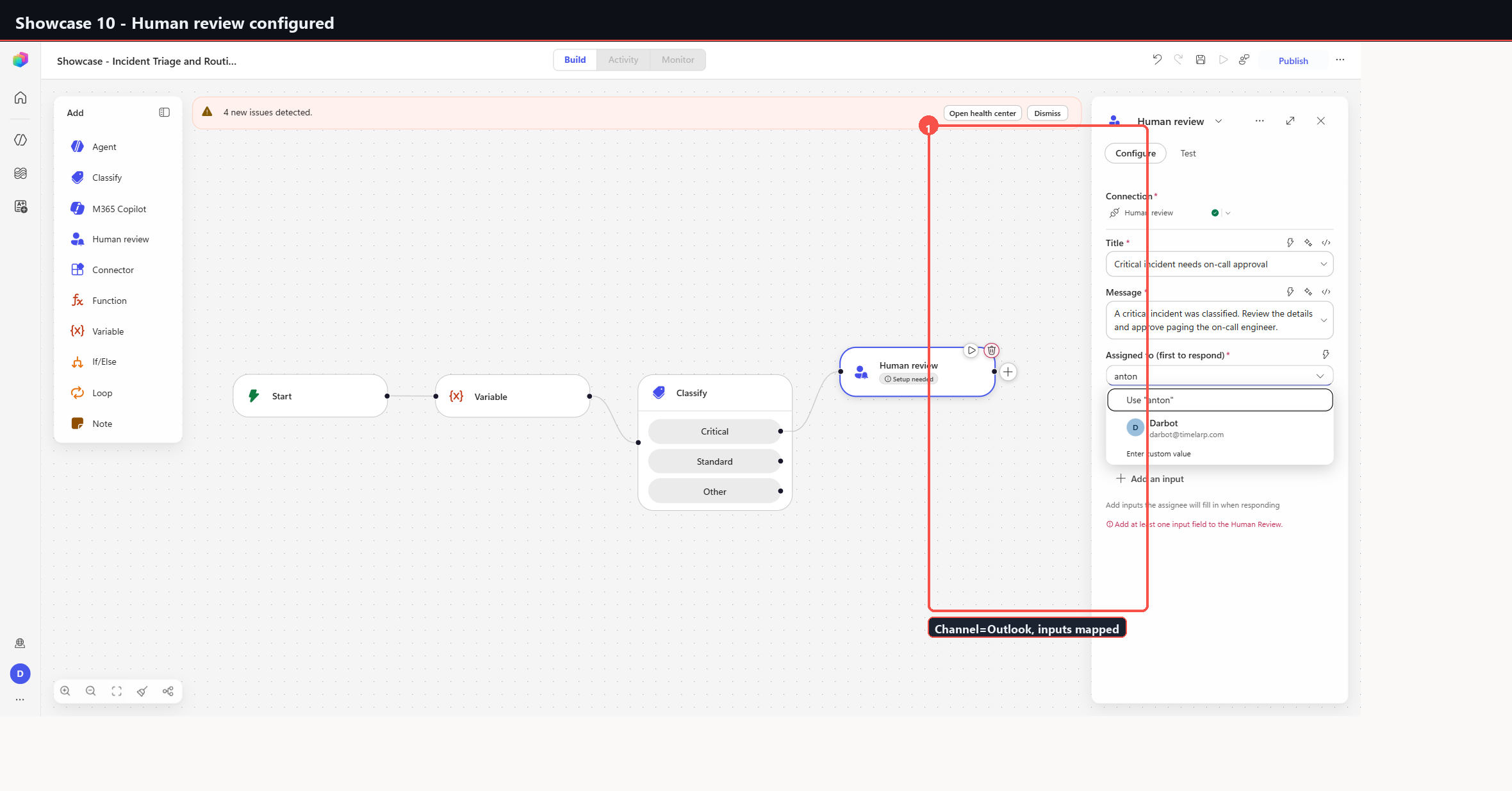
       Critical -> Human review   (Outlook approval: Title / Message / Assigned to)
       Standard -> Agent          (GPT model, free-text triage response)
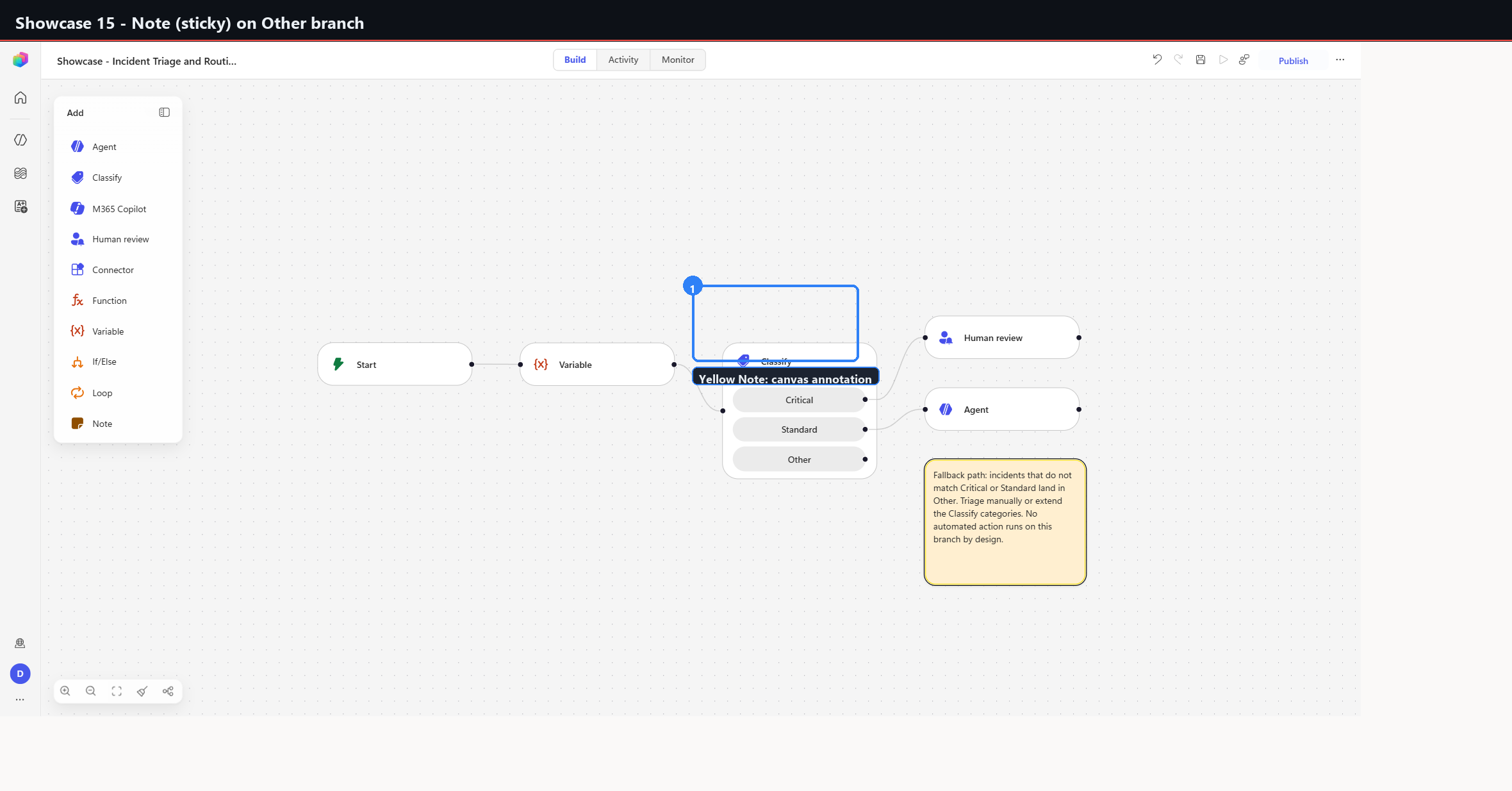
       Other    -> Note           (sticky: manual-triage fallback, no automated action)
Each branch terminates differently on purpose, and the three endings are the point of the build:
- Critical blocks on a person. The workflow stops until someone approves.
- Standard delegates to a model. The workflow continues without a human.
- Other does nothing automated at all.
The third ending is the unusual one. A Note is a canvas sticky, not a step - it is not wired into the flow and does not execute. Placing one on the Other branch documents, inside the artefact itself, that the branch is deliberately unautomated. The alternative - leaving the branch empty - is indistinguishable from an unfinished workflow.
The Variable node earns its place
severity = "unclassified" is set before Classify runs, and Classify never
writes back to it.
That looks redundant, and in this workflow it is: nothing reads severity
downstream. It was included to capture the Variable node's configuration surface
- name, Type dropdown, Value field - in a realistic position rather than in isolation. The generalisable version of the pattern is a pre-seeded default that downstream branches overwrite, so that a branch which fails to set it still yields a defined value rather than an empty one.
Build order
| # | Capture | Step |
|---|---|---|
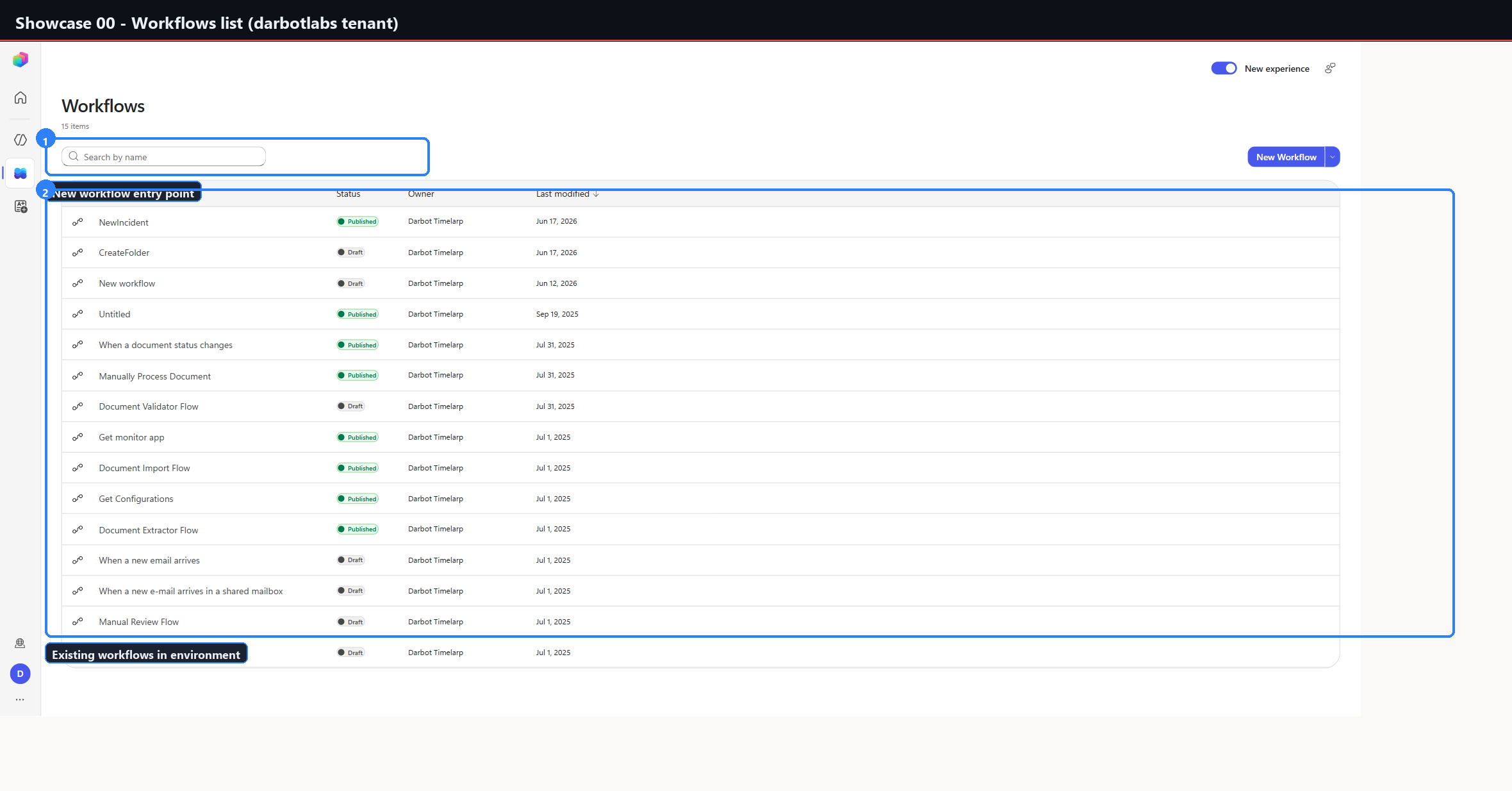
00 | 00-workflows-list-darbotlabs | Workflows list in the darbotlabs environment; New workflow entry point. |
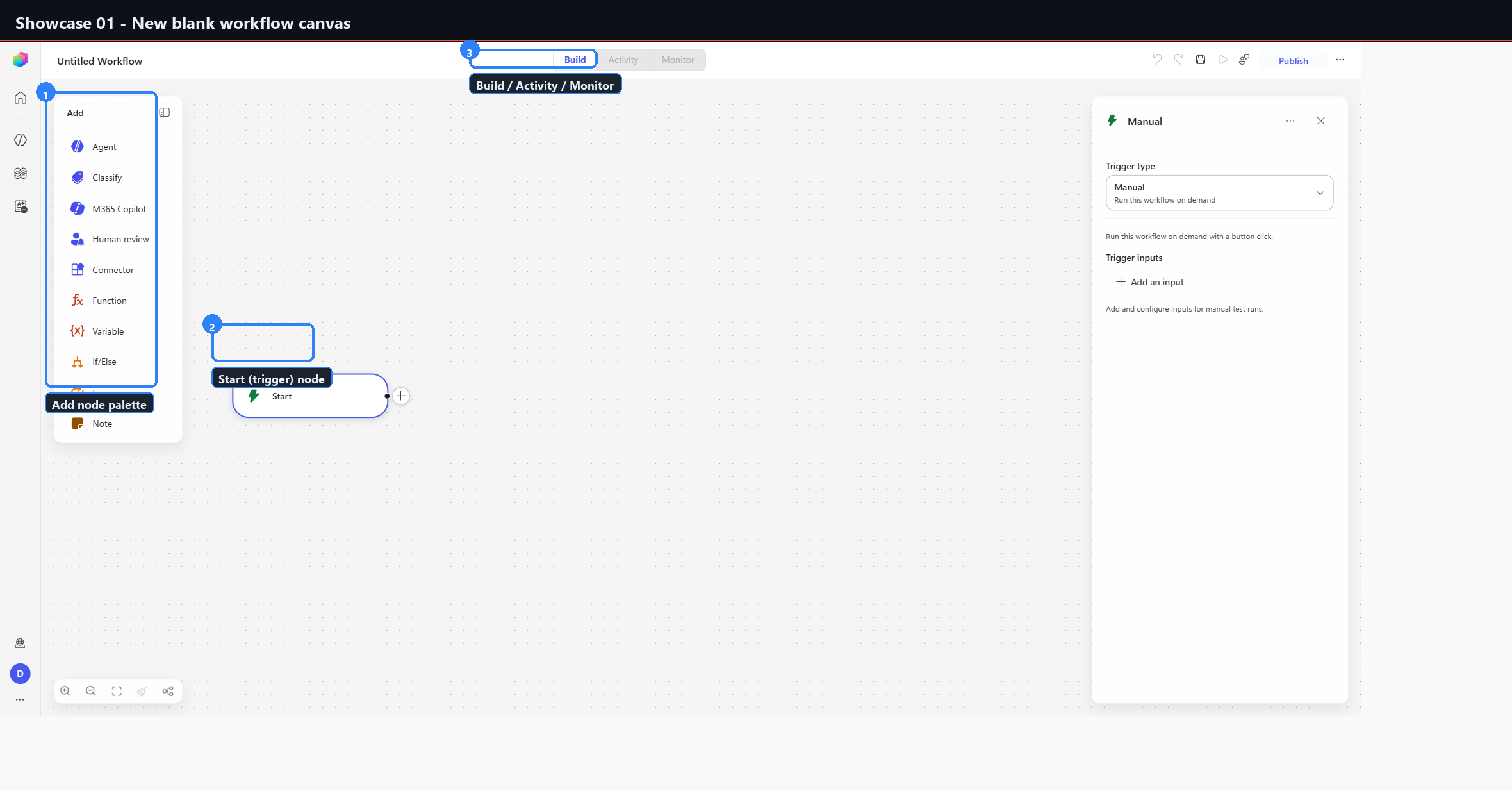
01 | 01-new-blank-canvas | Blank canvas with the single Start (trigger) node; left Add palette. |
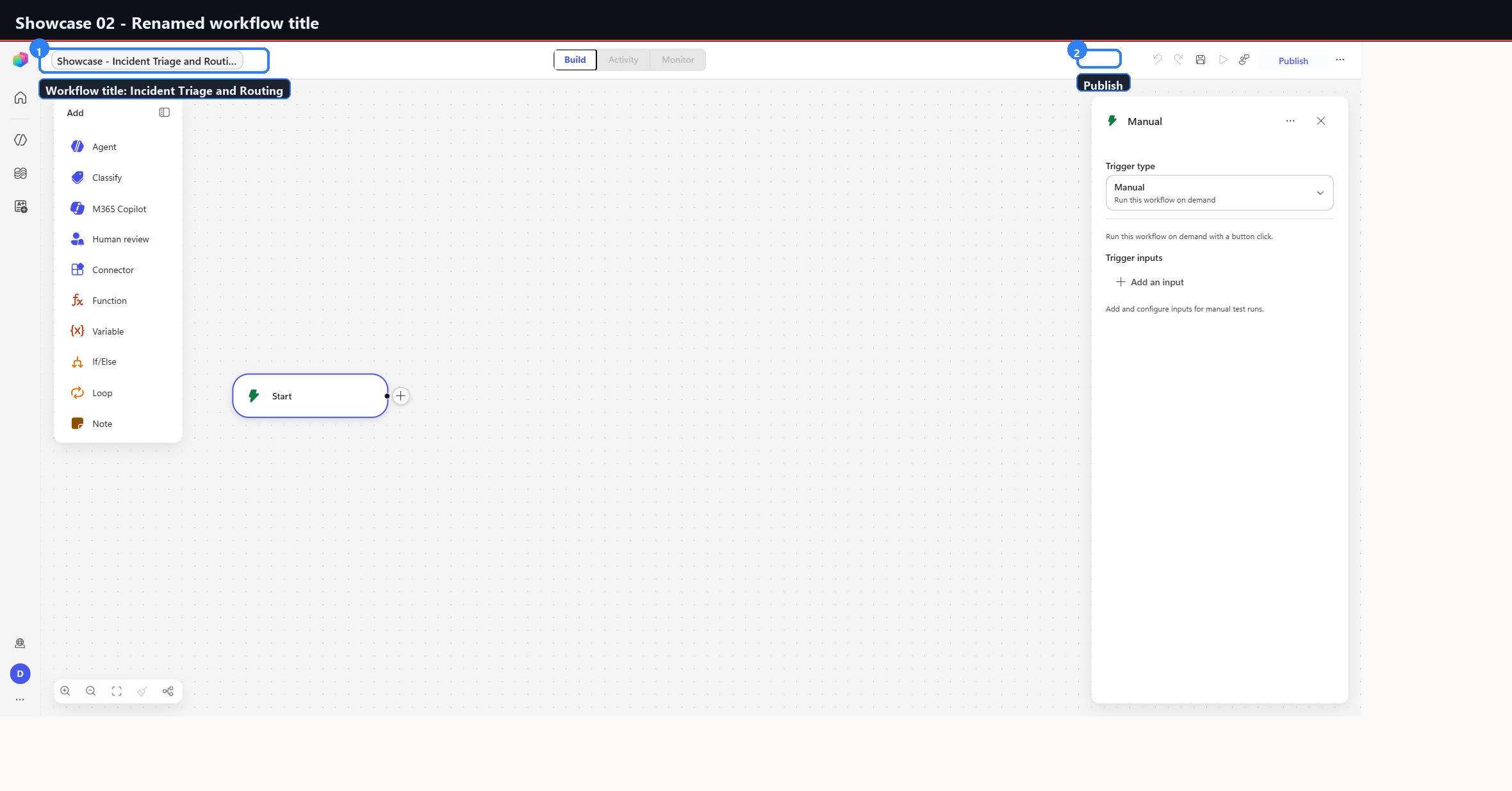
02 | 02-renamed-workflow | Rename the workflow title to "Incident Triage and Routing". |
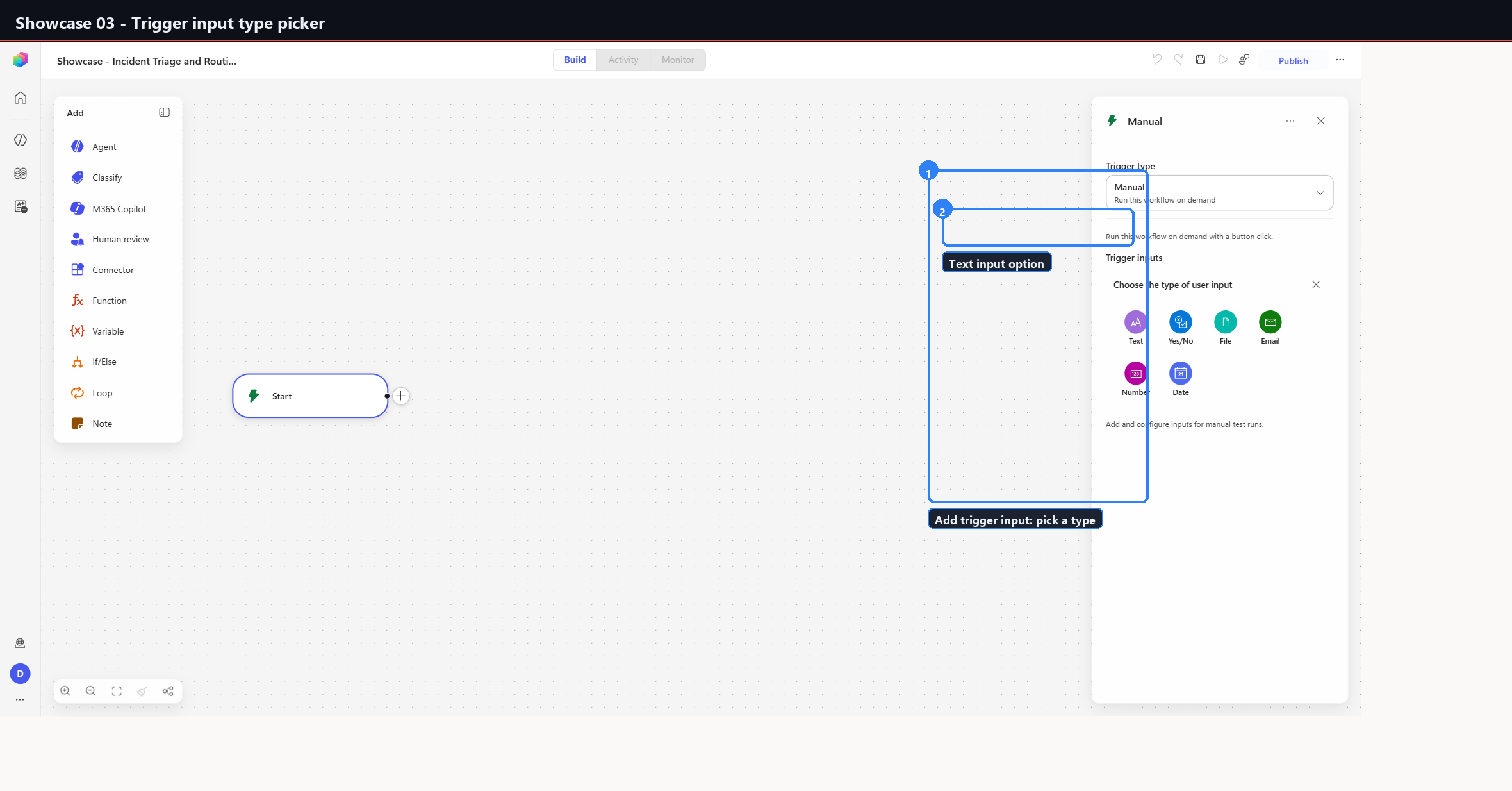
03 | 03-trigger-input-types | Trigger config: pick an input type. |
04 | 04-trigger-input-text-added | Text input incidentText added to the trigger. |
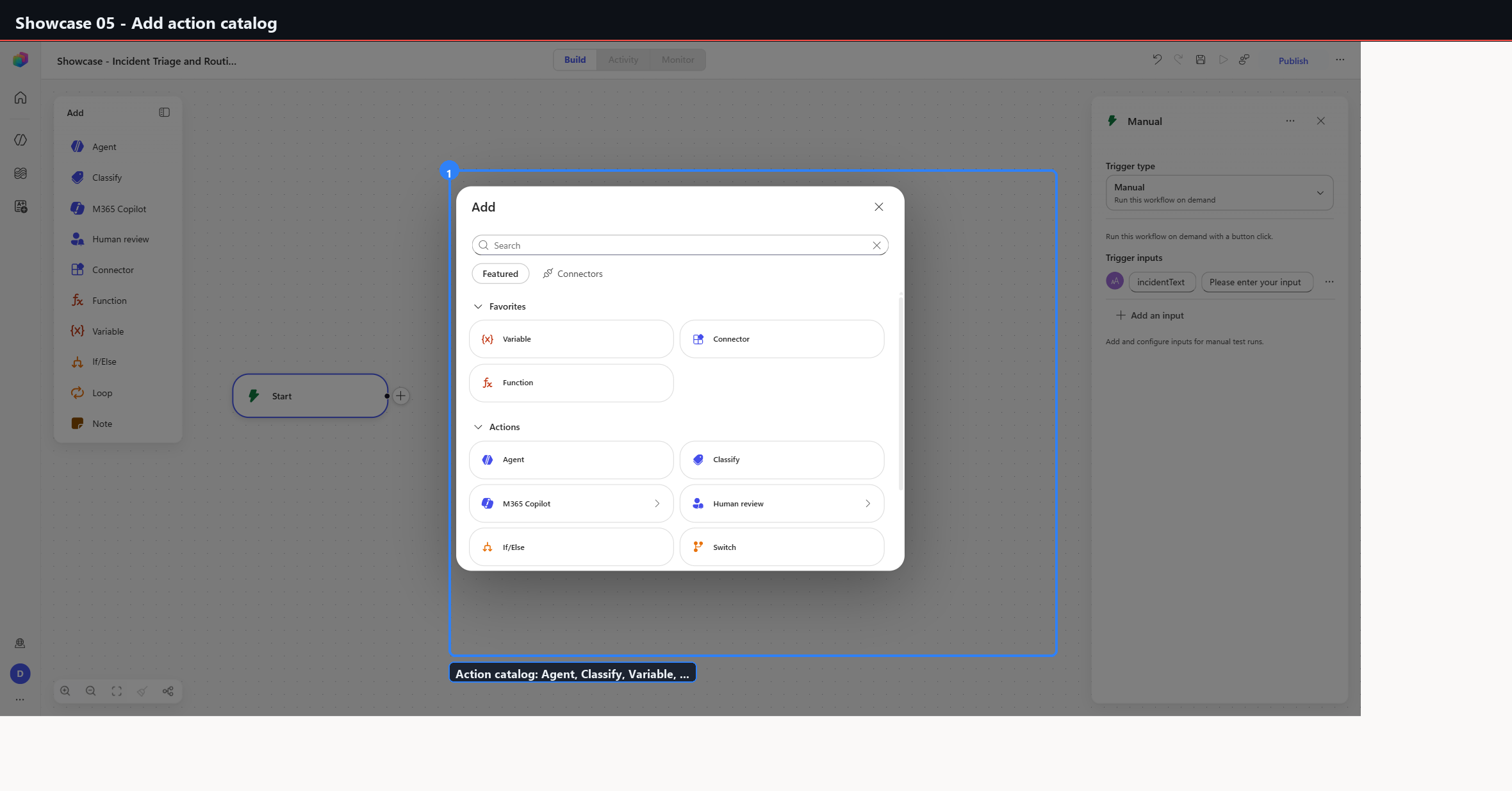
05 | 05-add-action-catalog | Add-action catalog (Agent / Classify / Variable and the rest). |
06 | 06-node-variable-severity | Variable node: name=severity, Type=String, Value=unclassified. |
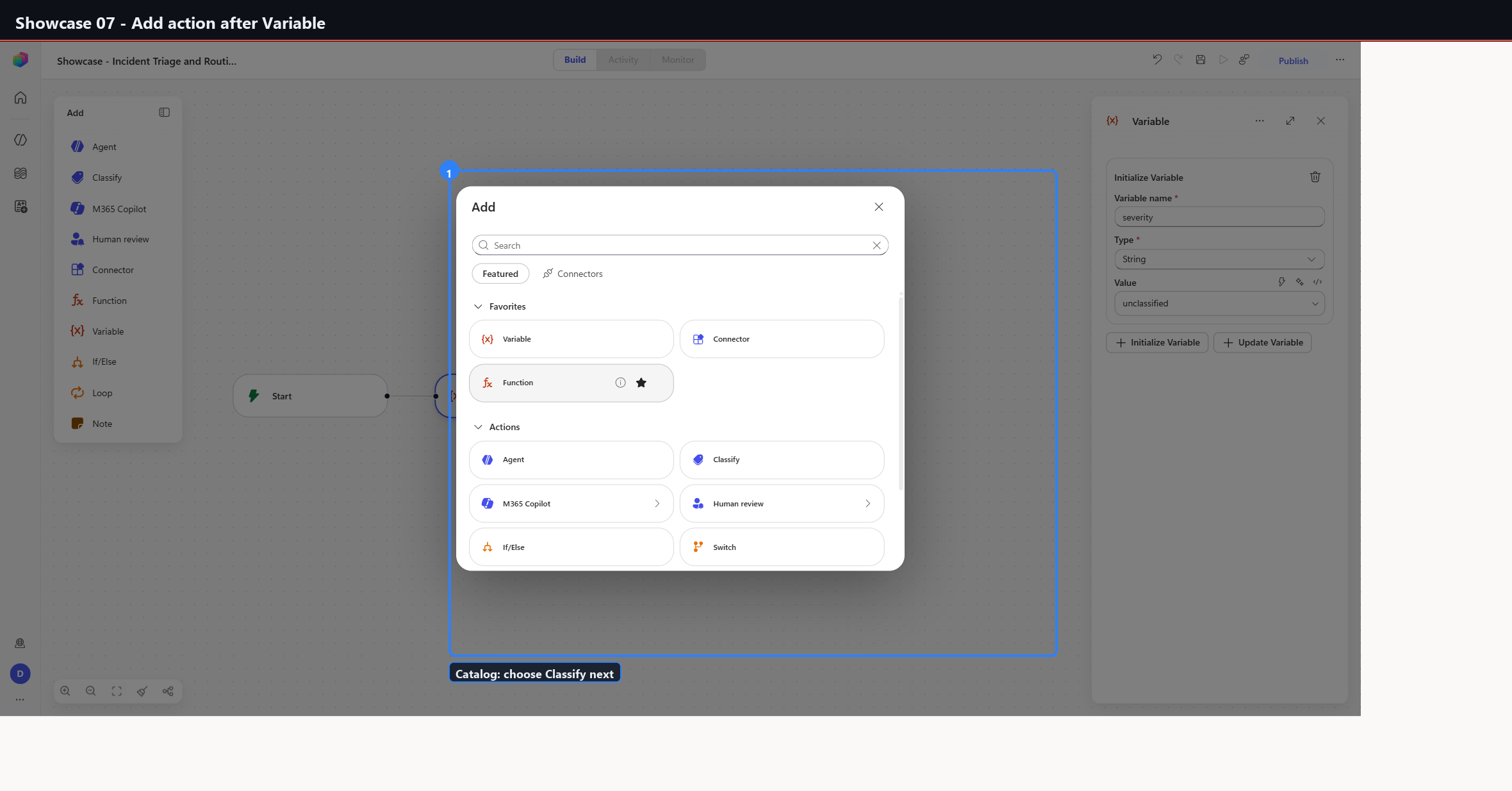
07 | 07-add-catalog-after-variable | Add next action after Variable, selecting Classify. |
08 | 08-classify-configured | Classify configured with Critical / Standard / Other plus descriptions. |
09 | 09-human-review-critical-branch | Human review on the Critical branch (config panel). |
10 | 10-human-review-configured | Human review configured (Channel=Outlook, inputs mapped). |
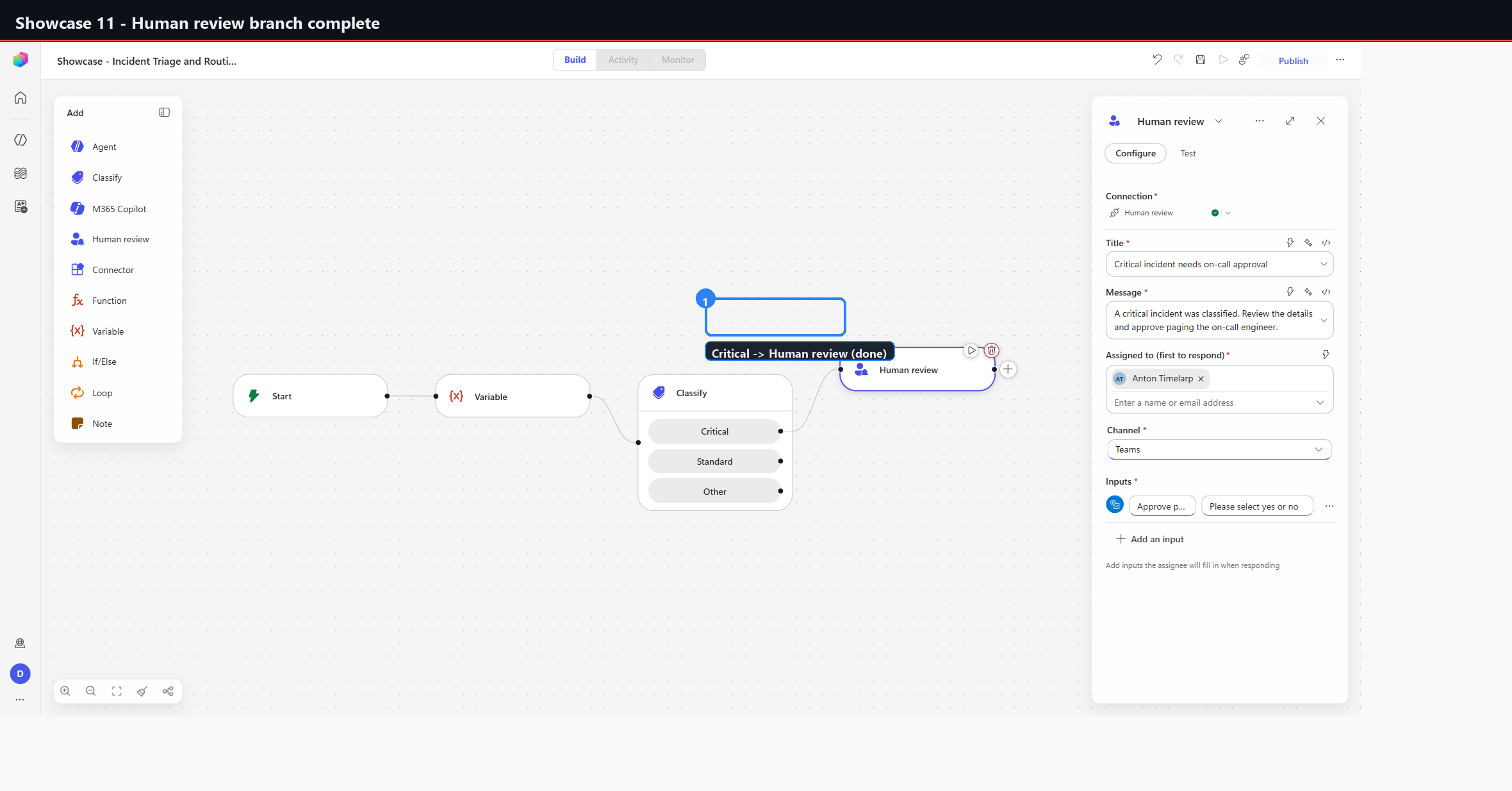
11 | 11-human-review-complete | Critical branch complete. |
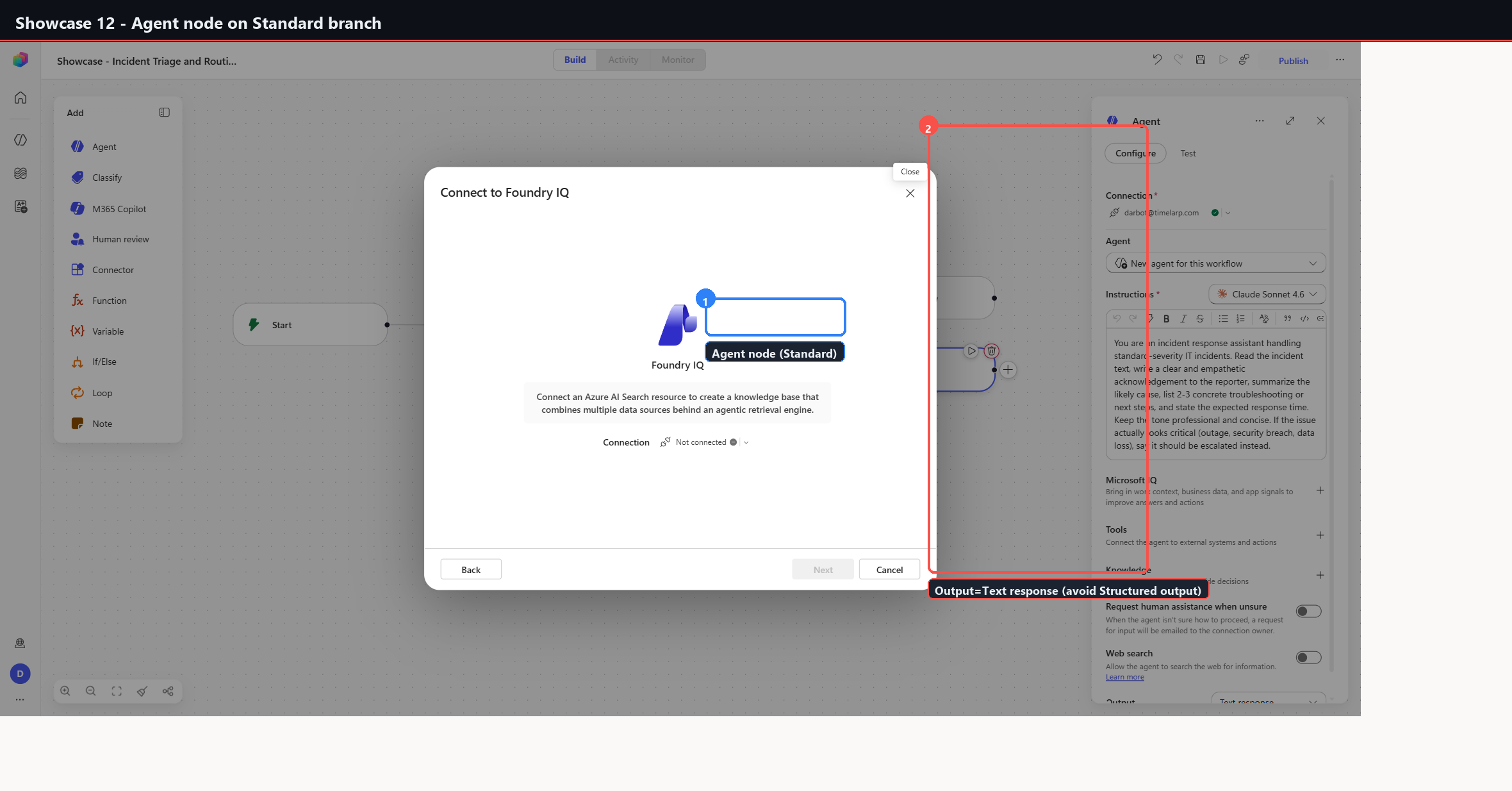
12 | 12-agent-standard-branch | Agent node on the Standard branch. |
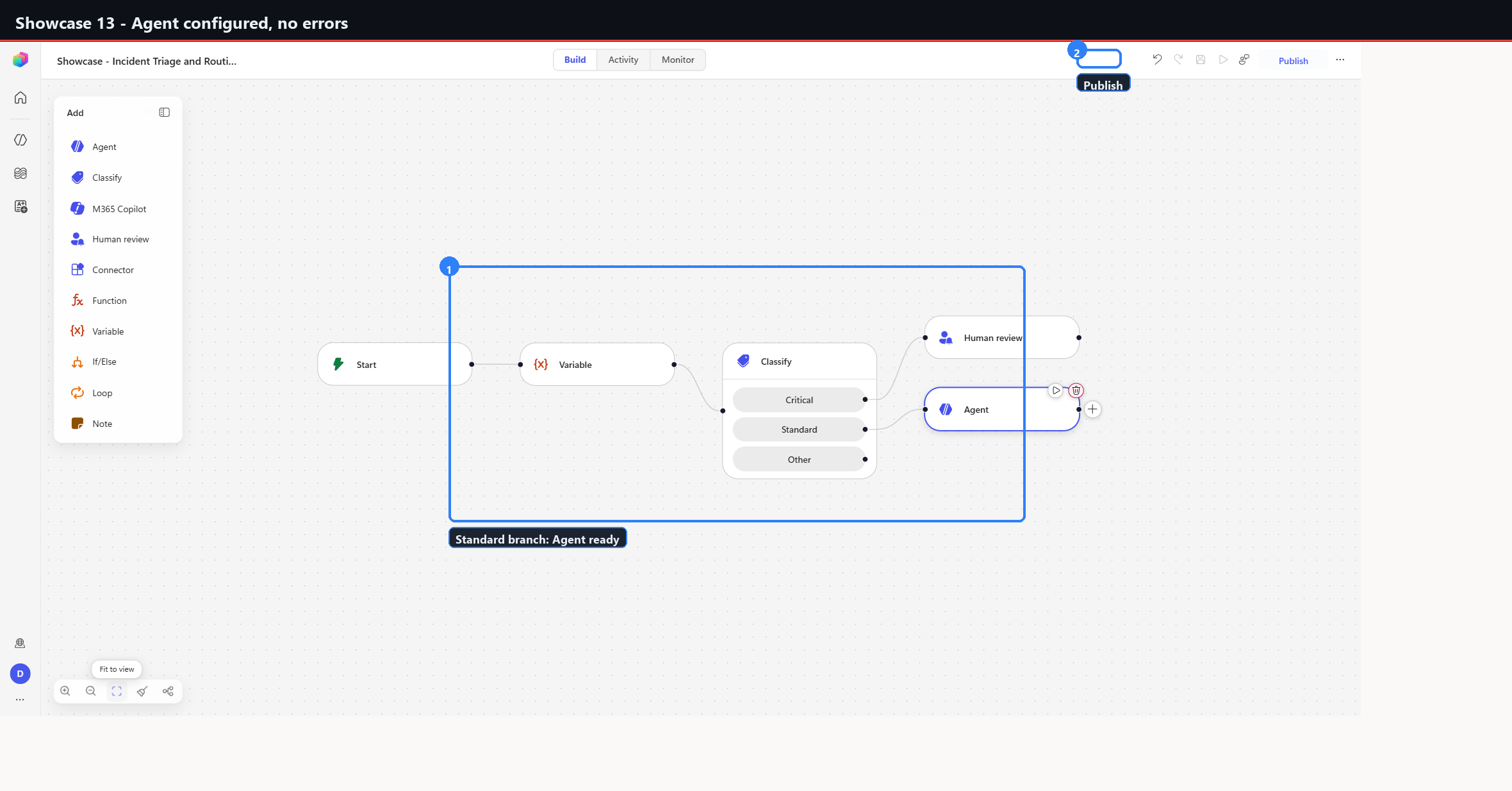
13 | 13-agent-configured-clean | Agent configured, no errors (fit-to-view). |
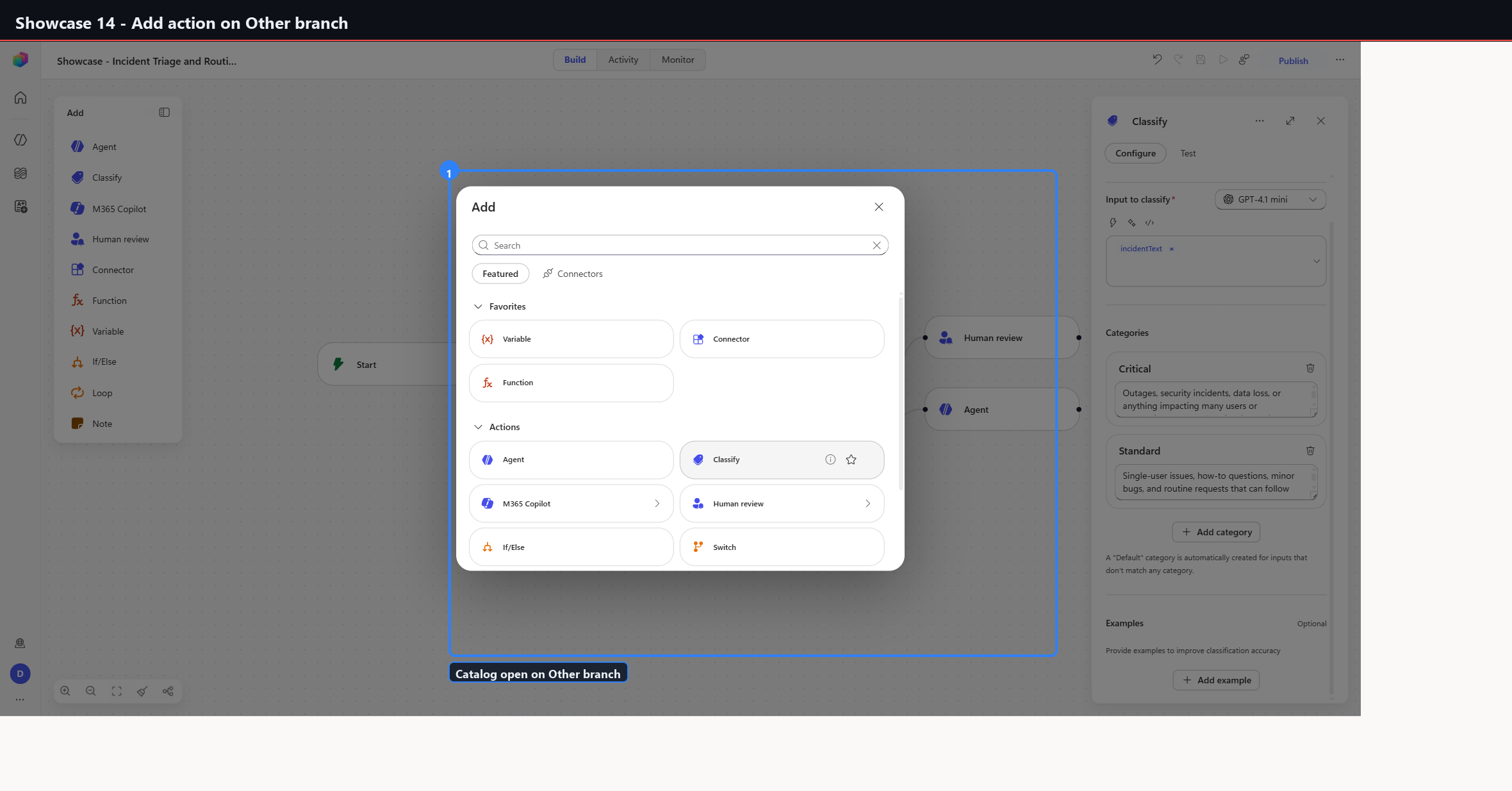
14 | 14-add-catalog-other-branch | Add action on the Other branch. |
15 | 15-note-other-branch | Yellow Note (fallback) on the Other branch. |
16 | 16-published | Published; success banner, Test enabled. |
Branches are completed one at a time - Critical fully configured at 11 before
Standard is started at 12. That ordering was not aesthetic. Configuring two
branches concurrently means two open config panels competing for the same canvas,
and the designer does not handle that well
(Phase 8).
Gotchas confirmed during this build
Agent Output defaults to Text response, and should stay there
Selecting Structured output or Custom structured output adds required property fields, which triggers "Fix 1 error before publishing" and reinstates the Setup needed badge on a node that was already clean.
await page.getByRole('option', { name: 'Text response' }).click();
Use structured output only when every required property will actually be filled. This behaviour recurred during the Phase 8 rebuild two days later.
Escape closes the panel and commits
Pressing Escape while an Output dropdown is open closes the entire node panel and commits an unintended value. Click the desired option explicitly.
The Note node is a sticky
Test id action-item-canvasNote. It is not wired into the flow. Editing it takes
a double-click, which focuses a textarea; set the value, then click empty canvas
to commit. Clicking away without committing discards the text.
Save and Publish
The Save button carries test id save-button and is disabled when the
workflow is already saved - a disabled Save is the success state, not a
failure. Publish via:
await page.getByRole('button', { name: 'Publish', exact: true }).click();
Publish takes roughly eight seconds. Afterwards the tooltip changes to "Republish to re-enable the running flow (no new changes)" and Test enables.
Captures
What this build does not prove
The workflow published. It was never run.
No incident text was ever submitted to the trigger, so Classify has not been observed routing anything, the Outlook approval has not been sent, and the Agent on the Standard branch has not produced a triage response. The three-way branch is confirmed to be constructible and publishable; its routing behaviour is unverified.
Related
- Phase 7 - Re-audit - the thirteen node types captured individually, including Classify, Agent, Human review, and Note
- Phase 8 - Showcase catalog - the eleven connector-backed workflows built after this one
- Workflow node capture - the automation pattern used to capture node types one at a time