Phase 8 - Showcase workflow catalog
Eleven reusable workflows, built and published in the Coral Workflows designer, each one a real end-to-end pipeline rather than a shape sketch.
This phase exists because the first attempt produced eleven workflows that were technically valid and practically worthless. They contained only Variable, Classify, and Note nodes - three node types that never touch an external system, never call a model, and never block on a person. Nothing in that catalog could fail in an interesting way, which meant nothing in it taught anything about the designer. The stubs were discarded, not migrated, and the catalog was rebuilt from scratch against real first-party connectors.
| Fact | Value |
|---|---|
| Tenant | darbotlabs / Cypherdyne |
| Environment | cf7ff9ef-f698-e22d-b864-28f0b7851614 |
| Designer version | v23.4.2 |
| Built | 2026-06-19 |
| Workflows published | 11 |
| Captures | captures-2026-06-18/ (70 files) |
Note that this environment is not the environment Raybot itself lives in.
Raybot was built in Default-6b104499-c49f-45dc-b3a2-df95efd6eeb4. A flow id
from this catalog and the Raybot agent id are cross-tenant references and will
never resolve in the same session.
The shape every workflow follows
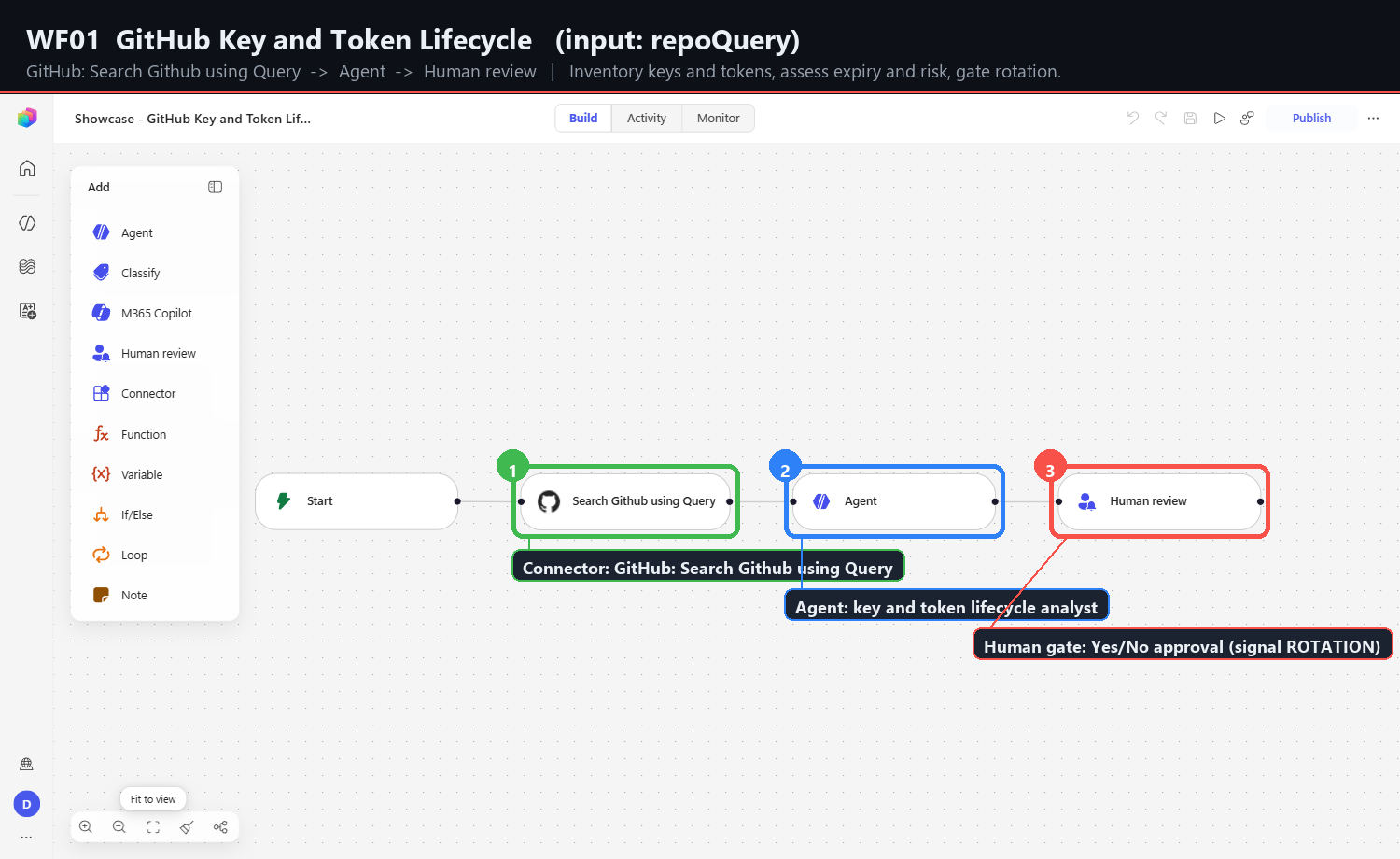
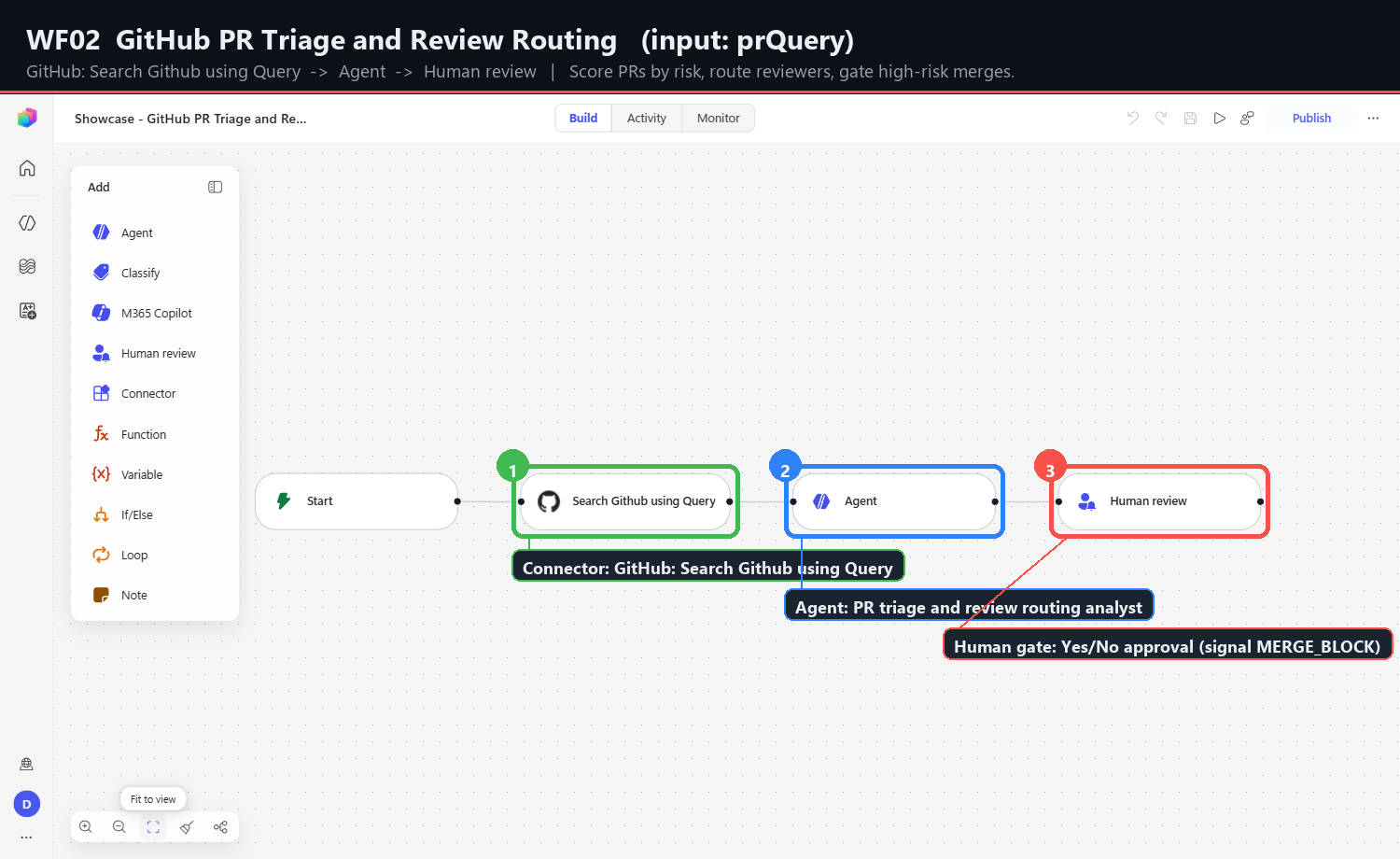
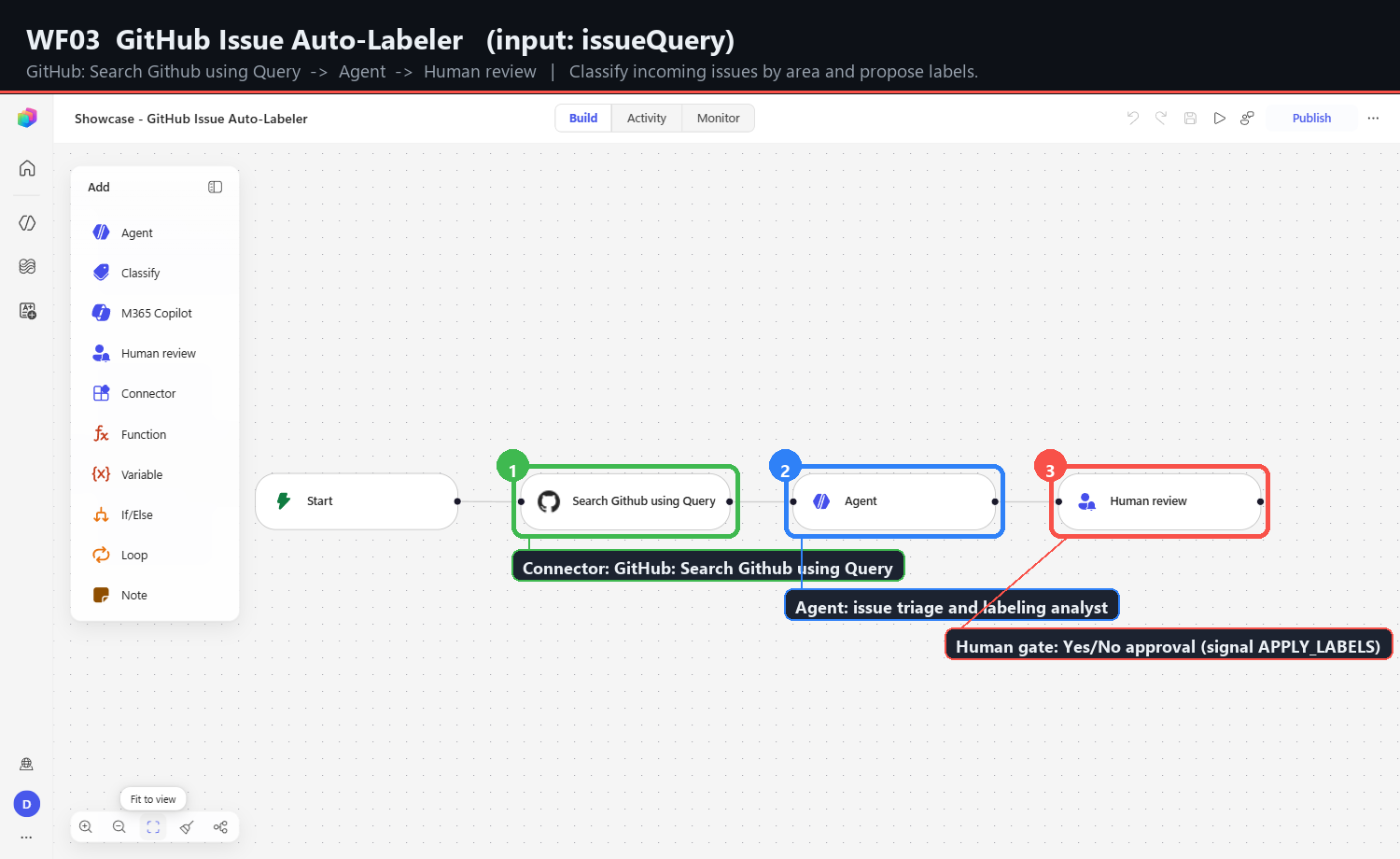
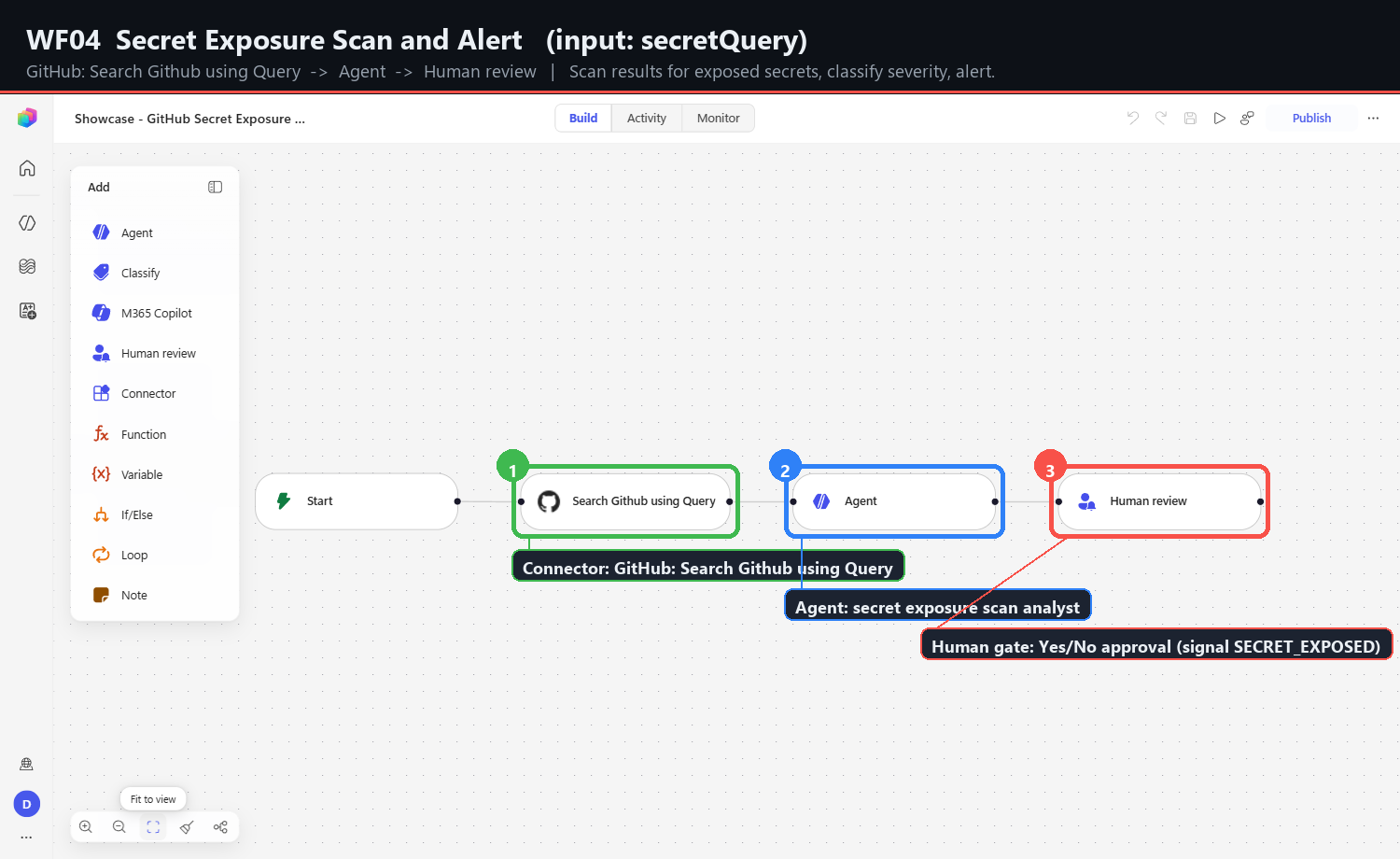
Start (trigger: one typed Text input)
  -> Connector    first-party action, input bound to its primary parameter
  -> Agent        analyses connector output, emits one decision signal line
  -> Human review assigned reviewer, Yes/No approval input
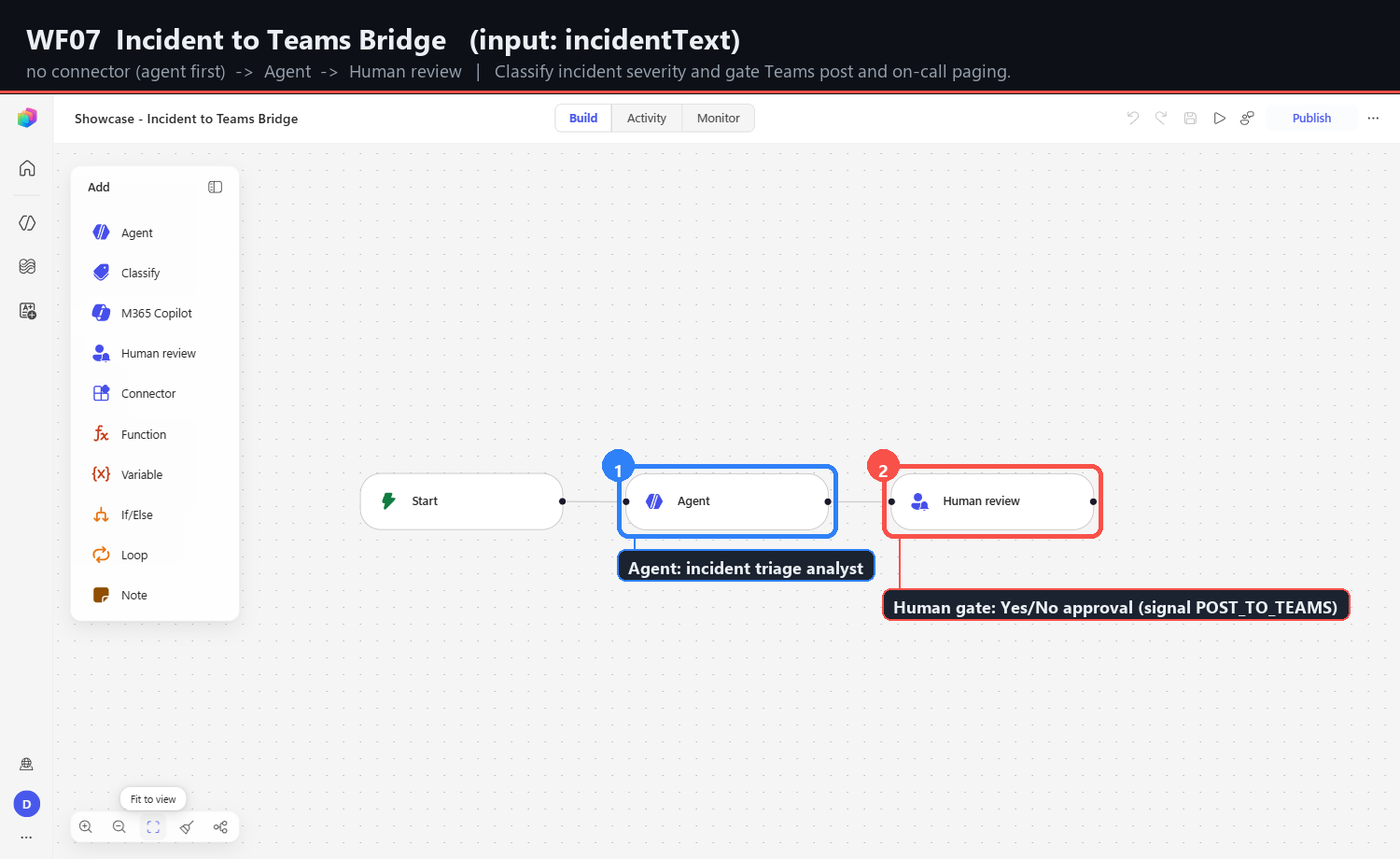
Three of the eleven are agent-first: they have no connector at all. That is a design decision, not an omission. Workflows 07, 10, and 11 take free-text input (incident prose, a documentation topic, a key scope) rather than a query string, so there is nothing to search against. Binding them to a connector would have meant inventing a query they do not have.
Why every agent ends with a decision signal
Each Agent step's instructions terminate with a single uppercase token on its own
line - ROTATION: yes/no, MERGE_BLOCK: yes/no, and so on.
This is the load-bearing part of the pattern. An agent that answers in prose forces every downstream consumer to parse prose, which means every consumer re-implements the same brittle extraction and disagrees with the others about edge cases. A fixed final line means a consumer greps for one token. The cost is one sentence of instruction; the benefit is that the workflow's output has a machine-readable contract.
It also makes the human gate meaningful. The reviewer sees the agent's reasoning and its recommendation, and approves or rejects the recommendation - rather than being asked to re-derive a decision from a paragraph.
The catalog
| # | Workflow | Input | Connector | Decision signal | Flow id (8) |
|---|---|---|---|---|---|
01 | GitHub Key and Token Lifecycle | repoQuery | GitHub: Search Github using Query | ROTATION | 15a4f189 |
02 | GitHub PR Triage and Review Routing | prQuery | GitHub: Search Github using Query | MERGE_BLOCK | 4362af9a |
03 | GitHub Issue Auto-Labeler | issueQuery | GitHub: Search Github using Query | APPLY_LABELS | c9d8fa92 |
04 | Secret Exposure Scan and Alert | secretQuery | GitHub: Search Github using Query | SECRET_EXPOSED | a10da6bc |
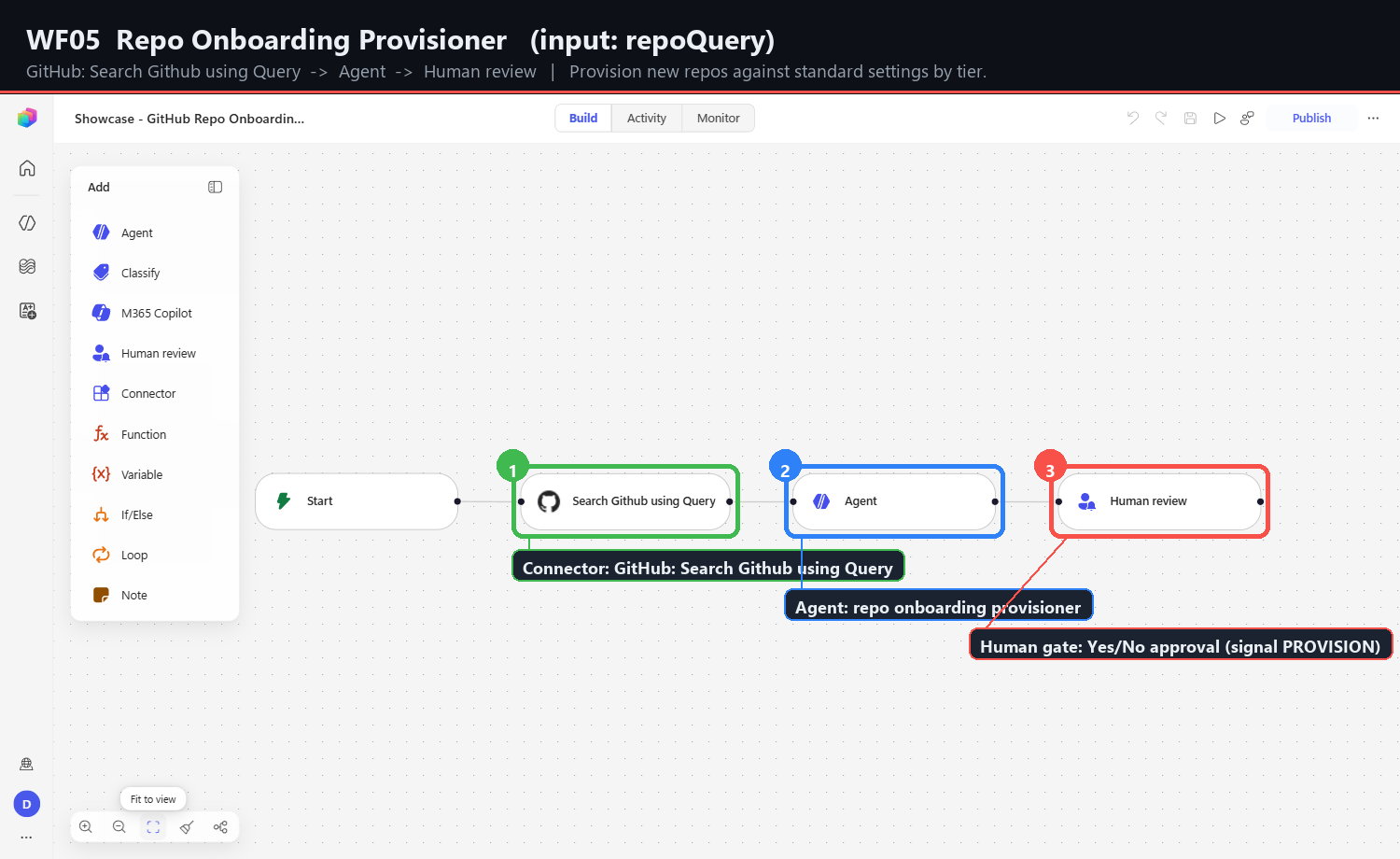
05 | Repo Onboarding Provisioner | repoQuery | GitHub: Search Github using Query | PROVISION | e3dada34 |
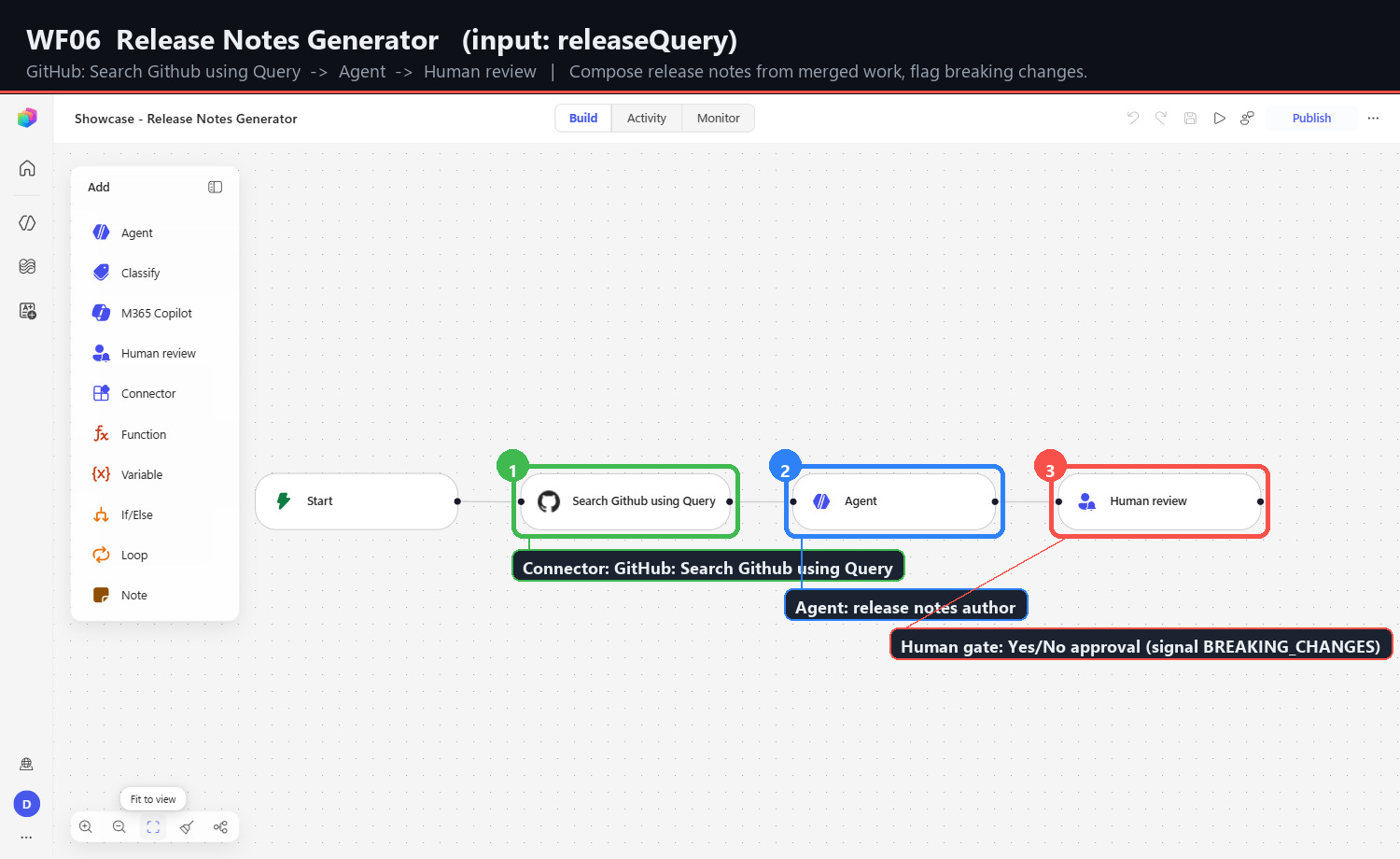
06 | Release Notes Generator | releaseQuery | GitHub: Search Github using Query | BREAKING_CHANGES | 3825f5a1 |
07 | Incident to Teams Bridge | incidentText | none (agent first) | POST_TO_TEAMS | 50074e25 |
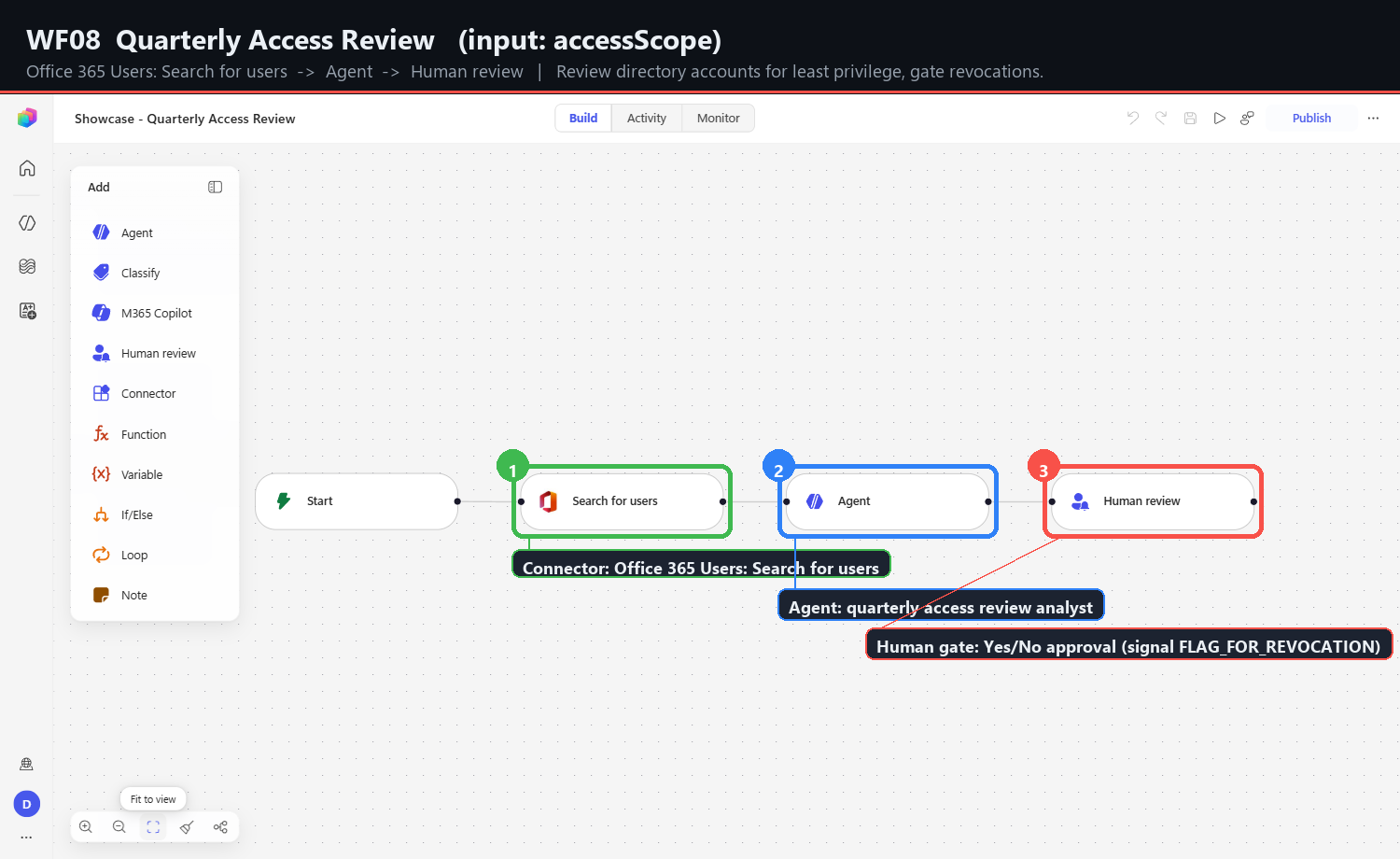
08 | Quarterly Access Review | accessScope | Office 365 Users: Search for users | FLAG_FOR_REVOCATION | 0ea6baa7 |
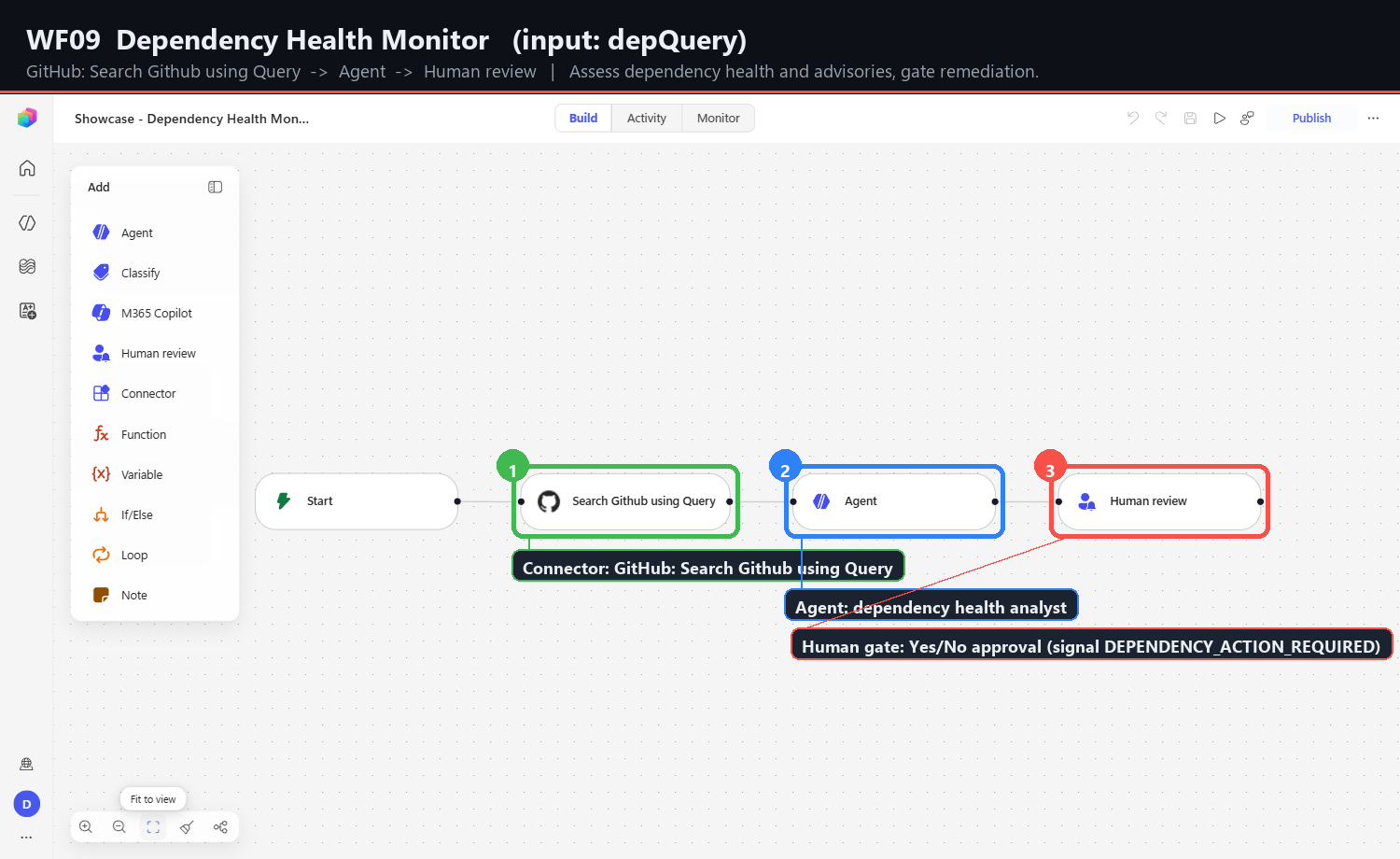
09 | Dependency Health Monitor | depQuery | GitHub: Search Github using Query | DEPENDENCY_ACTION_REQUIRED | d4cda0ba |
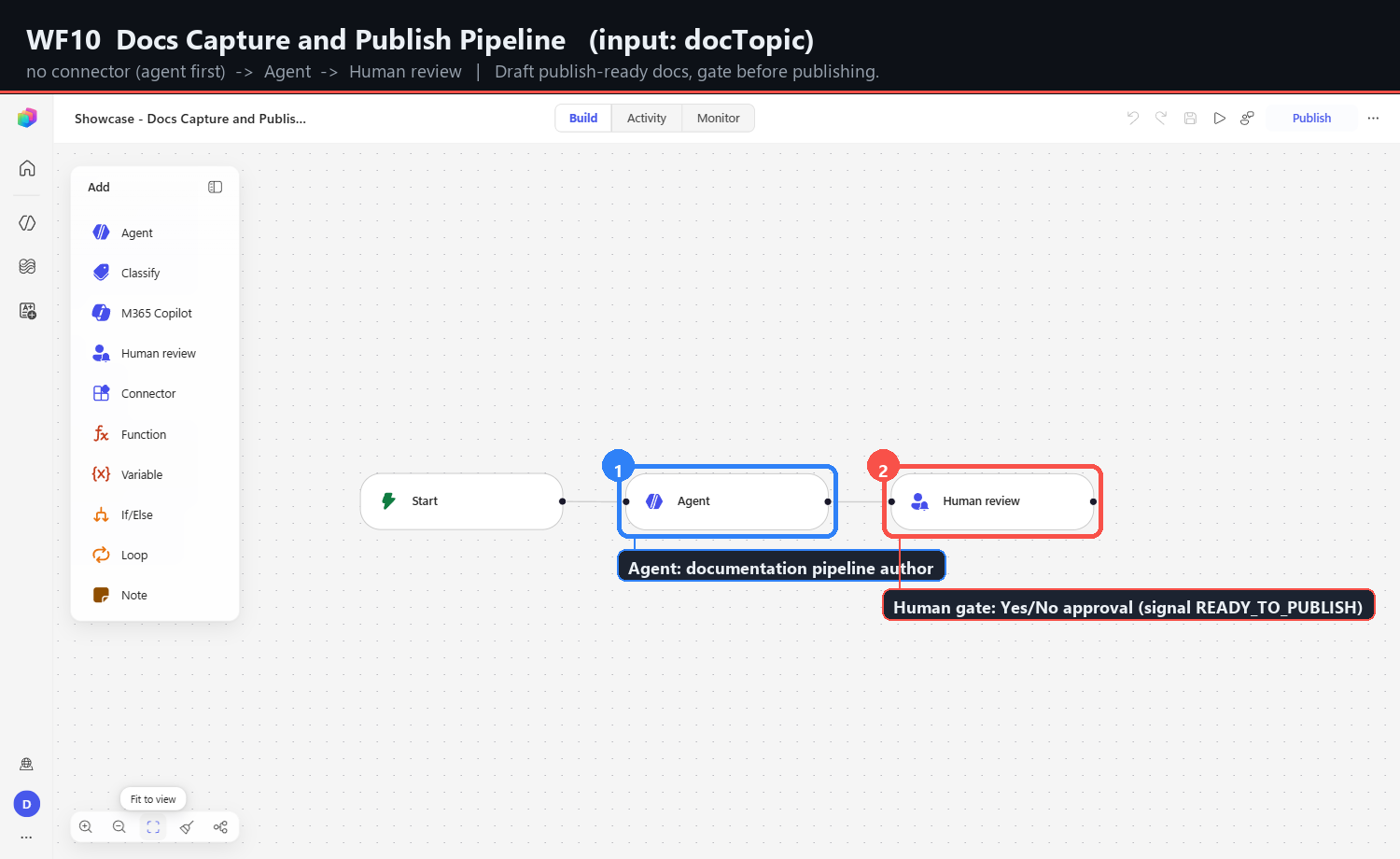
10 | Docs Capture and Publish Pipeline | docTopic | none (agent first) | READY_TO_PUBLISH | cee82ed1 |
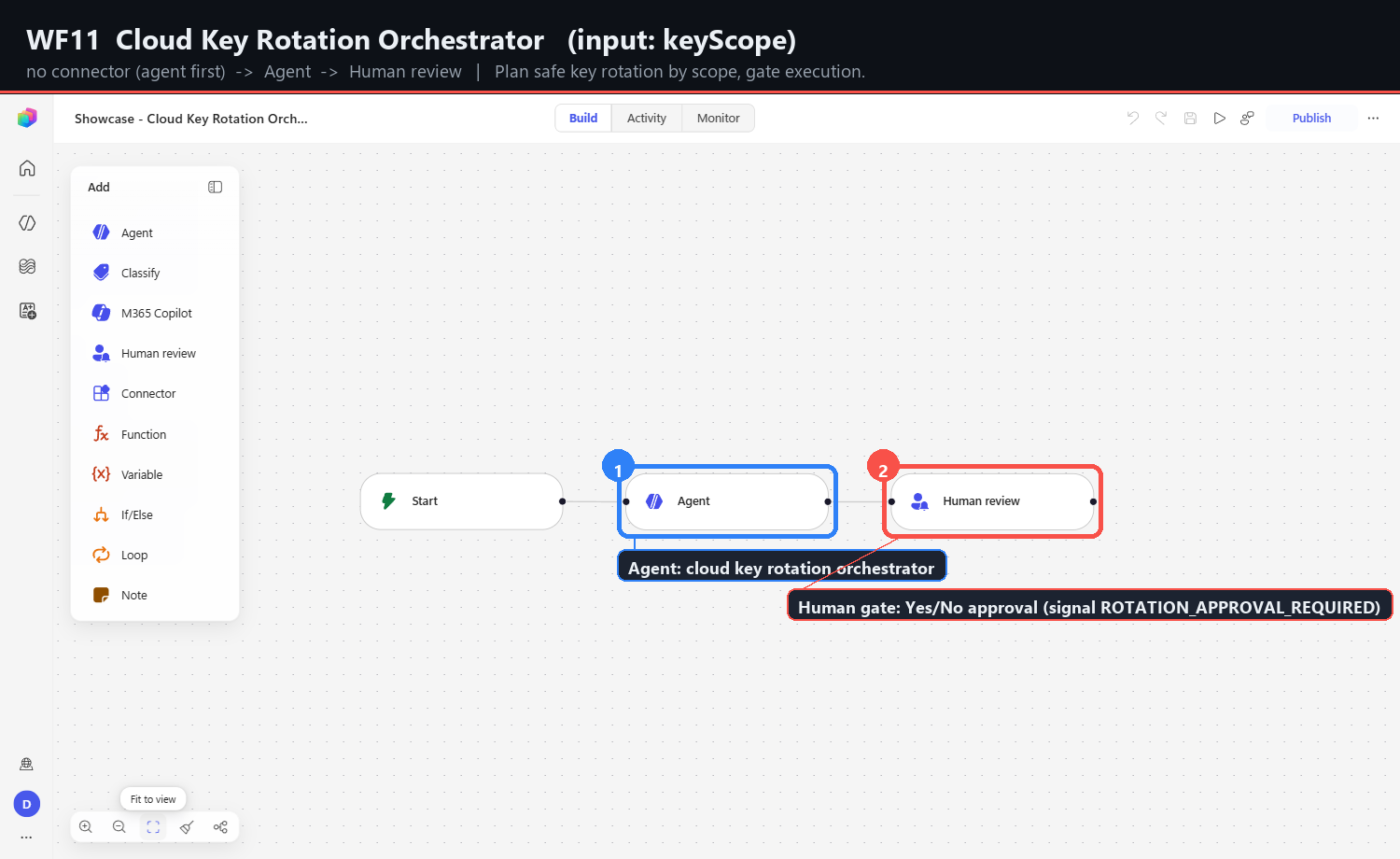
11 | Cloud Key Rotation Orchestrator | keyScope | none (agent first) | ROTATION_APPROVAL_REQUIRED | d4a383ef |
Only eight characters of each flow GUID were recorded. The full identifiers were never exported, so these prefixes are sufficient to correlate a capture folder with a flow in the designer and nothing more.
Designer behaviours that cost time
Every item below was observed directly during the rebuild. They are documented as first-class findings because several of them are preconditions for automation, not merely annoyances: an automation that does not handle them fails with a timeout and no diagnostic.
The new-canvas deep link does not work
/flows/new/canvas redirects to /workflows. The working entry point is the
primary button:
await page.getByTestId('my-work-create').getByText('New Workflow').click();
The chevron beside that button offers only New classic workflow, which opens a different designer entirely. Selecting it produces a workflow that looks superficially similar and shares none of the node types documented here.
Agent instructions must be one continuous line
A newline inside the instructions field commits the instruction early. A /
character opens the slash command menu and truncates everything after it. Both
failures are silent - the node saves, shows no error badge, and publishes, with
instructions that stop partway through a sentence.
Type instructions as a single line with no inline dynamic tokens.
The Agent config panel blocks the next picker
After saving an Agent step with Ctrl+S, the configuration panel stays open and intercepts the click that would open the next step picker. The picker never appears and the automation times out against a locator that is genuinely not there.
Close the panel explicitly - Close button, then a click on empty canvas - before adding the next step. In practice this means building the Agent step and the Human review step in separate automation calls rather than one continuous sequence.
Structured output re-breaks a working node
An Agent node defaults to Text response. Selecting Structured output or Custom structured output adds required property fields, which immediately produces "Fix 1 error before publishing" and restores the Setup needed badge on a node that was previously clean.
Reselect Text response unless every required property will actually be filled. This is the single fastest way to turn a publishable workflow into an unpublishable one.
Escape commits the value it appears to cancel
Pressing Escape while an Output dropdown is open closes the whole node panel and commits a value that was never chosen. There is no undo prompt and no visual difference from a deliberate selection.
Click the intended option. Never dismiss a dropdown in this designer with the keyboard.
Binding a connector input
Use getByTestId('action-item-connector'), search the connector family, then
select the exact action - Select action: Search Github using Query. Bind the
trigger input with Insert dynamic content, using .first(), because there is
one dynamic-content button per field and the accessible names are identical.
Verify the resulting token chip reads <var>x before moving on.
The GitHub and Office 365 Users connections auto-bind to the signed-in account and show a green check. No separate connection step was required.
Human review noise is benign
Configuring a Human review step spams
advancedapprovals/listDynamicProperties 500 responses into the console. They
do not block configuration, do not block publish, and the gate works afterwards.
This is the second Coral surface in this audit where a persistent 500 is
harmless - see Phase 6 for the one that is not.
Publish succeeds before Test enables
The Test button enables several seconds after Publish reports success. Checking immediately produces a disabled button and the false conclusion that the publish did not take. Re-check after a short wait.
Captures
Per-workflow step stills live in captures-2026-06-18/wfNN-real/ as
01-connector-bound, 02-full-flow-built, 03-published. Annotated full-flow
frames with node-level callouts are at
captures-2026-06-18/annotated-real/wfNN-real.png, generated by
annotate_real_builds.py from the
measured node-rectangle sidecar node-rects.json.
What this phase does not prove
The eleven workflows publish and their Test button enables. That is the full extent of what was verified.
No workflow in this catalog was executed end to end. No connector call was made against live data, no agent produced a decision signal in a real run, and no approval email was sent to the reviewer. The decision-signal contract described above is a contract the instructions ask for; it has not been observed holding across real model output.
The catalog is therefore evidence about the designer, not about the workflows' behaviour. It shows what can be assembled and published, which sequences of designer interactions work, and which fail silently. Treat every workflow here as an unrun template.
Related
- Incident Triage and Routing - the single fully-captured branching build that preceded this catalog
- Phase 7 - Re-audit - the node-type inventory the catalog draws on
- Automation candidates - the parallel session harvest run alongside this phase