Phase 7 — Workflow designer and runtime analytics
A follow-up audit on 2026-06-17, run in a different tenant — Copilot-DYdev25,
bbf34eea-8ed1-e502-a74c-6a7b21a8b002, signed in as dayour@microsoft.com — to check whether the
runtime had drifted and to capture the new Workflows designer.
All 26 captures are annotated in captures-2026-06-17/annotated/ and appear in the gallery under
phases workflow, evaluate, and runtime.
The re-audit ran in a second tenant, so the agents visible in the Phase 7 screenshots are DYdev25 agents — AskHR, PowerAssist. Phase 7 documents surfaces, not those agents. A second tenant is a stronger drift test than re-running in the original one.
Step 21 — Monitor is now Analytics
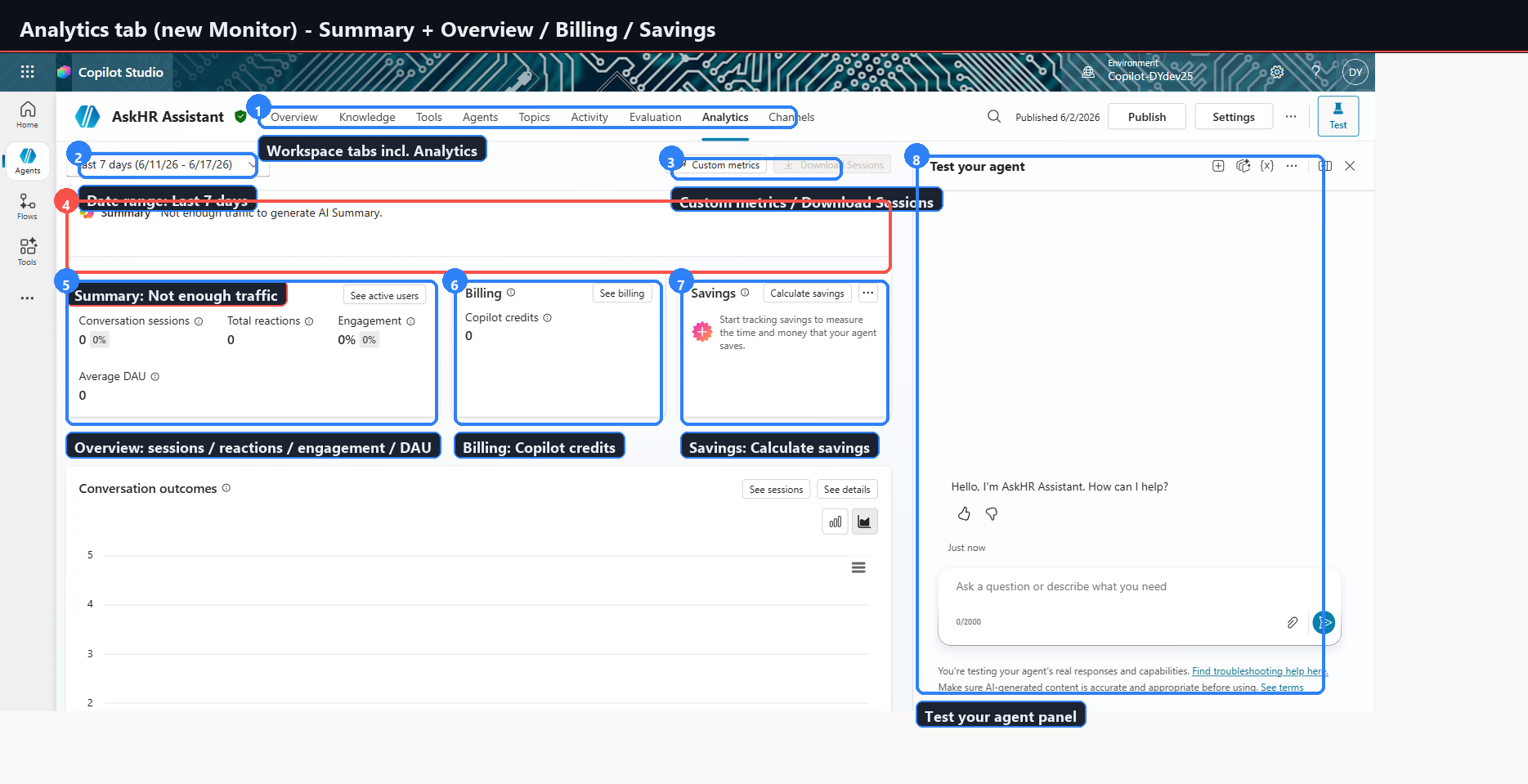
In the new Coral agent workspace, the top navigation reads: Overview, Knowledge, Tools, Agents, Topics, Activity, Evaluation, Analytics, Channels.
The runtime tab is Analytics, at /bots/{botId}/analytics/summary. The legacy
/bots/{botId}/monitor route bounces back to /overview.
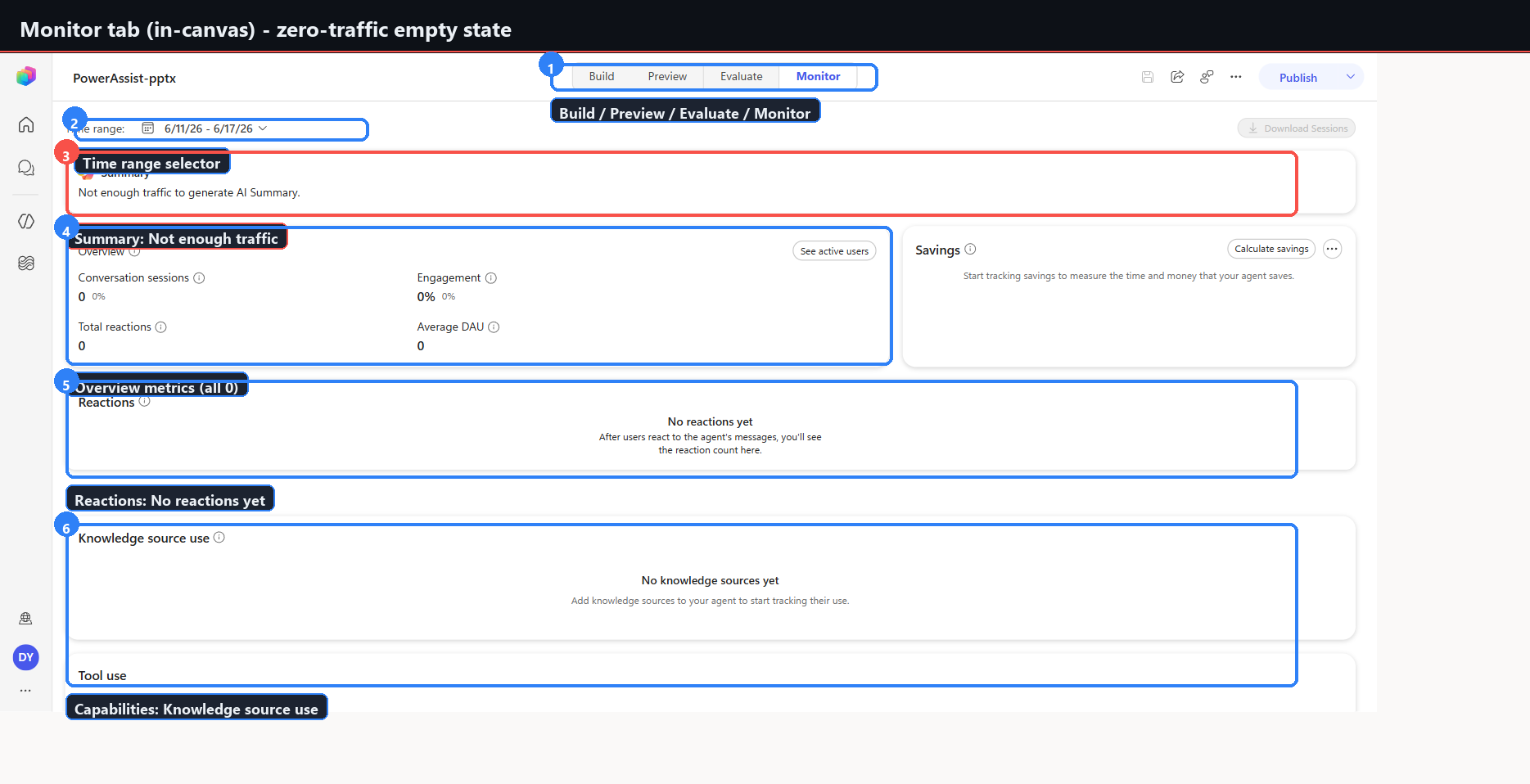
The in-canvas designer still exposes a Monitor tab, with the older card layout. Both names coexist, and which one you see depends on your entry point.
| Surface | Route | Cards |
|---|---|---|
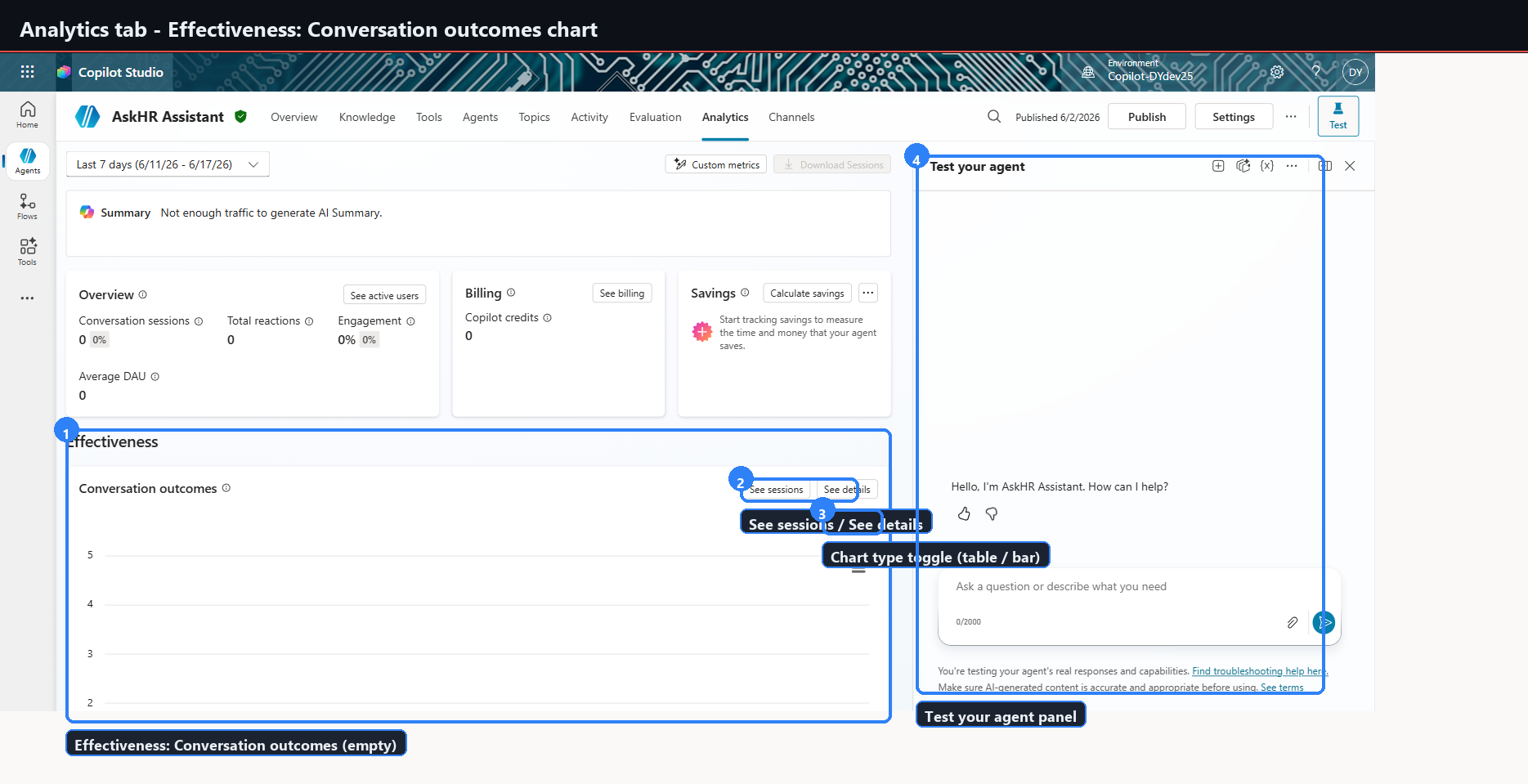
| Agent workspace | /bots/{id}/analytics/summary | Summary, Overview, Billing, Savings, Effectiveness |
| In-canvas designer | Monitor tab | Summary, Overview, Reactions, Capabilities |
Analytics cards, zero-traffic state
| Card | State |
|---|---|
| Summary | "Not enough traffic to generate AI Summary" |
| Overview | Conversation sessions, Total reactions, Engagement percent, Average DAU — all zero. See active users link. |
| Billing | Copilot credits 0. See billing link. |
| Savings | Calculate savings action. |
| Effectiveness | Conversation outcomes chart with table and bar toggle, See sessions, See details. |
Also present: a date-range selector defaulting to Last 7 days, Custom metrics, Download Sessions, and a right-side Test your agent panel.
Every published agent in DYdev25 shows "Not enough traffic." There is zero real end-user traffic in the environment. These captures document the metric layout, not live numbers. Do not expect to validate analytics behaviour without production traffic.
Captures: 25-analytics-askhr-summary.png, 26-analytics-askhr-effectiveness.png,
06-monitor-empty-powerassist.png
Step 22 — Evaluate, new experience
The flow has been reorganised since Phase 5.
Data source offers CSV upload (5 MB maximum), Quick conversation set — which auto-generates ten cases from the agent's description, instructions, and topics — and Write your own.
Review test cases shows each case with a Total messages count, alongside a Configure test set panel holding Name, Test method (General quality), and User profile → Manage.
The user-profile control is new and consequential: it picks an authenticated account so that tool-using agents are tested with real connections rather than anonymous ones.
A running evaluation shows an Evaluation summary panel — Duration, Test cases, Test Set, Data type, User profile, Tested by — while it reports "Preparing test cases…".
Evaluations against agents that use Microsoft IQ or tools sit in Running forever. This is consistent with the Phase 5 evaluation-runtime gap and confirms it was not specific to Raybot or to the original tenant.
Do not block on evaluation completion for these agents.
Captures: 02-evaluate-empty-datasource.png, 03-evaluate-testcases-generated.png,
04-evaluate-manage-profile.png, 05-evaluate-running.png, 07-evaluate-stuck-running.png
Step 23 — Workflows designer
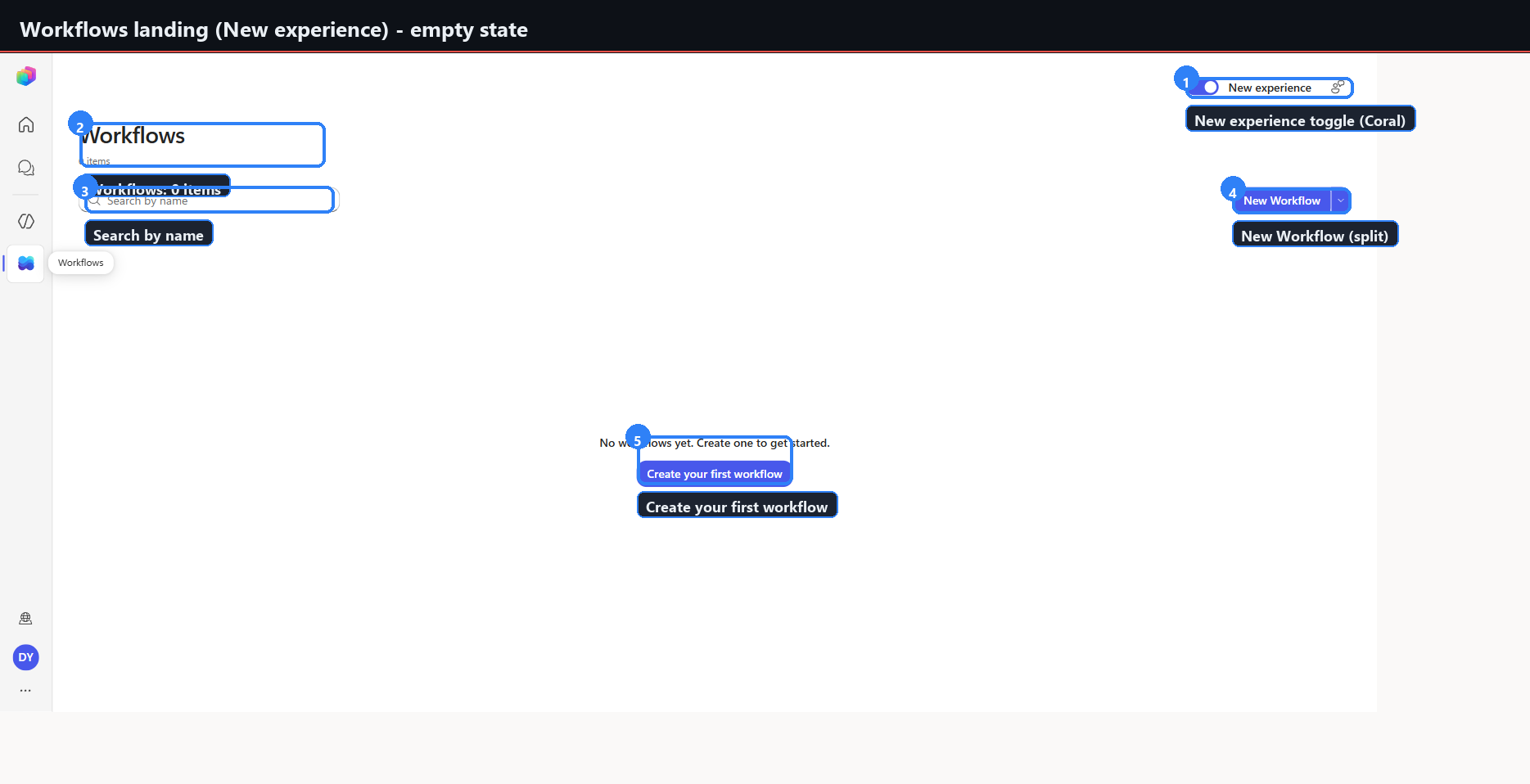
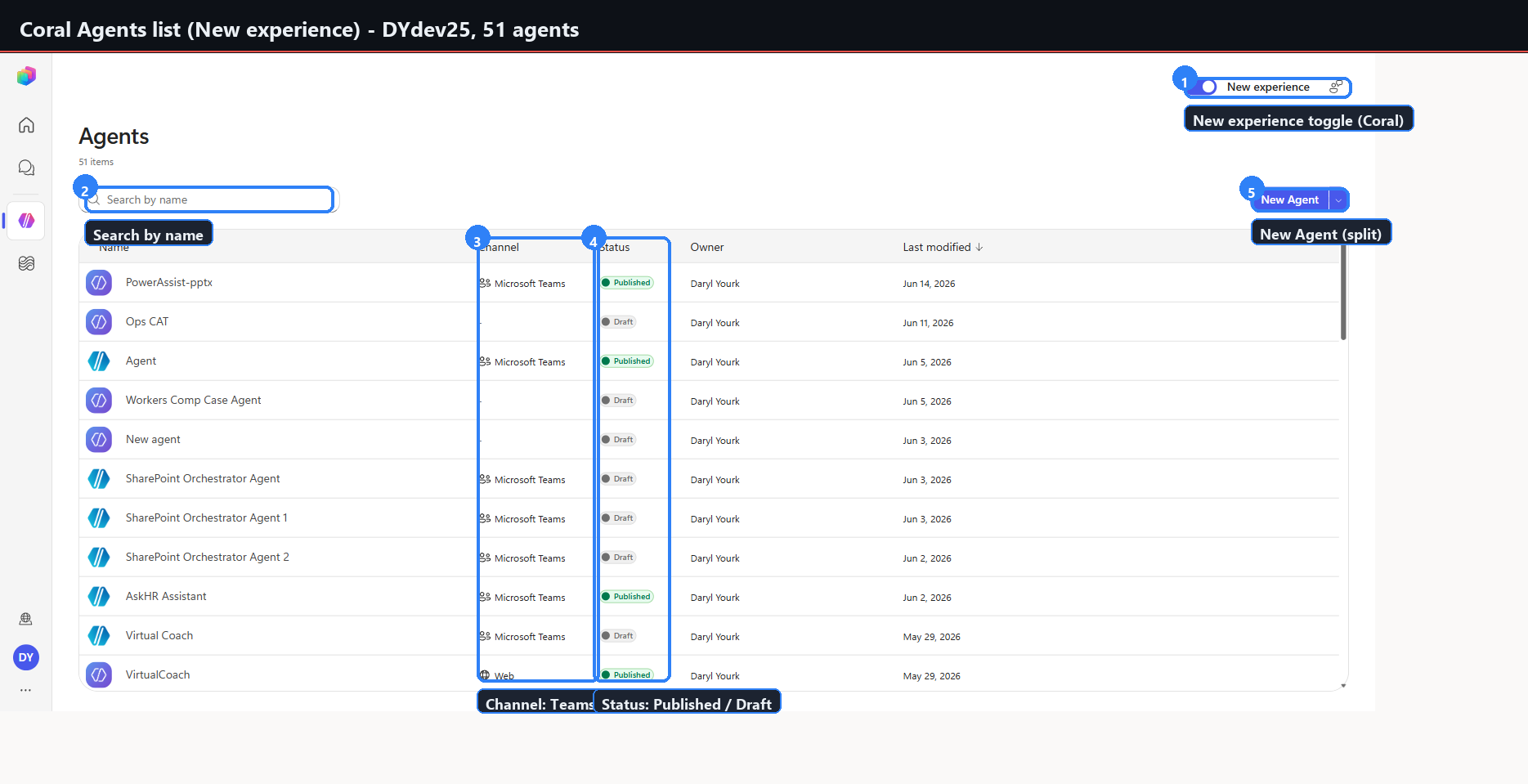
Entry path. Left rail Flows icon, then the Workflows list — empty, showing 0 items with
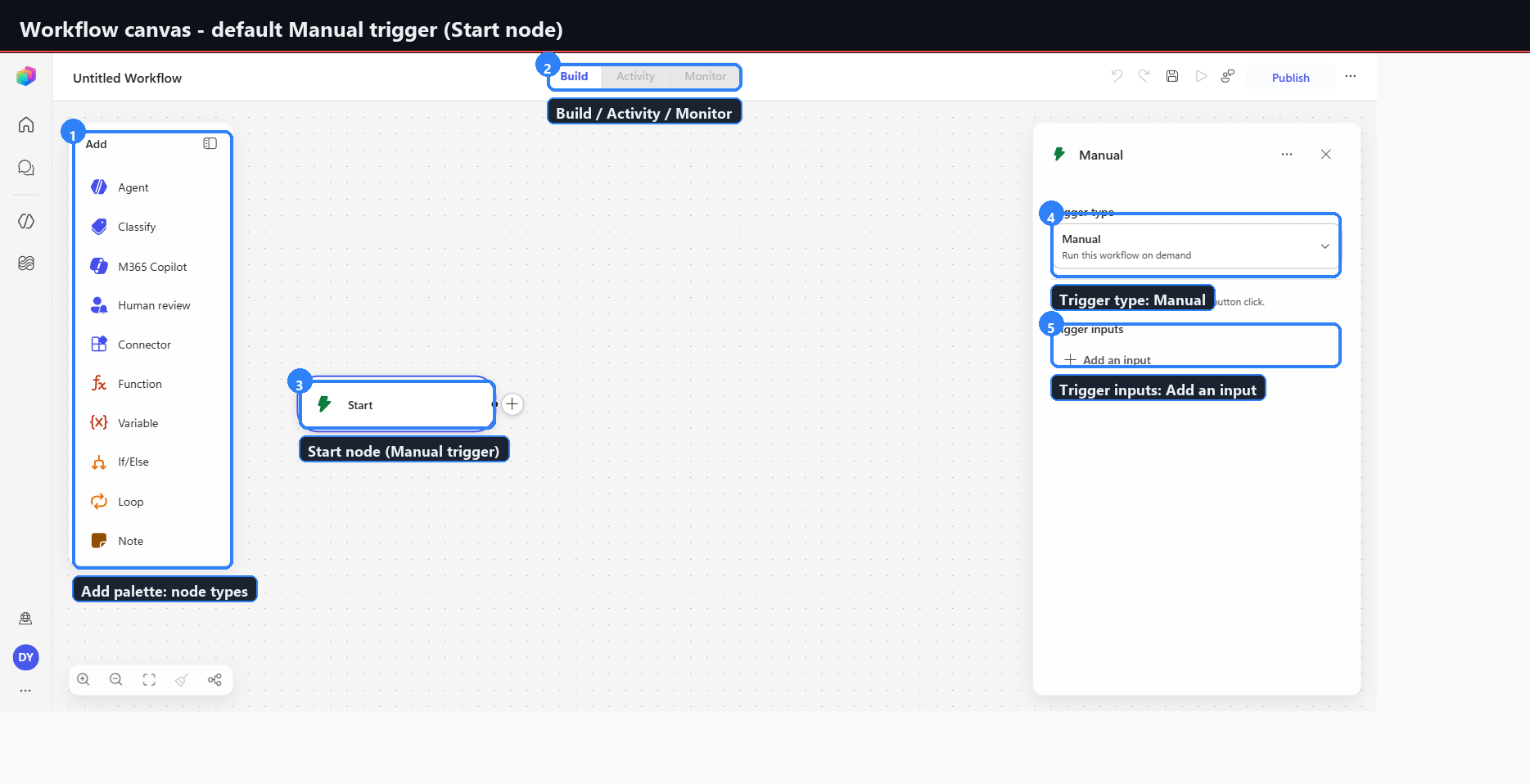
a New Workflow split button — then Create your first workflow. The canvas opens at
/flows/new/canvas with a single Start node, defaulting to a Manual trigger.
Designer module: s01-workflow-designer/22.19.1.
Trigger types
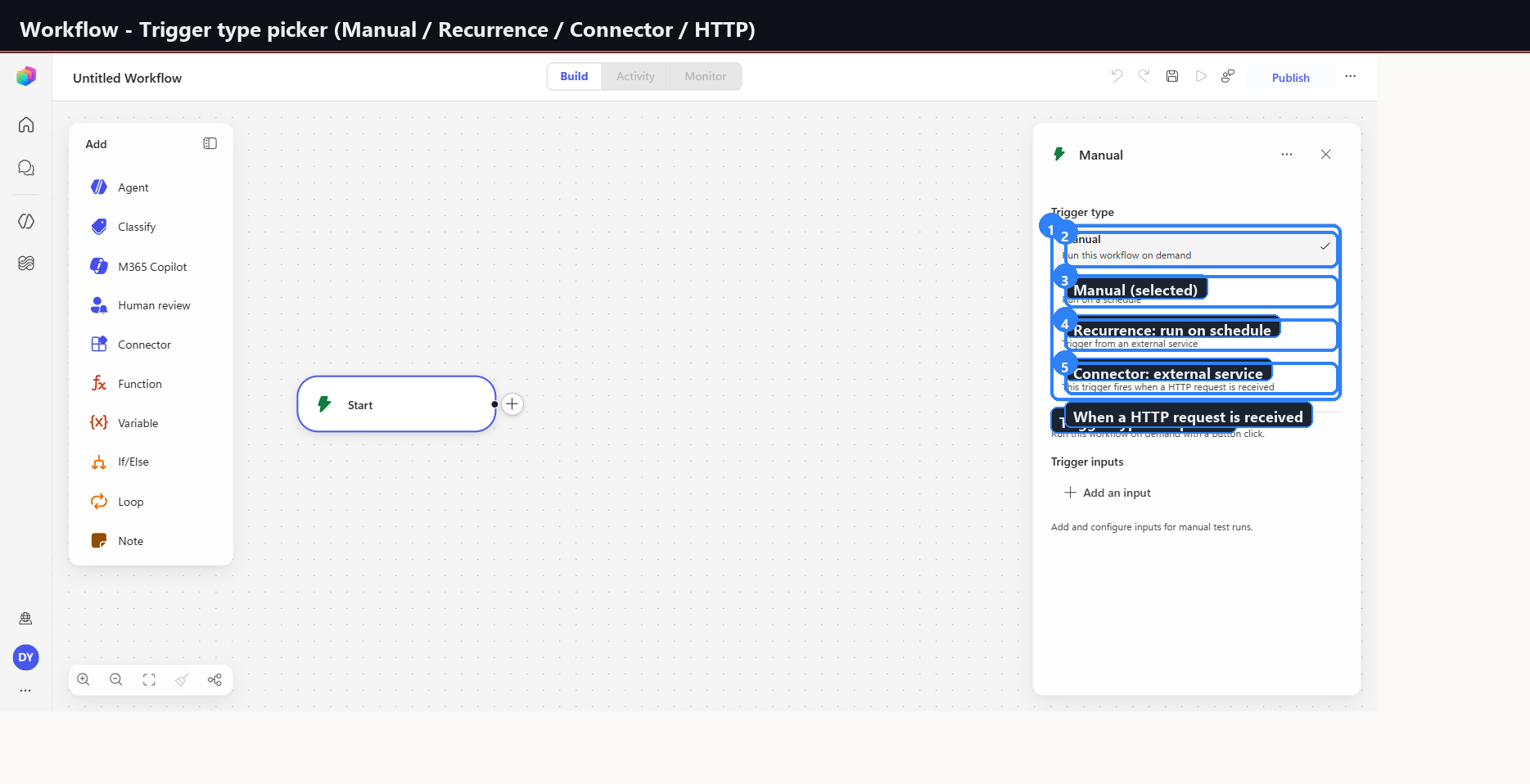
Four, from the Start node configuration dropdown:
| Trigger | Behaviour |
|---|---|
| Manual | Run on demand |
| Recurrence | Run on a schedule |
| Connector | Fire from an external service |
| When a HTTP request is received | Fire from an inbound request |
Capture: 10-workflow-trigger-types.png
Add a step
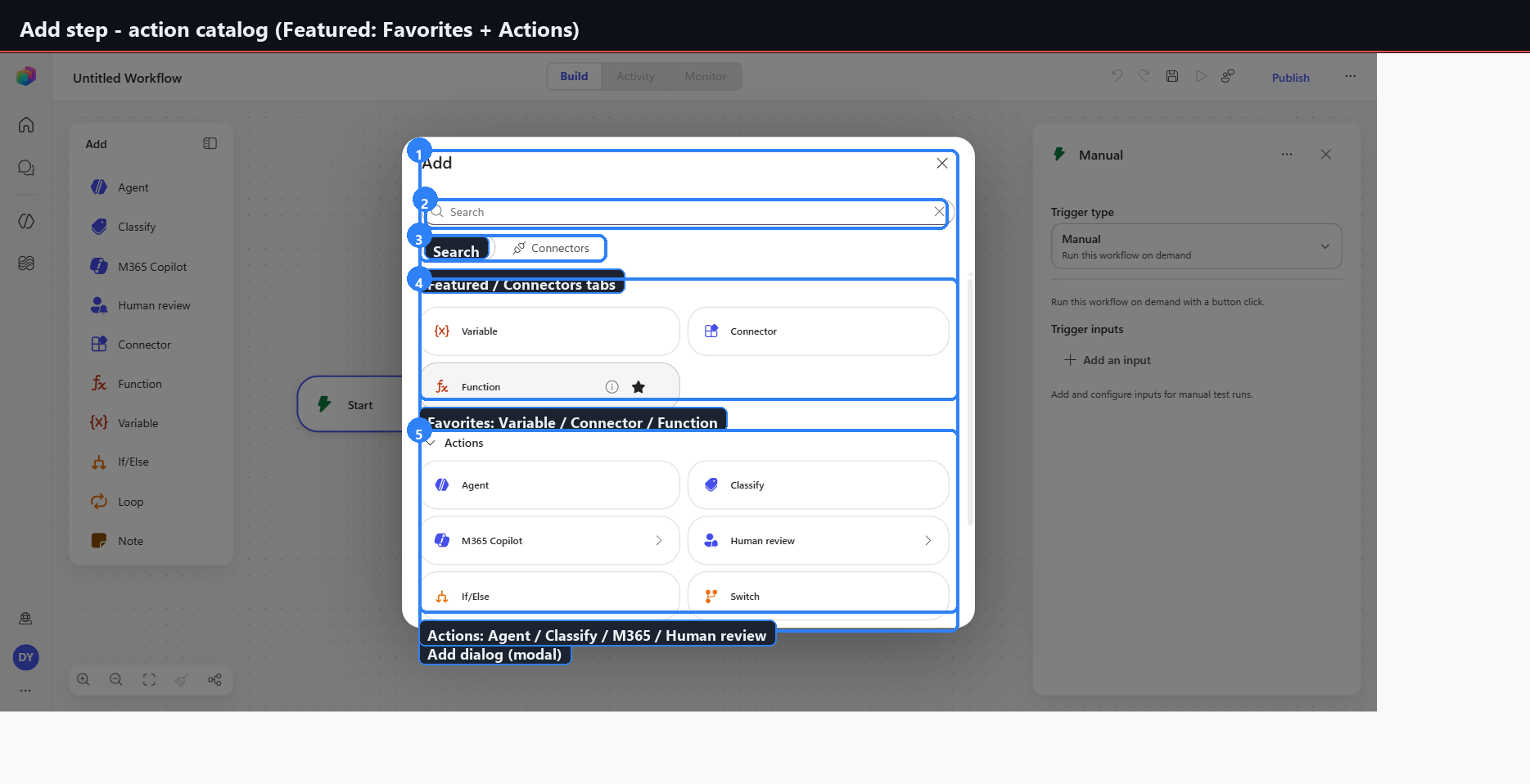
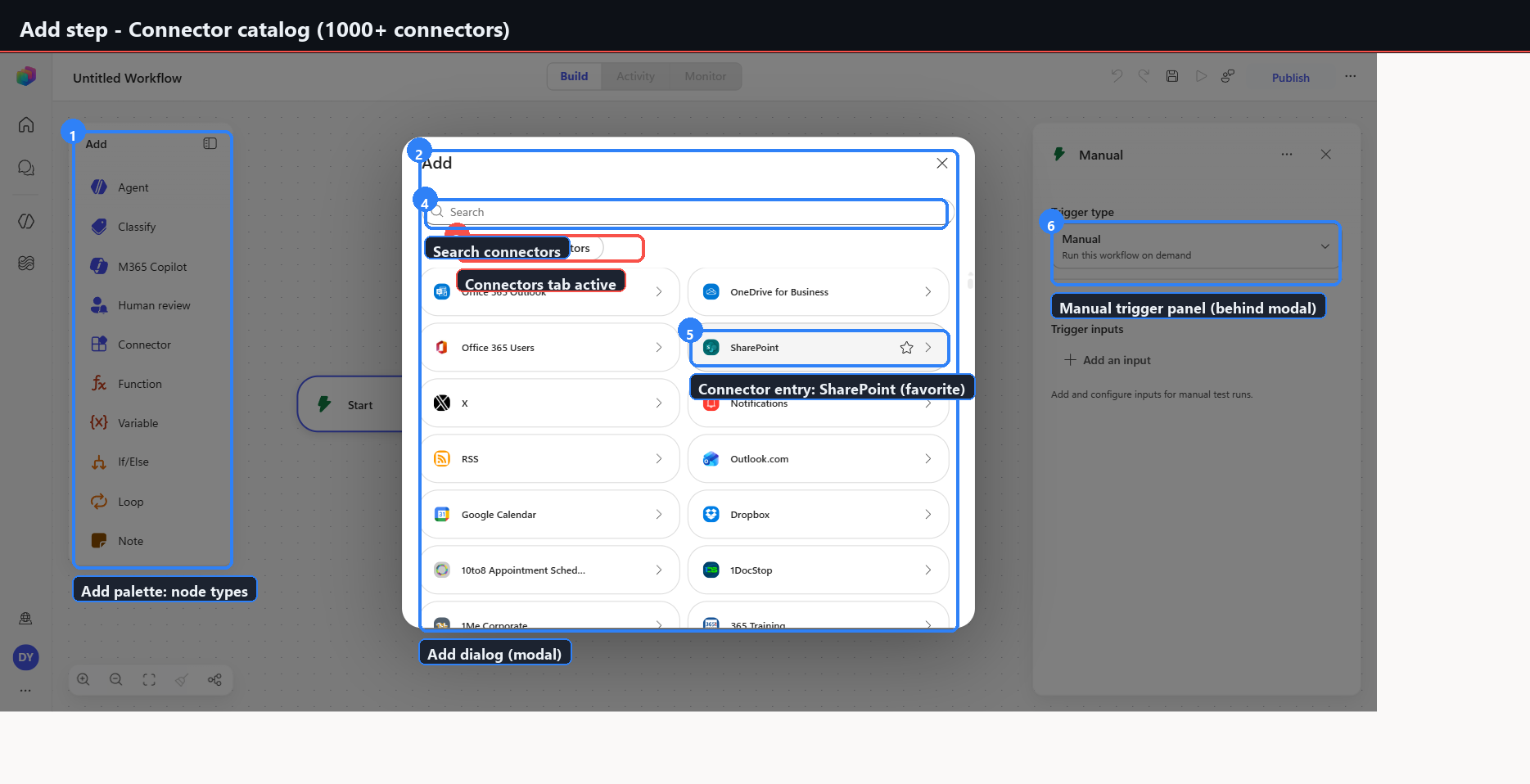
Opens a centred Add dialog with two tabs — Featured (Favorites: Variable, Connector, Function, plus an Actions grid) and Connectors — with search.
Capture: 11-workflow-add-action-catalog.png
The 13 node types
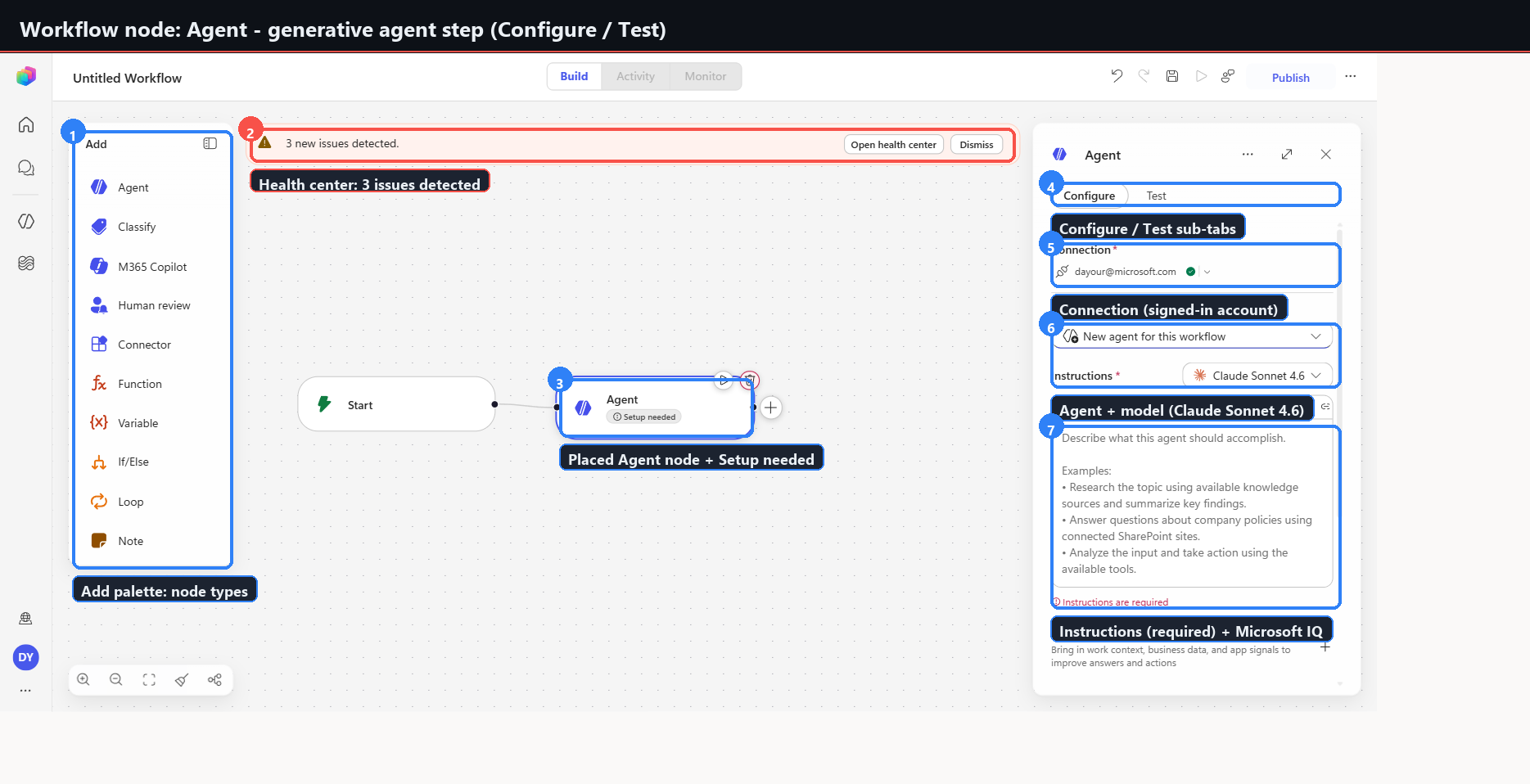
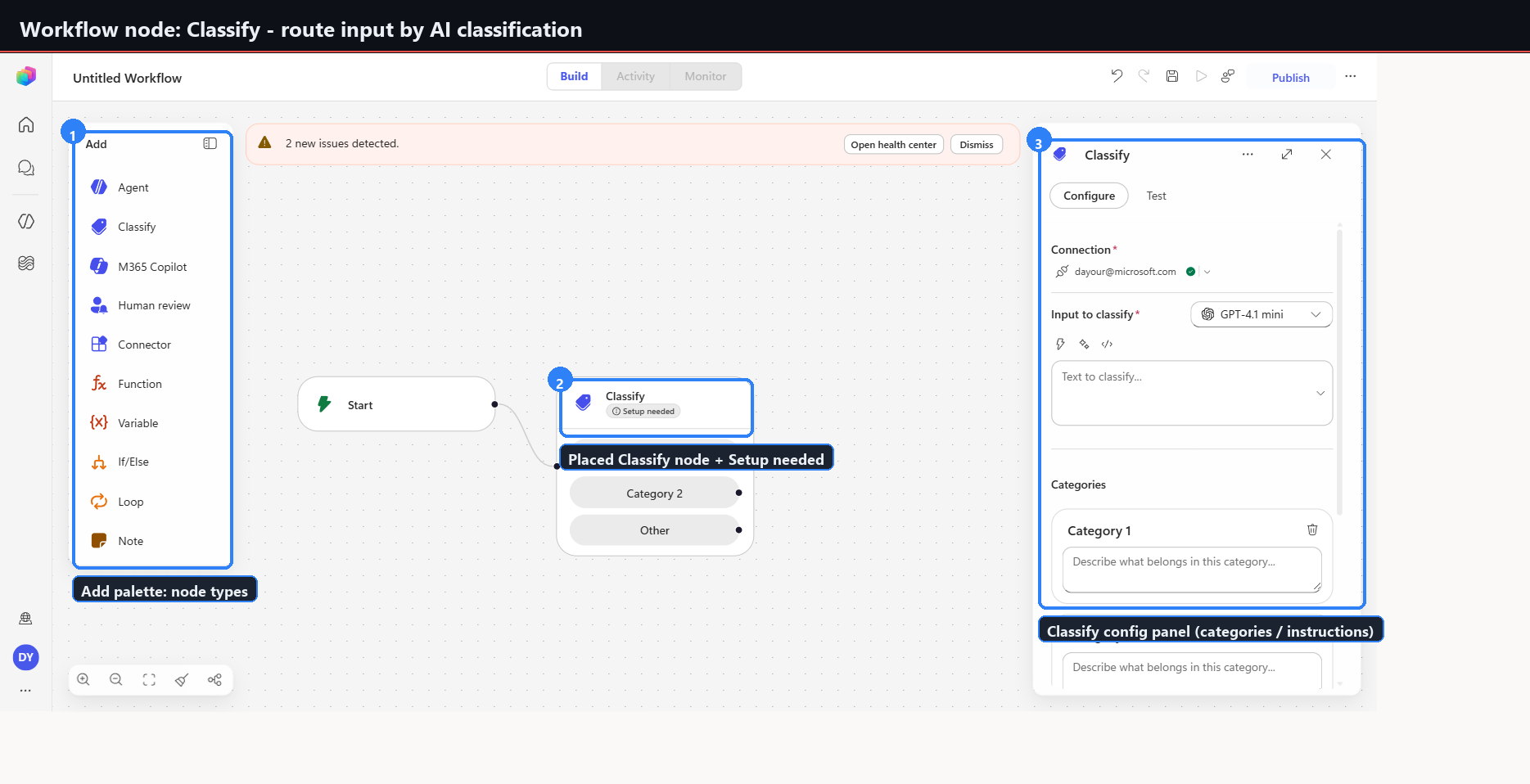
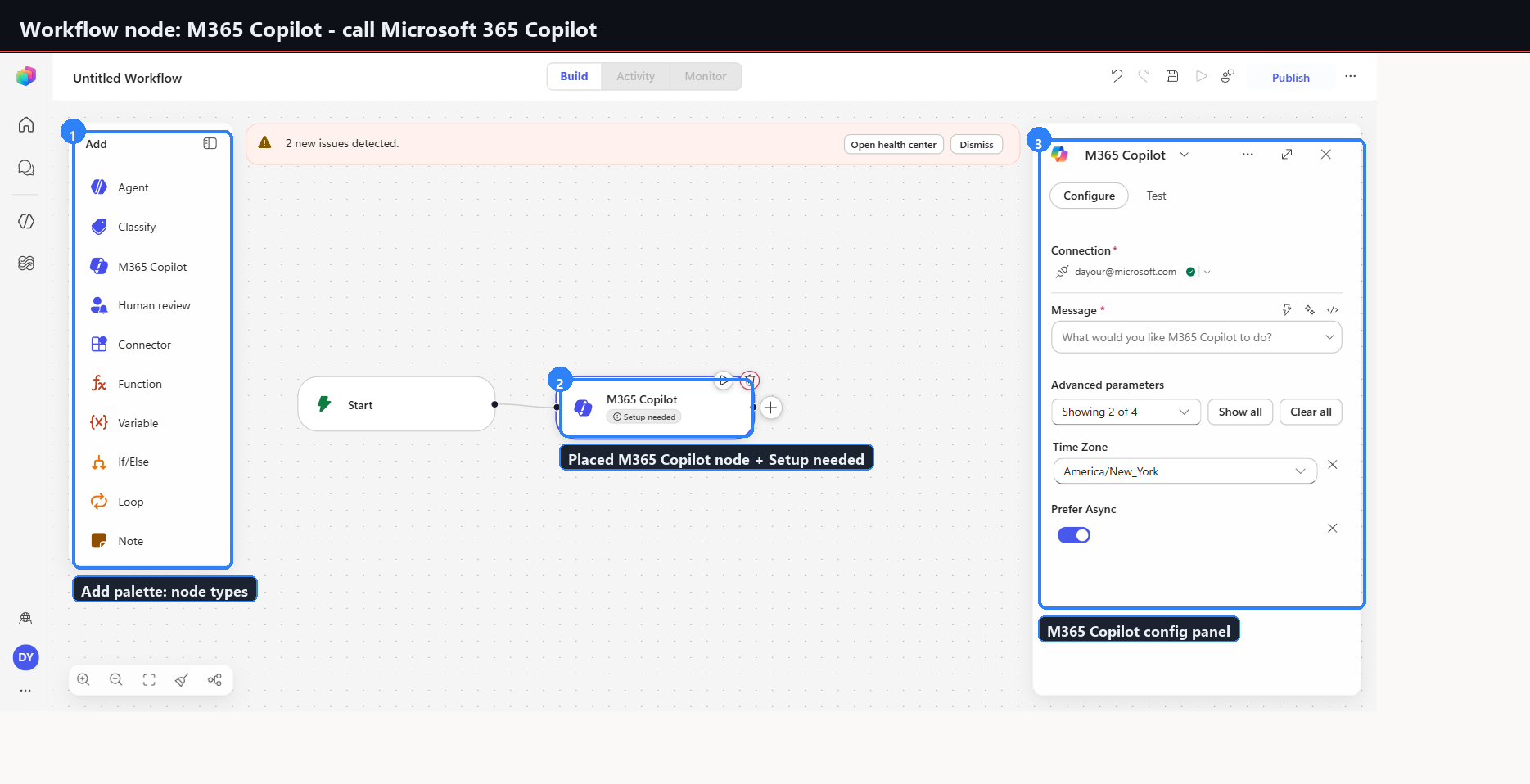
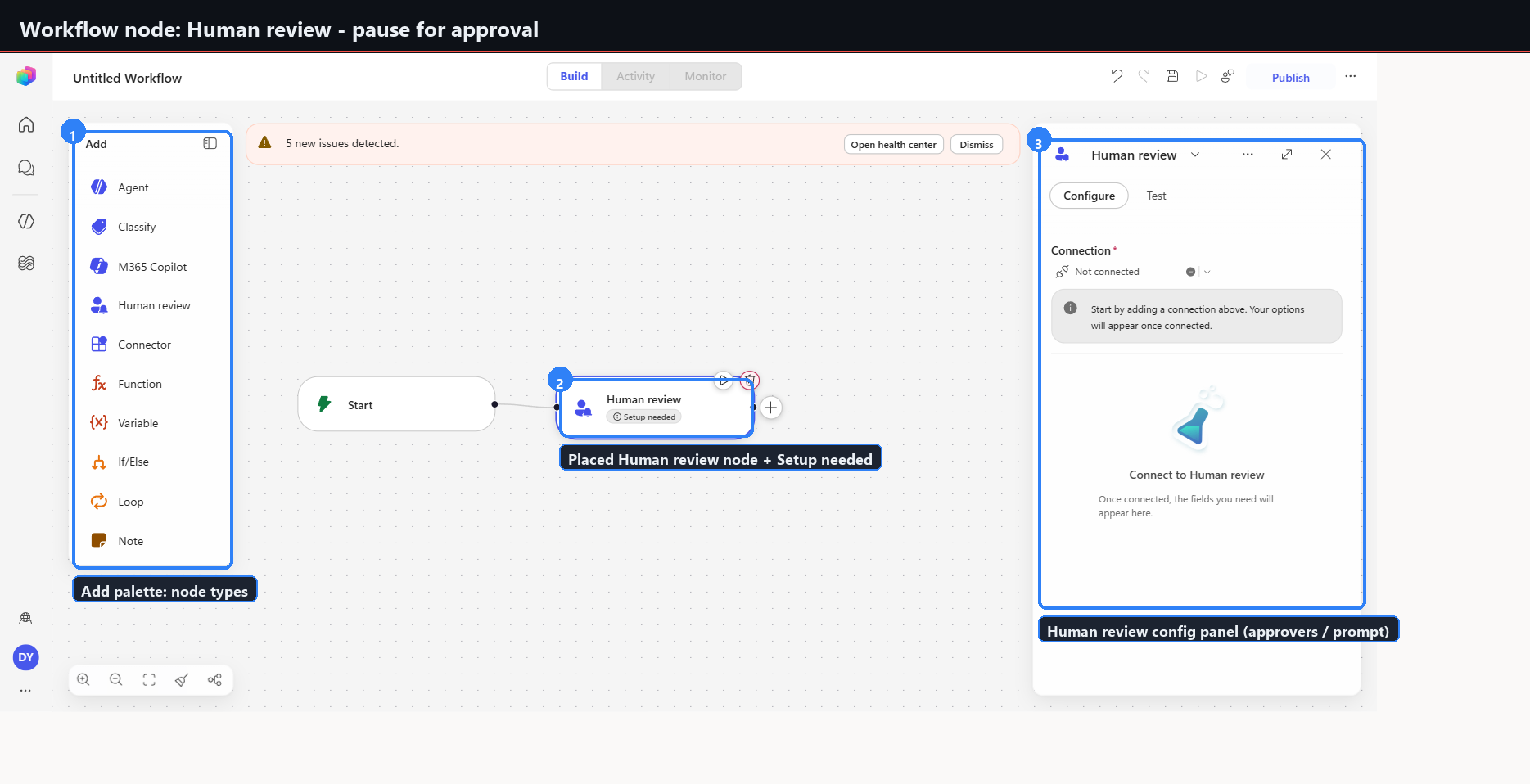
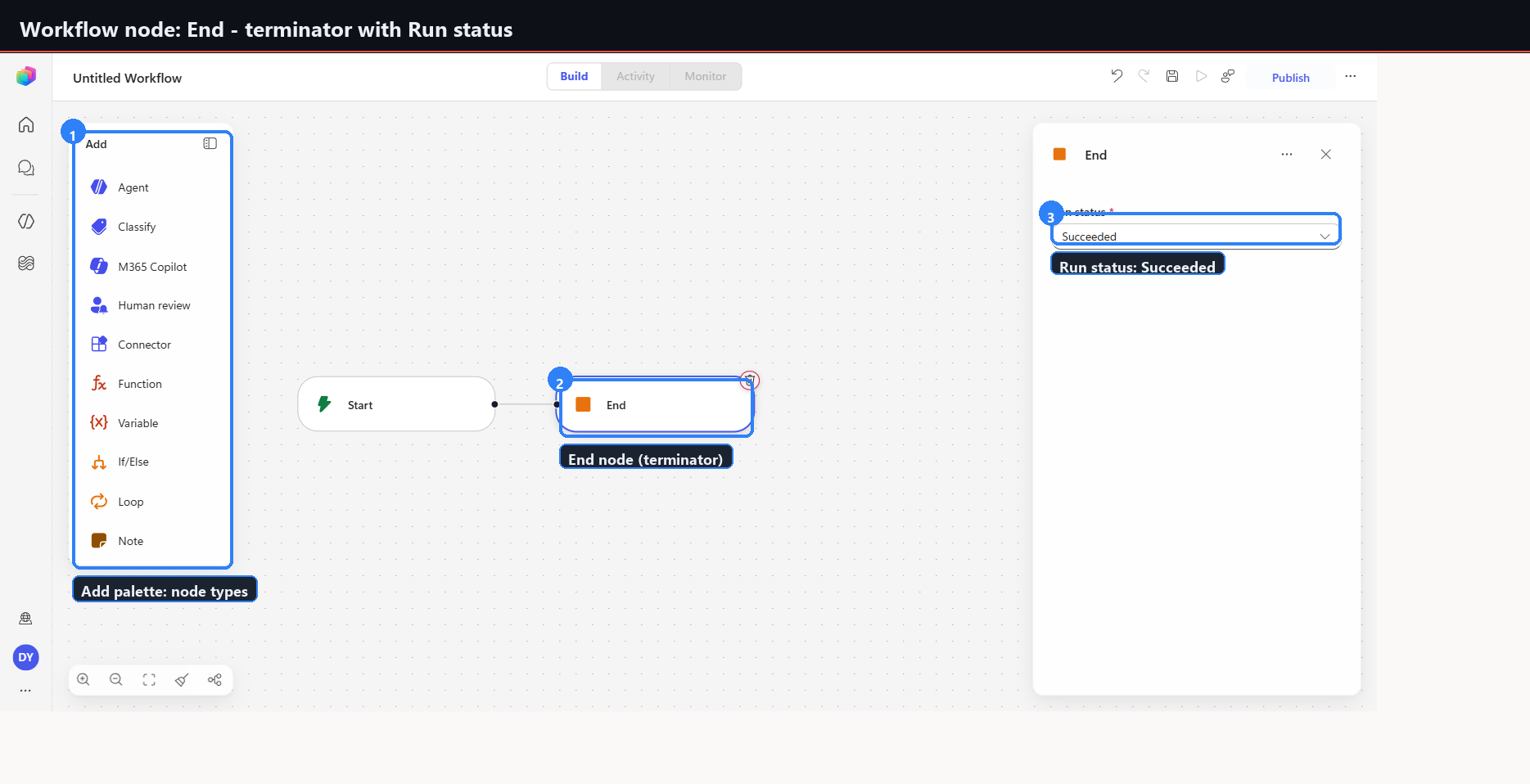
The left Add palette shows ten: Agent, Classify, M365 Copilot, Human review, Connector, Function, Variable, If/Else, Loop, and Note. The Add dialog exposes three more: Switch, Scope, and End.
| Node | Capture | Configuration and behaviour |
|---|---|---|
| Agent | 12 | Configure and Test sub-tabs. Connection, Agent plus model (Claude Sonnet 4.6), Instructions (required), Microsoft IQ. Reports 3 issues until instructions are set. |
| Classify | 13 | AI classification routing, by categories and instructions. |
| M365 Copilot | 14 | Calls Microsoft 365 Copilot. |
| Human review | 15 | Pauses for approval. Approvers and prompt. |
| Connector | 16 | Opens the Connector catalog — Office 365, OneDrive, SharePoint, X, RSS, Dropbox, 1000-plus. A picker: places no node until a choice is made. |
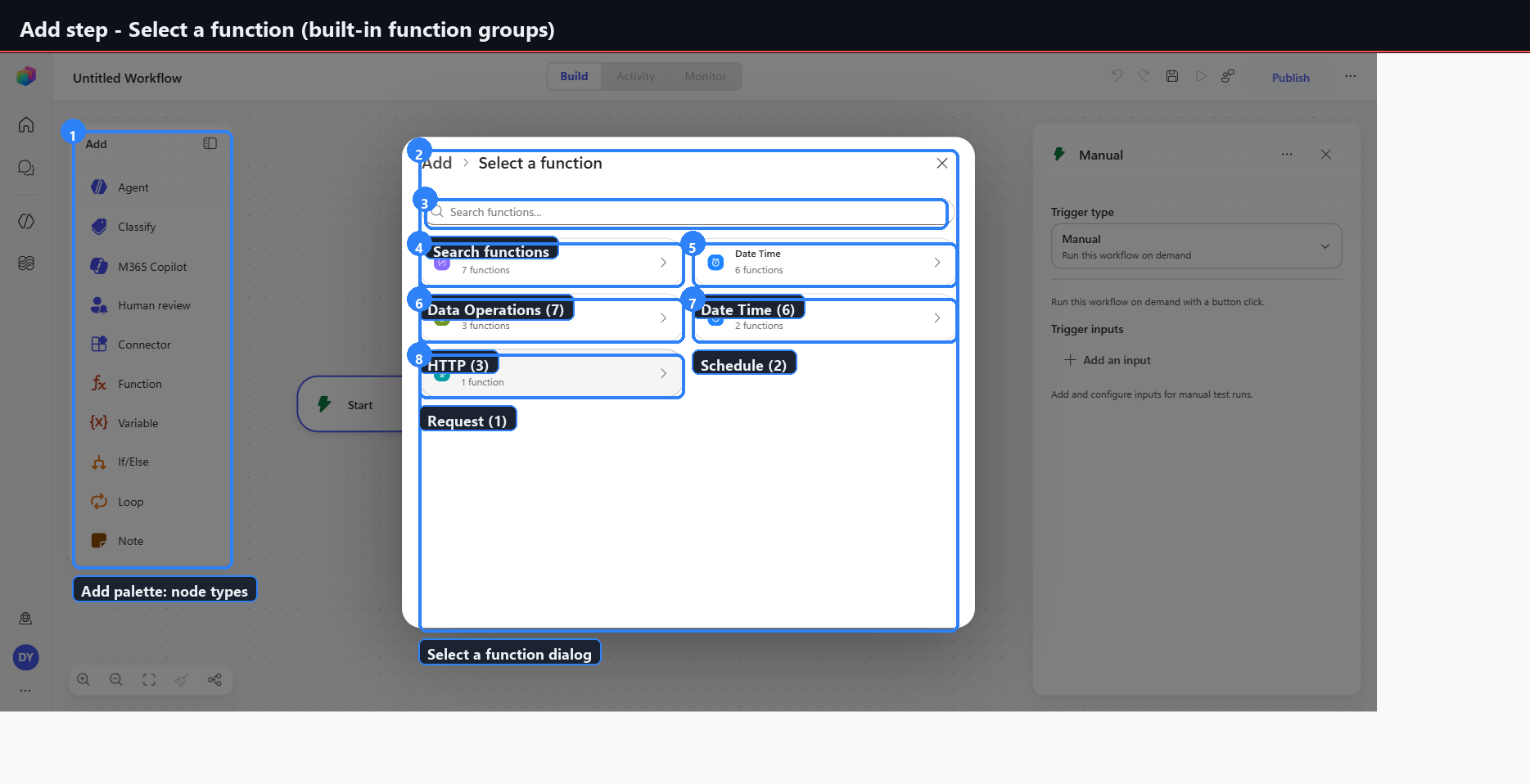
| Function | 17 | Opens Select a function: Data Operations (7), Date Time (6), HTTP (3), Schedule (2), Request (1). A picker. |
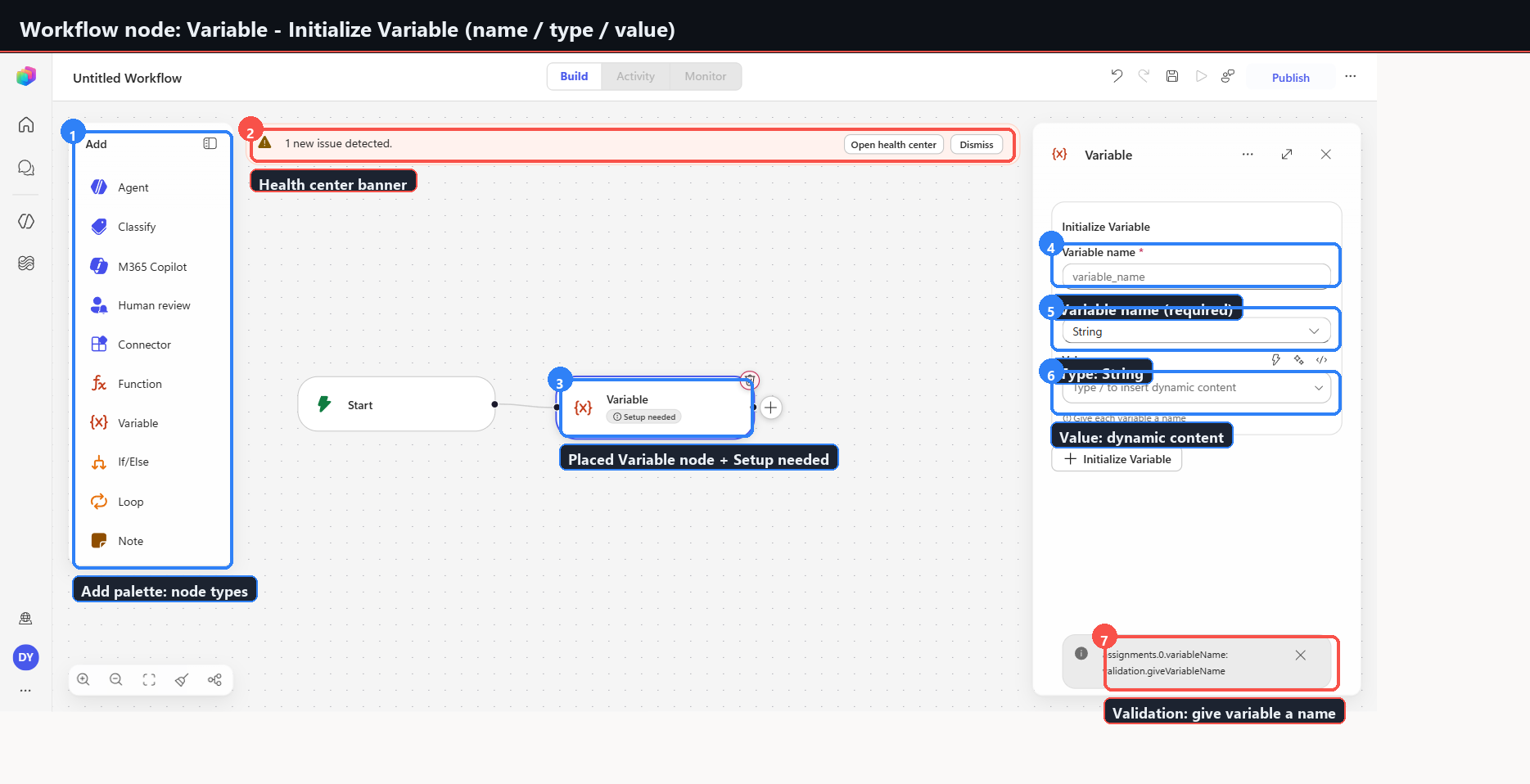
| Variable | 18 | Initialize Variable: name (required), Type (String), Value (dynamic content). |
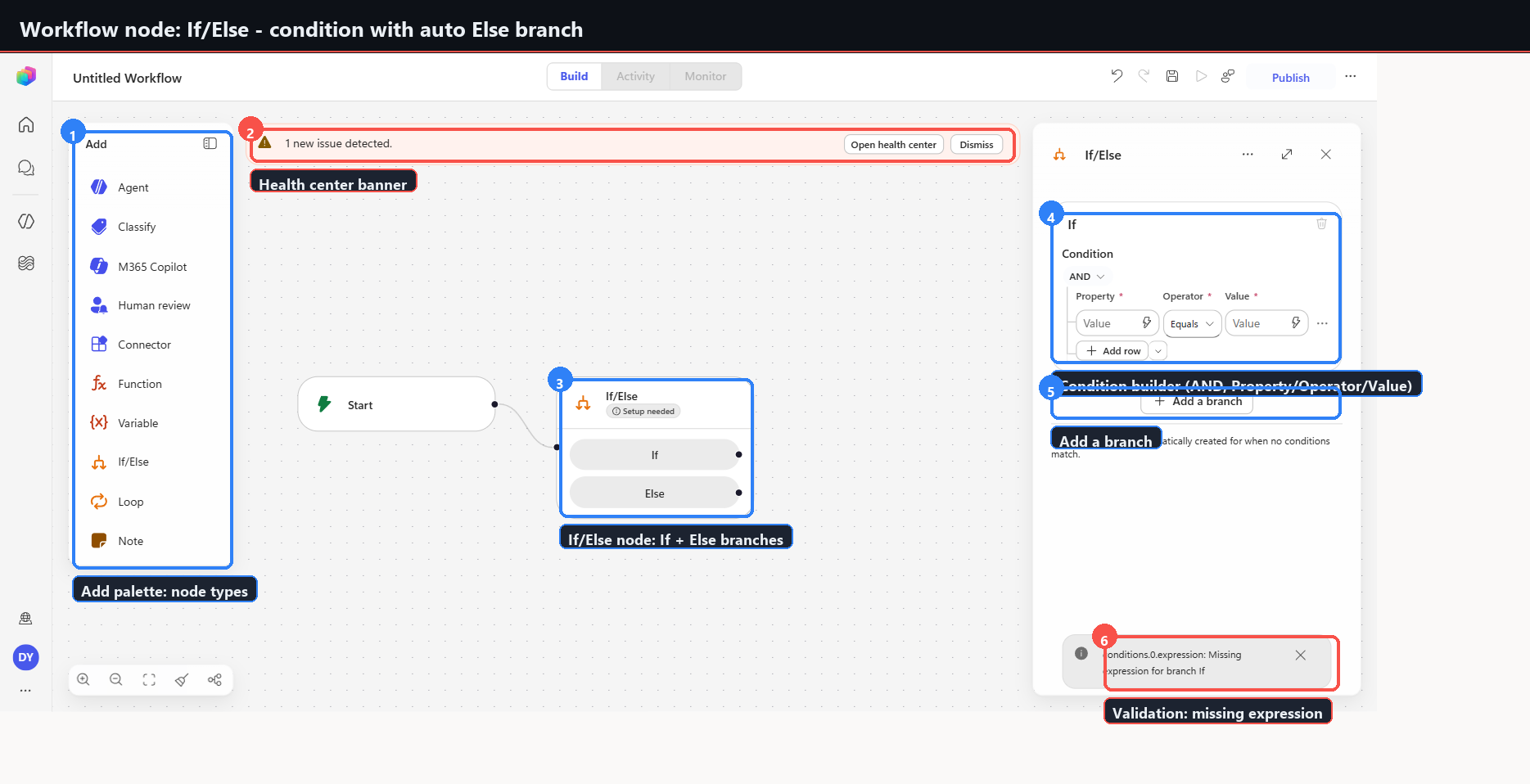
| If/Else | 19 | Condition builder with AND, Property/Operator/Value rows, Add row. Else branch is auto-created. Add a branch. |
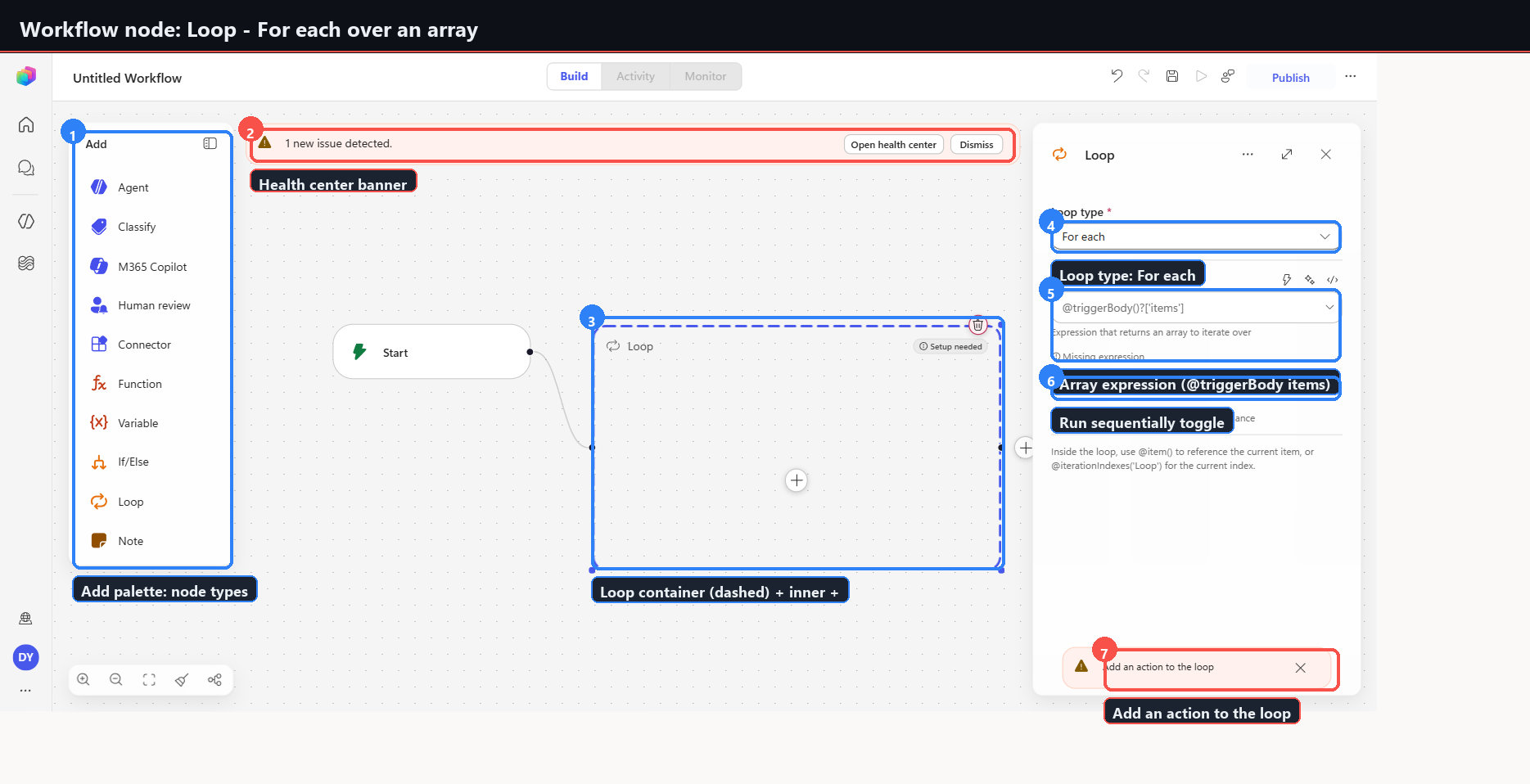
| Loop | 20 | Dashed container with an inner plus. Loop type For each, Array expression, Run sequentially toggle — parallel by default. |
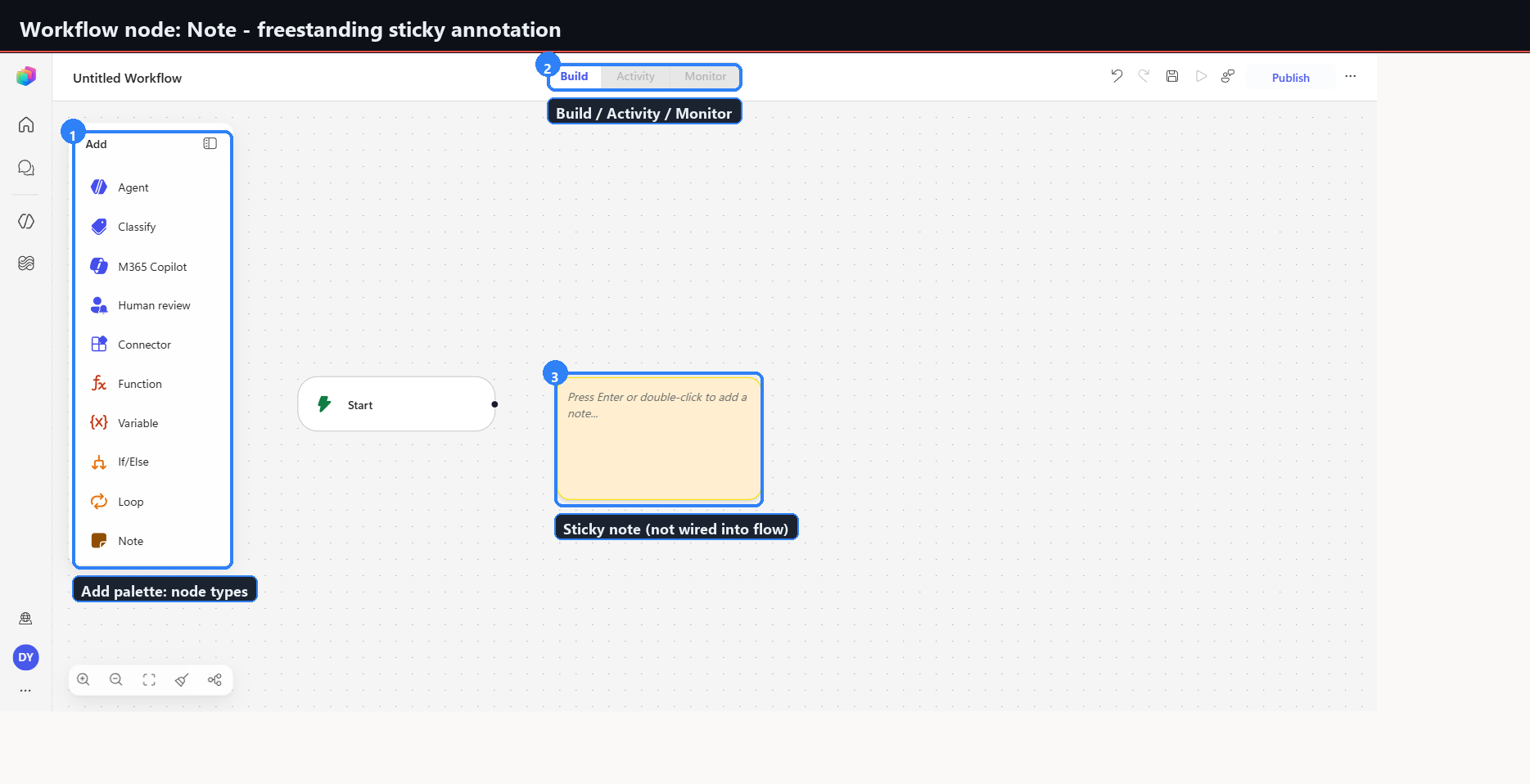
| Note | 21 | Freestanding yellow sticky. Not wired into the flow. |
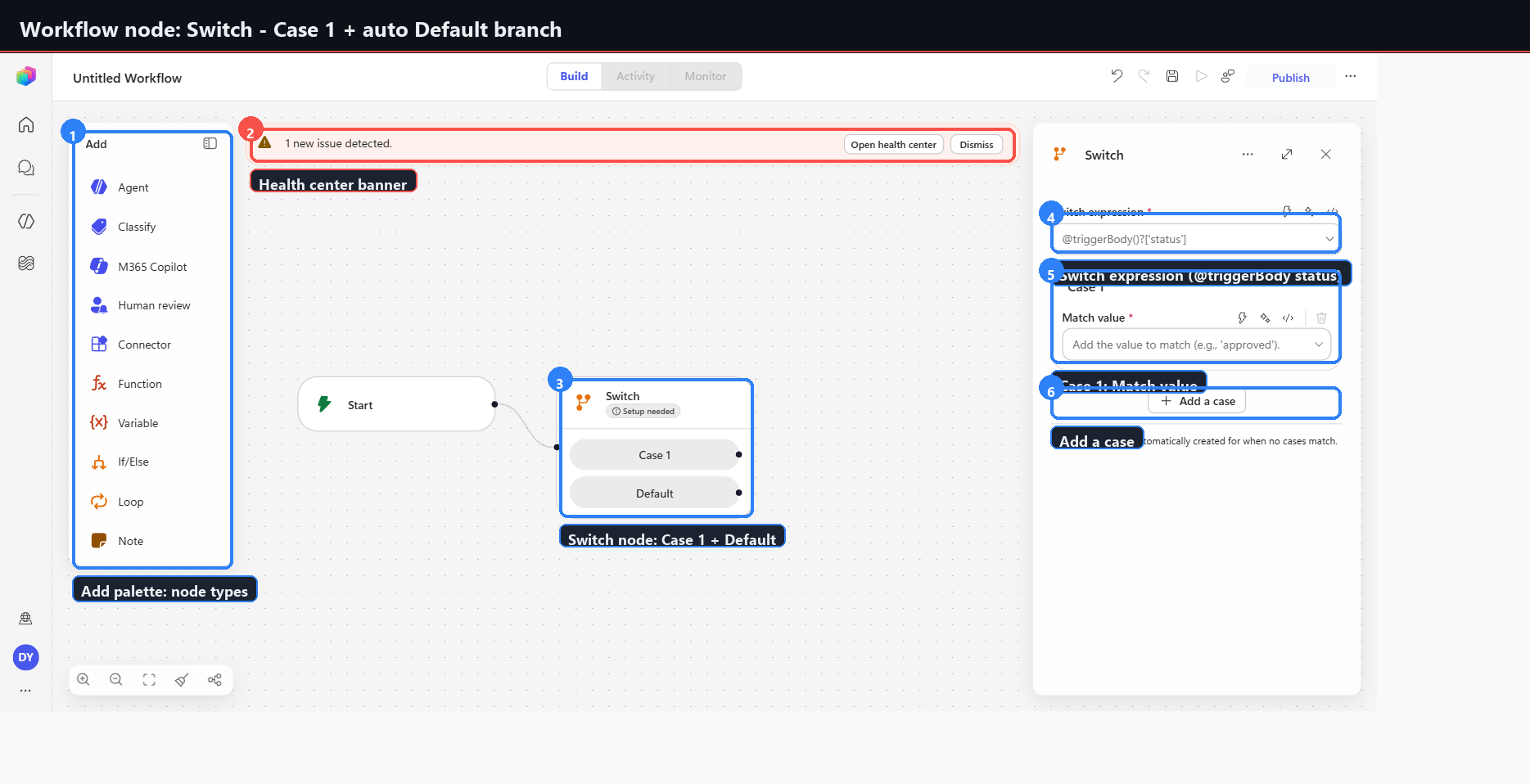
| Switch | 22 | Case 1 plus Default auto-created. Switch expression, Match value, Add a case. |
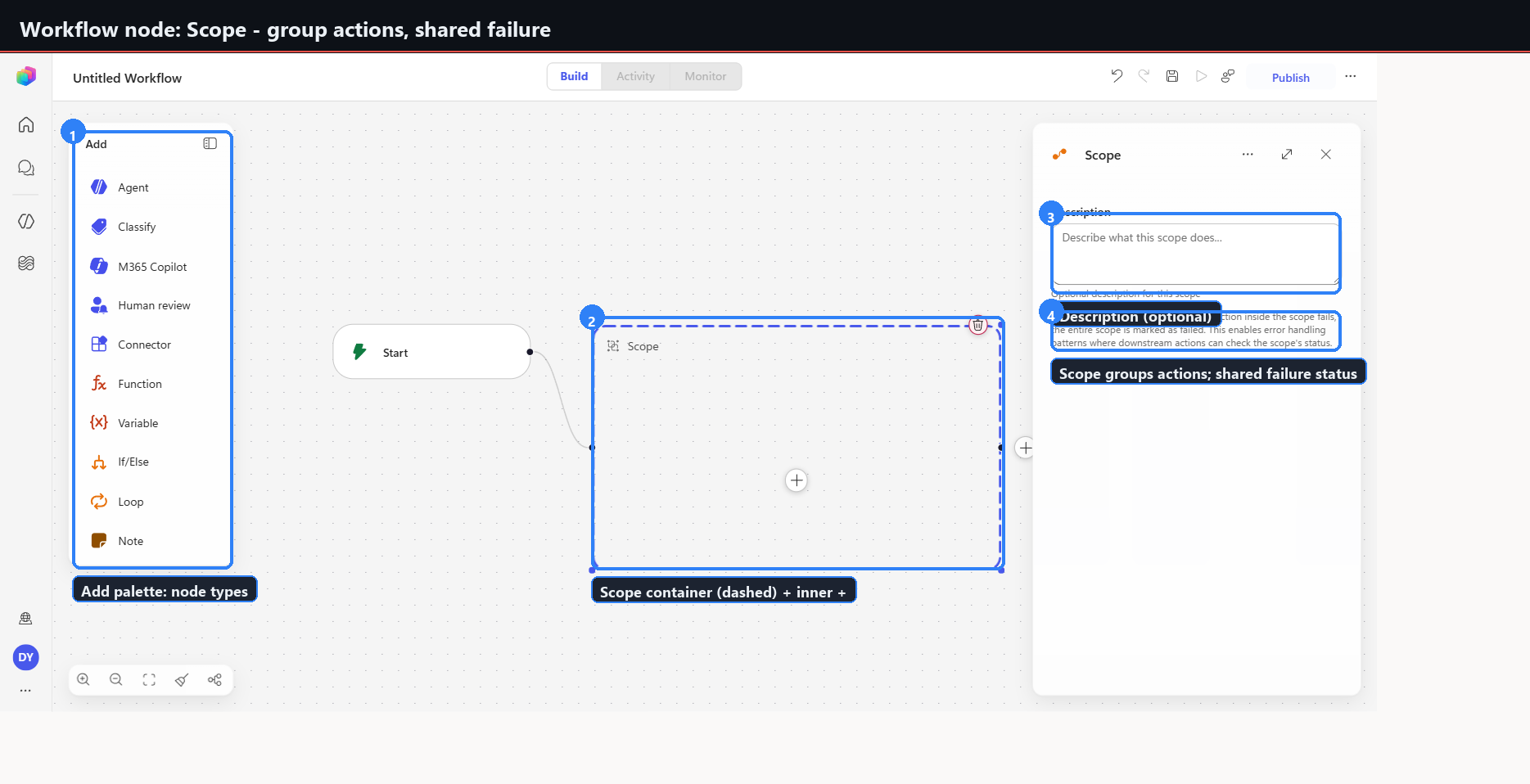
| Scope | 23 | Dashed container with an inner plus. Groups actions. Any inner failure fails the whole scope. |
| End | 24 | Terminator. Run status dropdown, default Succeeded. |
Two behaviours apply across all of them:
- Every placed node shows a "Setup needed" badge plus a health-center banner — "N new issue(s) detected" with Open health center and Dismiss — and a per-field validation toast until configured.
- Container nodes (Loop, Scope) render as dashed rectangles with a nested plus for inner steps.
The reliable per-node capture pattern
Capturing thirteen node types one at a time needs a deterministic reset, because the canvas accumulates state and element references go stale.
// 1. Reset the canvas to just Start.
await page.goto('.../flows/new/canvas');
await page.waitForTimeout(3500);

// 2. Open the add dialog.
await page.getByRole('button', { name: 'Add a step after Start' }).first().click();
await page.waitForTimeout(1500);

// 3. Place the node.
await page.getByRole('button', { name: 'Select action: <NodeName>' }).click();
await page.waitForTimeout(2500);

// 4. Capture to captures-2026-06-17/raw/NN-node-<name>.png
Element refs change with each snapshot. Use role and text locators through browser_run_code,
never stored refs.
Clicking an agent name in the list also opens a new browser tab at index 1. Follow it with
browser_tabs select index:1 or subsequent actions target the wrong page.
Captures
What Phase 7 establishes
- The runtime is renaming surfaces underneath stable routes. Monitor became Analytics, the old route redirects, and both names still appear depending on entry point. Automation keyed on tab labels will break.
- The evaluation gap is not tenant-specific. It reproduced in a second tenant, on different agents, six weeks later.
- Workflows is a full orchestration designer, with branching, looping, scoping, human review, and agent invocation as first-class nodes.
- Validation is aggressive and immediate. Every placed node is invalid until configured, and says so three separate ways.
- Deterministic reset beats incremental capture. Navigating to a fresh canvas per node was the only reliable way to capture thirteen configuration panels.