Phase 6 — Teams and Microsoft 365 distribution
Status: BLOCKED. Tenant administrator action required.
This phase failed, and the way it failed is more instructive than most successes. The maker UI reported success at every step. The agent never reached the tenant catalog. Nothing in the interface explained why.
Step 18 — Publish to the Teams and M365 channel
playwright-browser_click   agent-command-bar.publish-button
                           Publish agent dialog
                           check "Teams + Microsoft 365"
                           check "Make agent available in Microsoft 365 Copilot"
playwright-browser_click   agent-publish-dialog-confirm
The dialog reports "Channel enabled."
GET .../api/botmanagement/v1/channels/msteams/app/status returns HTTP 500.
Every time. On every publish. The maker UI continues to say "Channel enabled" while the Teams app package is not registering in the tenant catalog. There is no banner, no toast, and no indicator of any kind in the interface. The only evidence is in the network trace.
Step 19 — Teams app icon and scopes
There is a required ordering here that is not obvious.
Publish first. Until the agent is published, Edit details is gated with "Save and publish your agent to do this action." So the sequence is: publish to refresh the channel, then the Agent published dialog appears, and only then can channel details be edited.
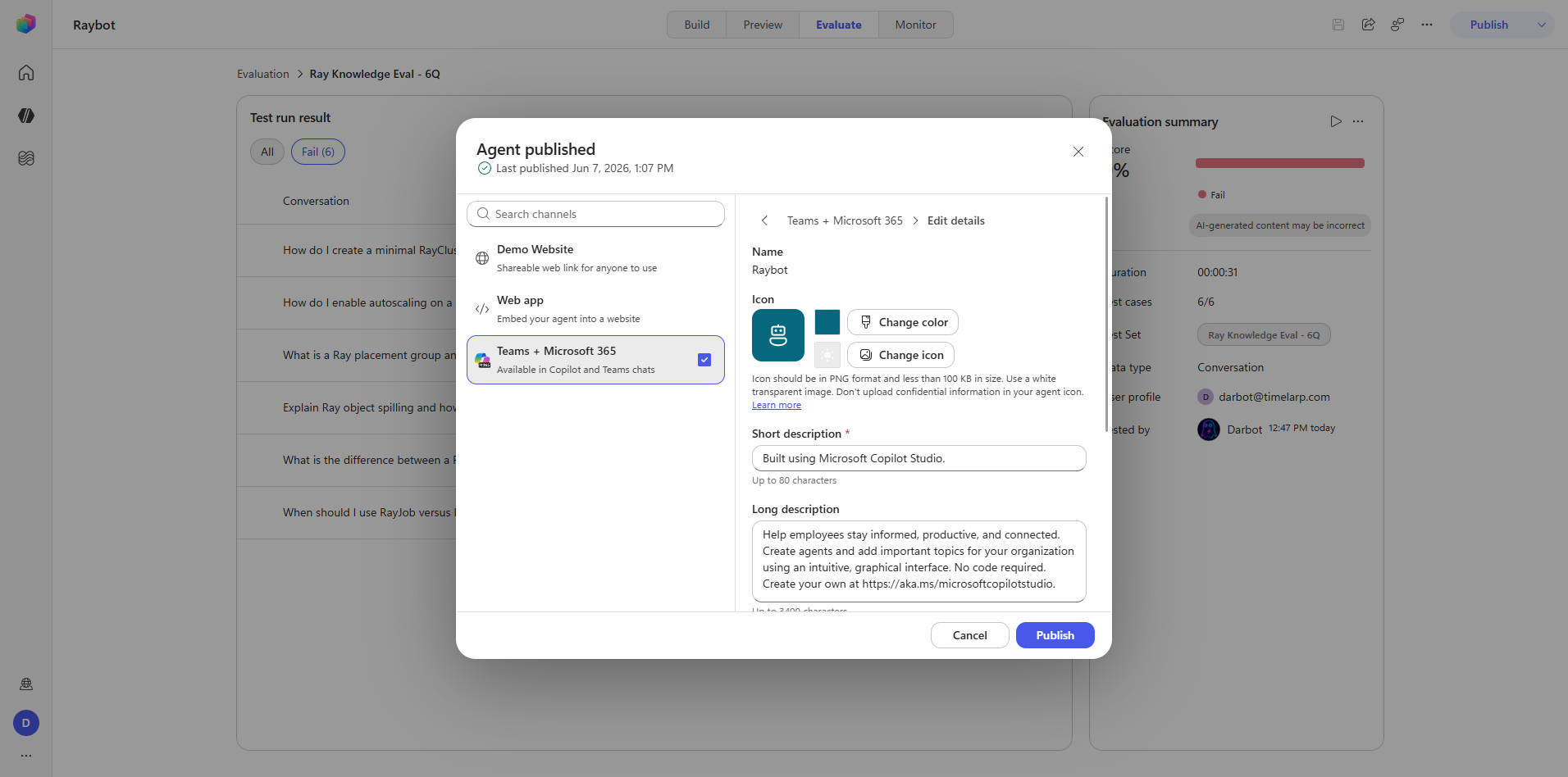
playwright-browser_click        channel-subscription-edit-details-btn   (Edit details)
playwright-browser_click        edit-details-change-icon-btn
playwright-browser_file_upload  raybot-icon-teams-white.png             (4.3 KB)
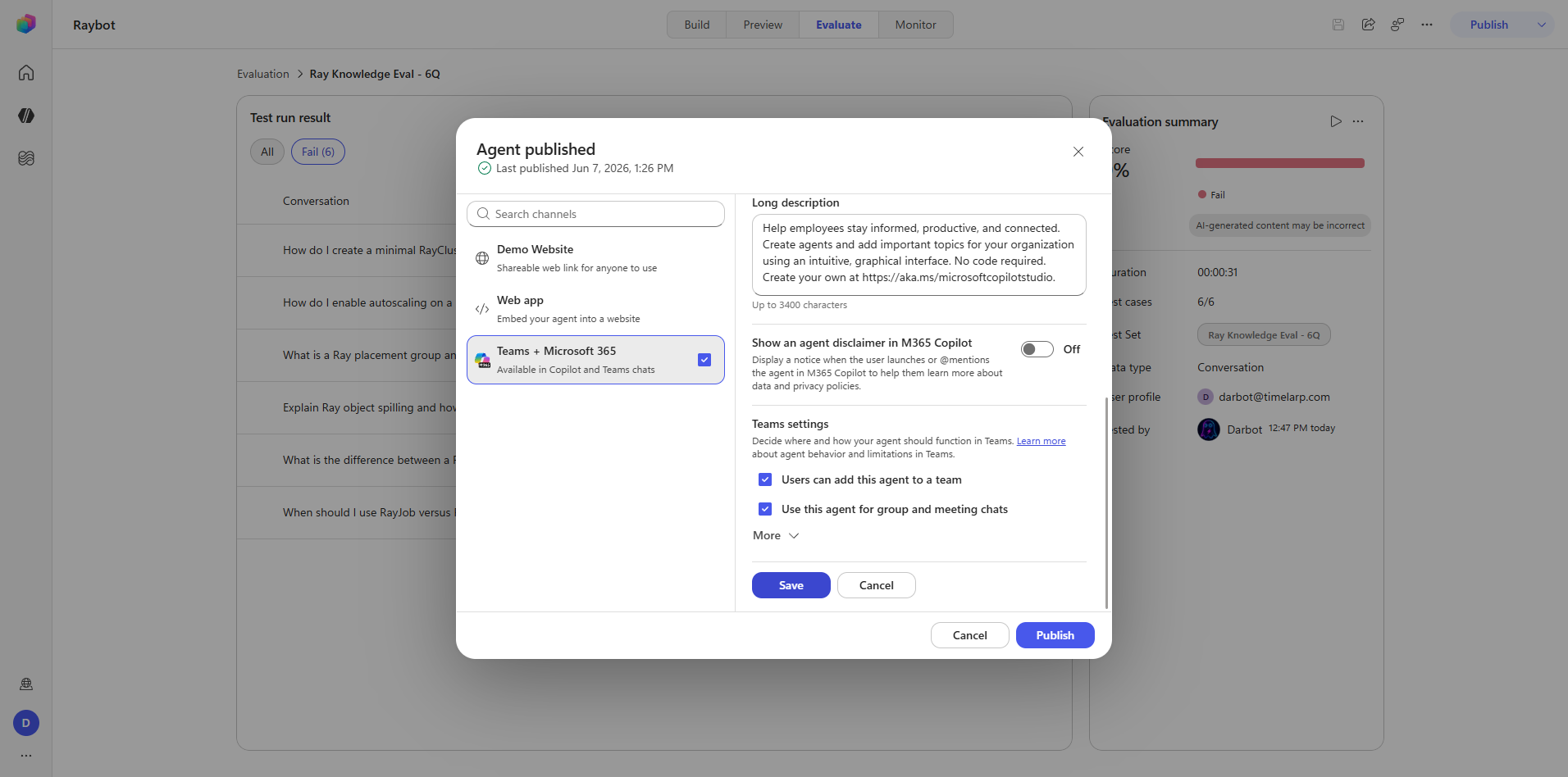
playwright-browser_click        edit-details-scope-team                 (add to a team)
playwright-browser_click        edit-details-scope-groupchat            (group and meeting chats)
playwright-browser_click        edit-details-save-btn
The icon upload itself succeeded and is what enabled the Save button.
Save was rejected server-side.
Couldn't save details — The Teams channel must be enabled to use this feature.
The network request tells the real story:
PUT .../channels/msteams/...?...&isConsentProvidedToChangeACPToAny=false
Captures: 39_teams_icon-uploaded.png, 40_teams_publish-acp-blocked.png
Root cause
Two signals, one cause.
isConsentProvidedToChangeACPToAny=false— the tenant App Customization Policy consent has never been granted.msteams/app/statusreturning HTTP 500 — the channel never fully provisions.
Together these mean the Teams app package is never registered in the tenant catalog. This is a tenant administrator gate, not a maker-side mistake. No amount of retrying, re-uploading, or re-publishing from the maker surface will change it.
The Build-tab agent icon from Phase 1 has no ACP gate and published without friction. The Teams app-package icon does. They are different assets behind different policies, and the success of the first tells you nothing about the second. This is an easy and expensive assumption to get wrong.
Step 20 — Validate in Teams
The validation attempt is worth recording because the negative result had to be established properly.
- Load path.
https://teams.microsoft.com/v2/is the reliable entry point. Classic deeplinks are dead and fail silently. - Top search does not search apps. It returns messages, files, and people only. Searching for "Raybot" there proves nothing.
- Apps Store search for "Raybot" returned only fuzzy matches against unrelated public bots.
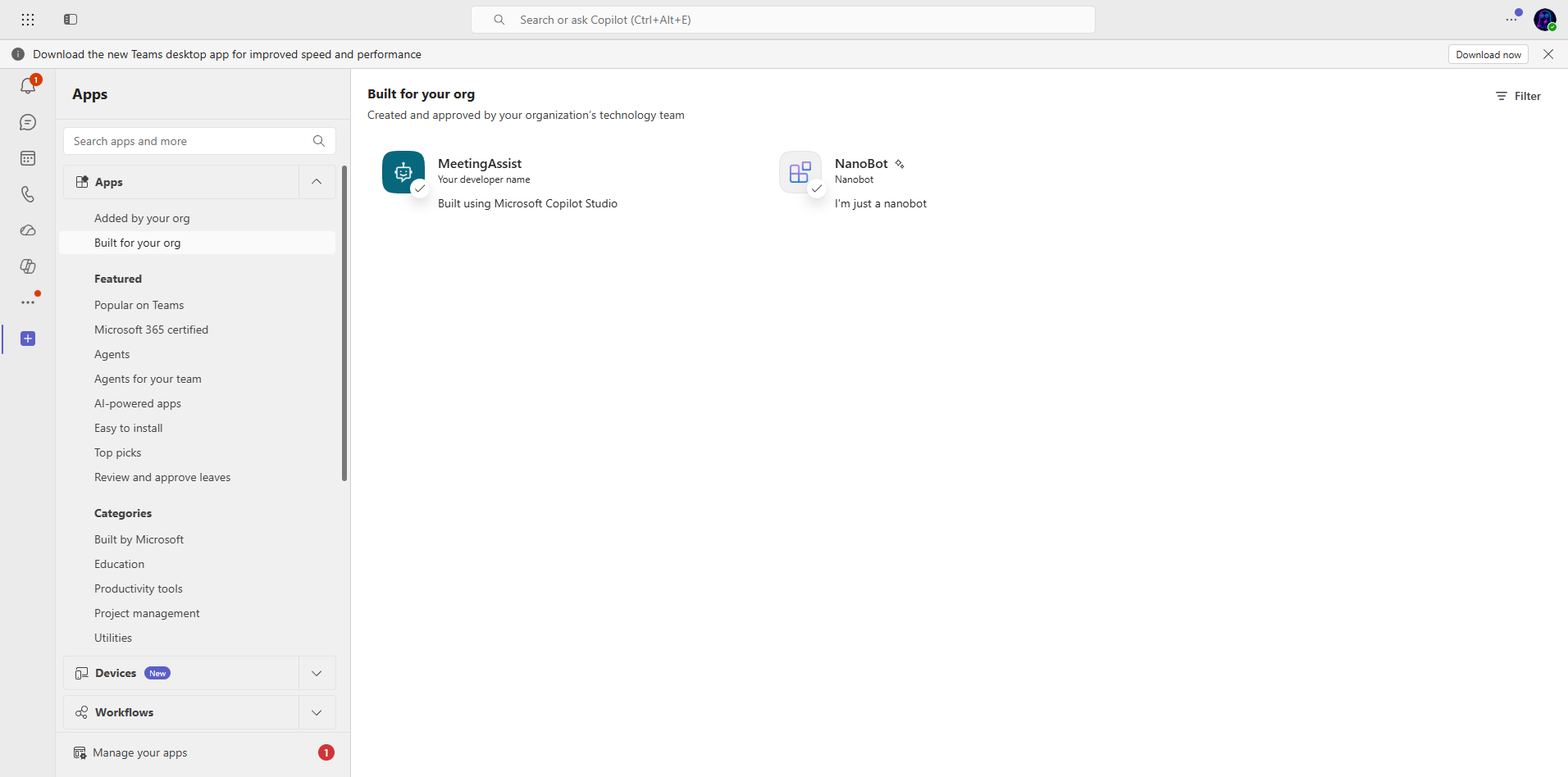
- Apps → "Built for your org" (
store-provider-app:co:tenantapps) is the authoritative list. It contains exactly two entries: MeetingAssist and NanoBot.
Raybot is not in the tenant catalog.
Capture: 41_teams_search-no-result.png
Conclusion
Raybot's Teams package never registered, for the same root cause as Steps 18 and 19. It is not installable and not searchable in Teams. Resolving it requires a Teams or M365 tenant administrator to grant App Customization Policy consent.
Everything else about the agent is unaffected. Preview works perfectly. The Build-tab logo is published. The maker UI shows the channel as enabled — which is precisely the problem.
Captures
What Phase 6 establishes
- UI state and server state can disagree, and the UI wins visually. "Channel enabled" was displayed on top of a persistent HTTP 500.
- Verify at the destination. The only conclusive test was opening Teams and checking "Built for your org." Everything upstream of that reported success.
- Tenant policy is invisible to makers.
isConsentProvidedToChangeACPToAnyappears in a query string and nowhere in the interface. A maker with no network trace has no path to diagnosis. - Secure the consent before promising the channel. For internal Teams distribution, ACP consent and msteams channel registration should be confirmed with a tenant admin before committing to Teams availability. This is the single largest blocker in the whole build, and the interface gives no actionable signal about it.
- Screenshot-after-every-action paid for itself here. The silent 500s and the consent flag were only recoverable because the network trace was captured alongside each UI state.