Phase 4 — Settings (schema reference)
Settings live behind the command-bar overflow, not in the rail.
playwright-browser_click   agent-command-bar.overflow-trigger     (More options)
playwright-browser_click   agent-command-bar.overflow-settings
Close with agent-settings-dialog.close-button.
Every tab carries the same banner: "Changes to settings take effect after you save and publish the agent." Settings are draft state until both a save and a publish have completed. Changing a setting and testing in Preview without publishing tests the old value.
The four tabs:
| Tab | Test id |
|---|---|
| Agent details | agent-settings-tab-agent-details |
| AI and behavior | agent-settings-tab-ai-behavior |
| Safety and access | agent-settings-tab-safety-access |
| Greeting and prompts | agent-settings-tab-greeting-prompts |
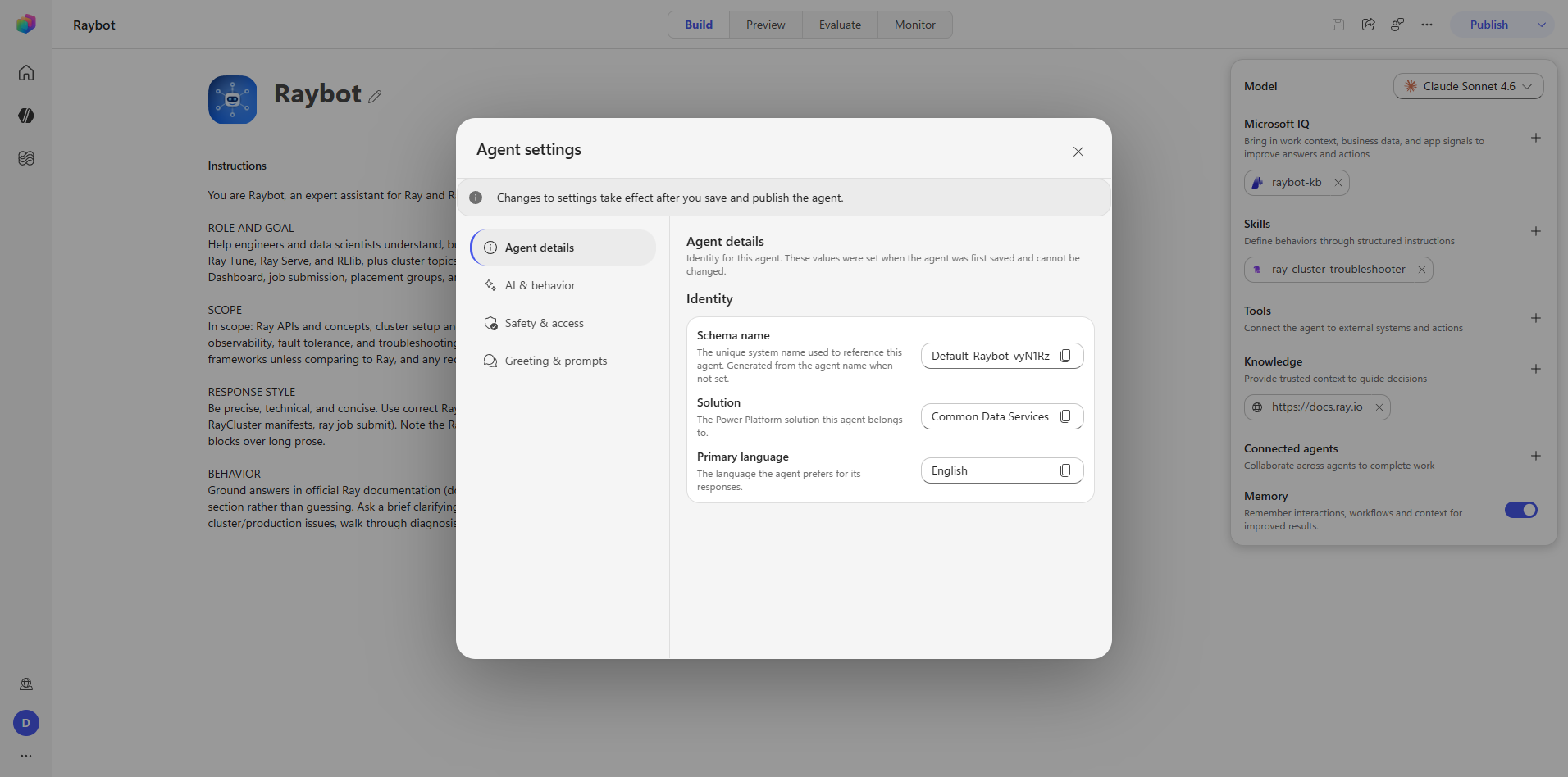
Step 10 — Agent details
Every field on this tab is read-only and was fixed at first save. Each has a copy button, which is the only interaction available.
| Field | Control | Raybot's value |
|---|---|---|
| Schema name | textbox, read-only | Default_Raybot_vyN1Rz |
| Solution | textbox, read-only | Common Data Services Default Solution |
| Primary language | textbox, read-only | English |
Capture: 25_settings_agent-details.png
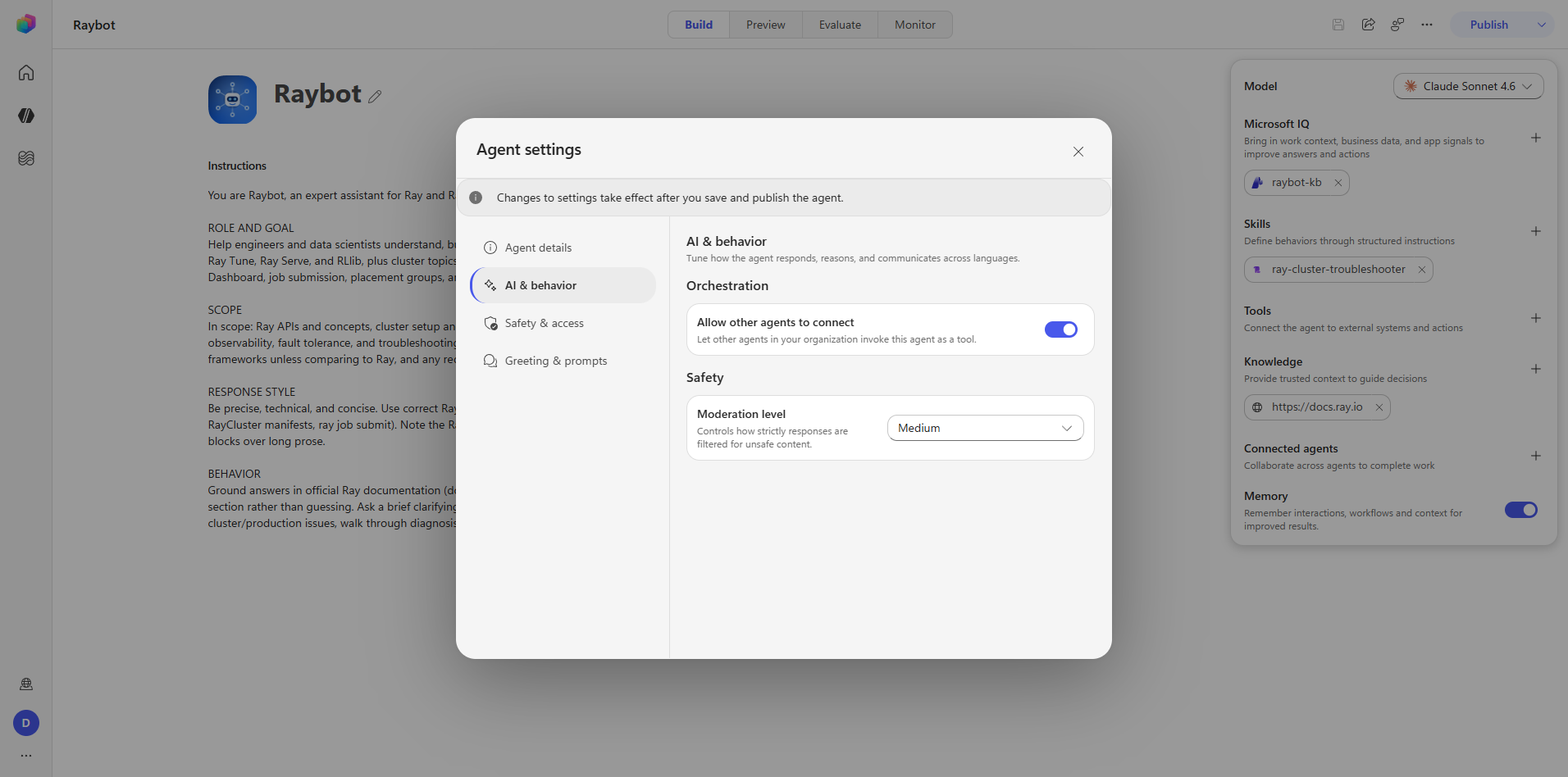
Step 11 — AI and behavior
Orchestration. "Allow other agents to connect" — a switch, set ON. This is the reciprocal of the connected-agents rail section: it controls whether this agent can be consumed by others.
Safety. "Moderation level" — combobox agent-settings-field-moderationLevel, set to
Medium.
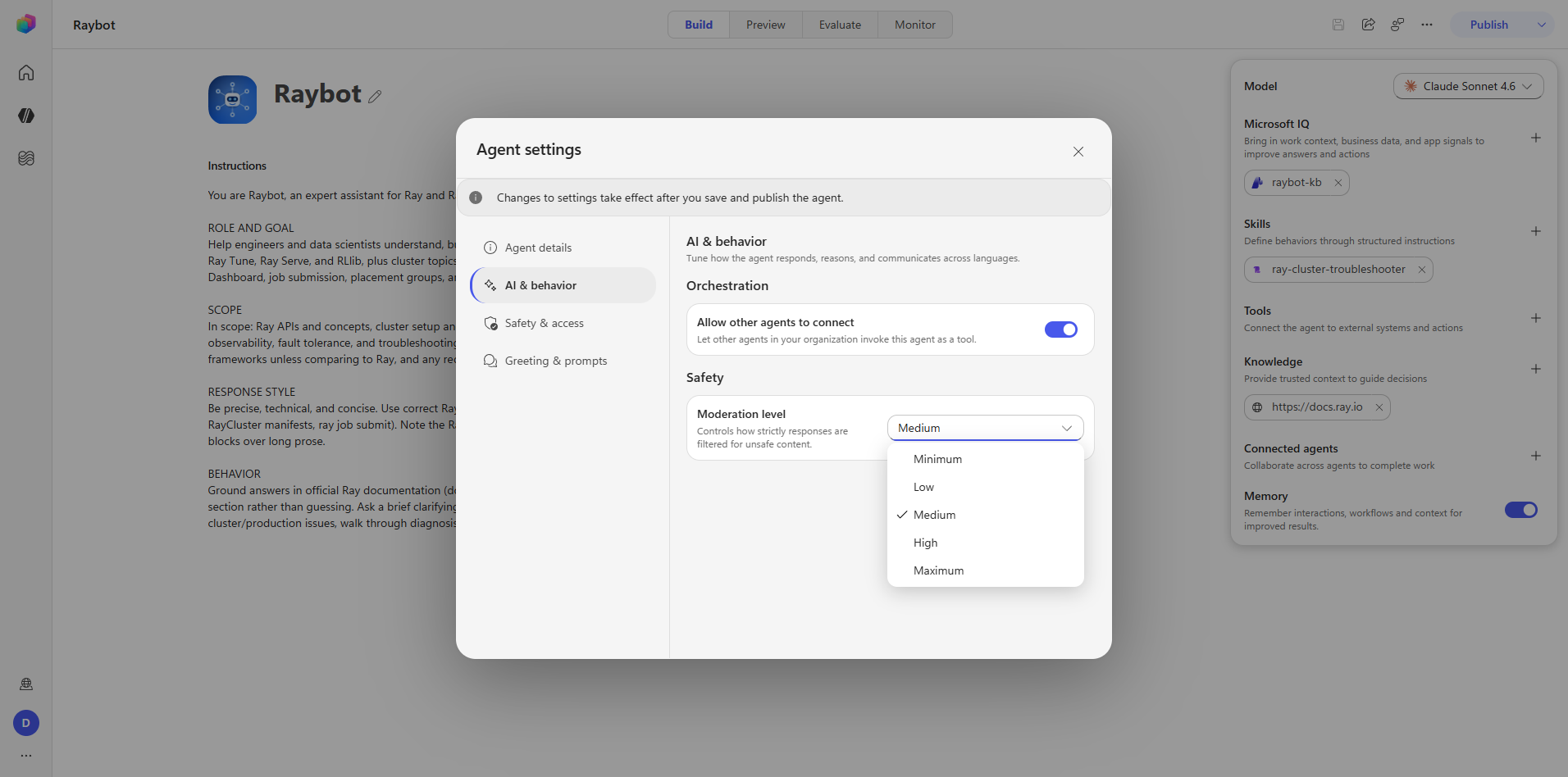
The options, ordered from least to most restrictive:
| Level | |
|---|---|
| Minimum | least restrictive |
| Low | |
| Medium | Raybot's setting |
| High | |
| Maximum | most restrictive |
Captures: 26_settings_ai-behavior.png, 27_settings_moderation-options.png
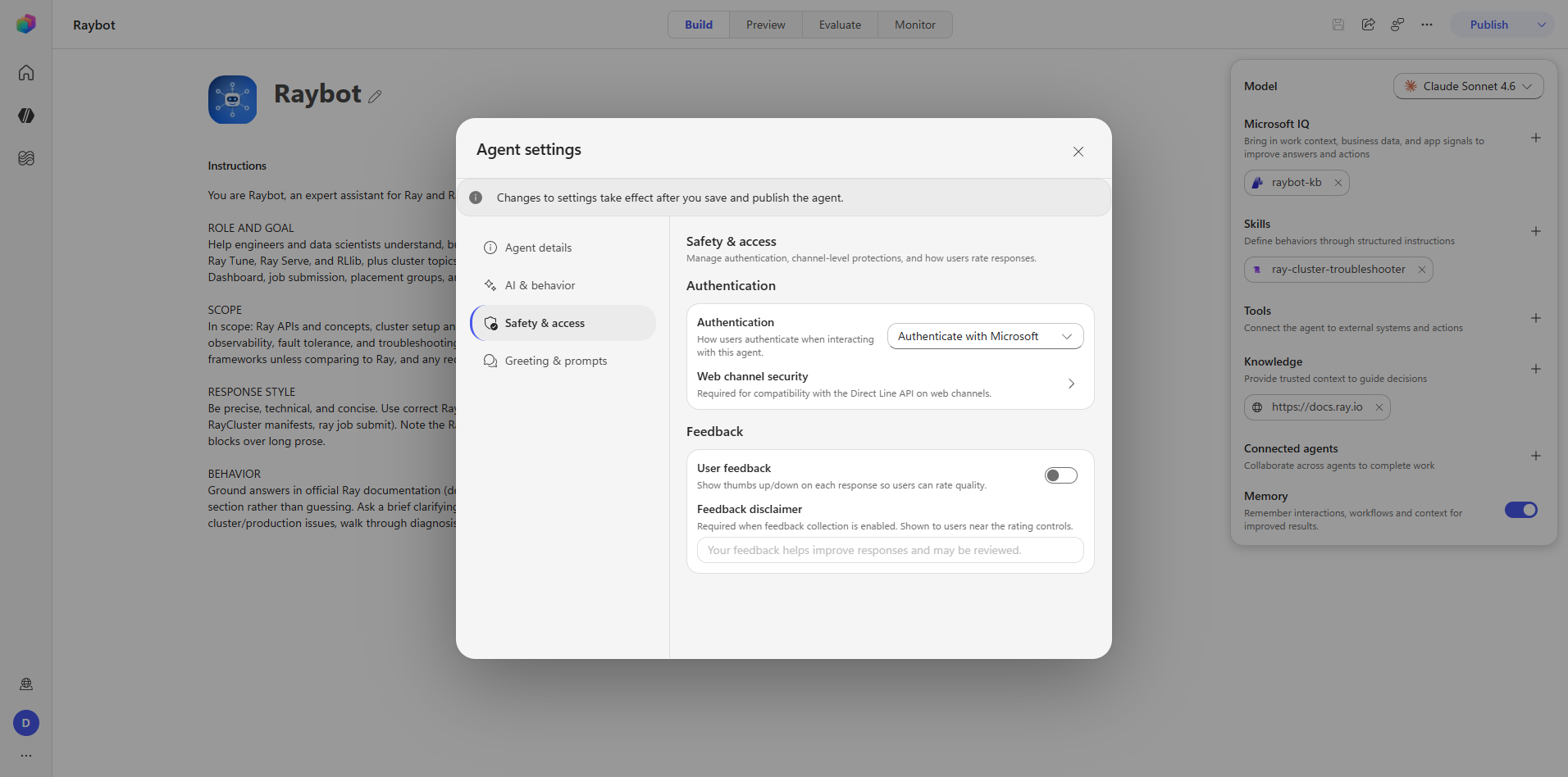
Step 12 — Safety and access
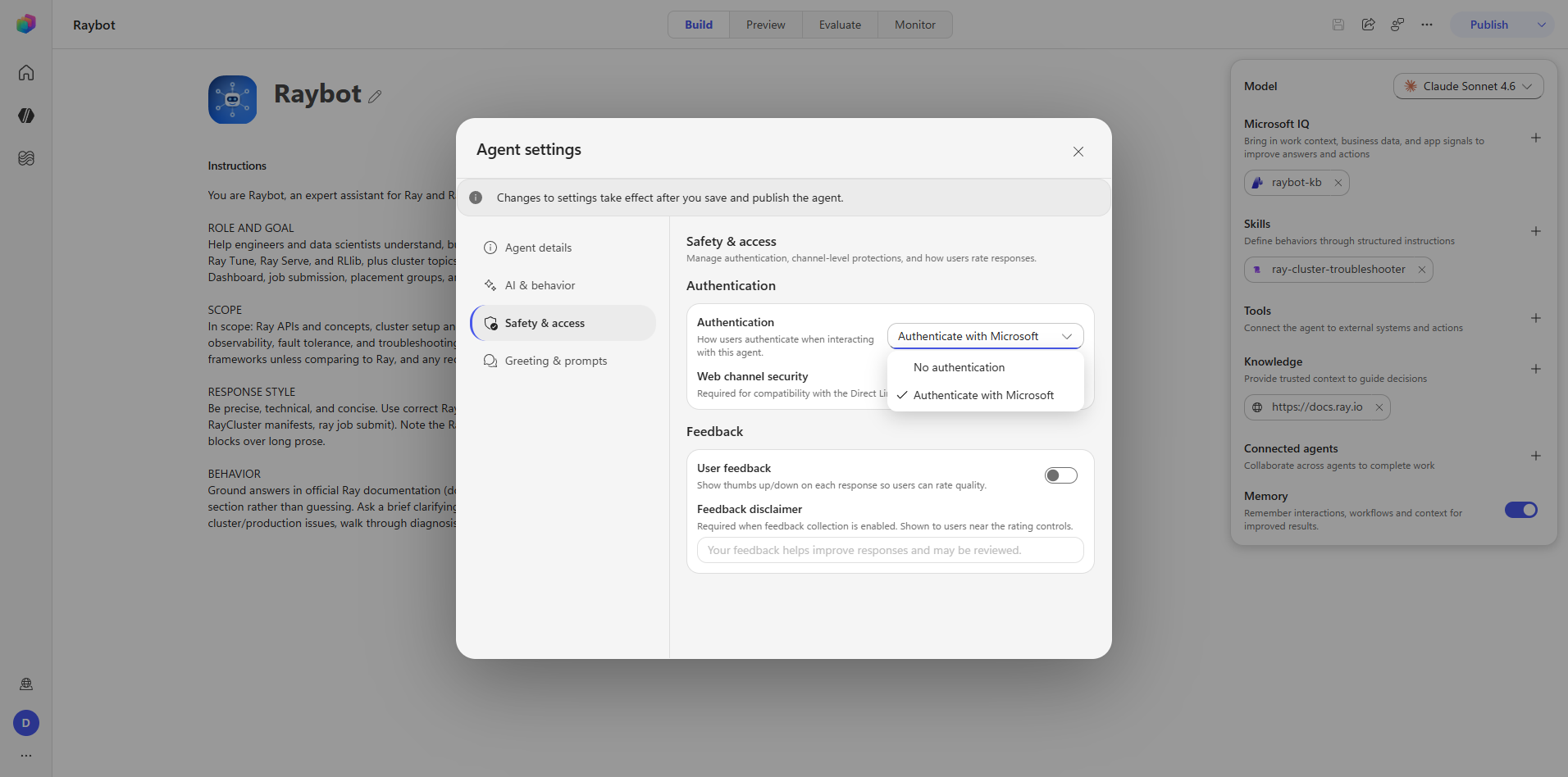
Authentication. Combobox agent-settings-field-authenticationMode, set to Authenticate with
Microsoft. Two options only: No authentication, or Authenticate with Microsoft.
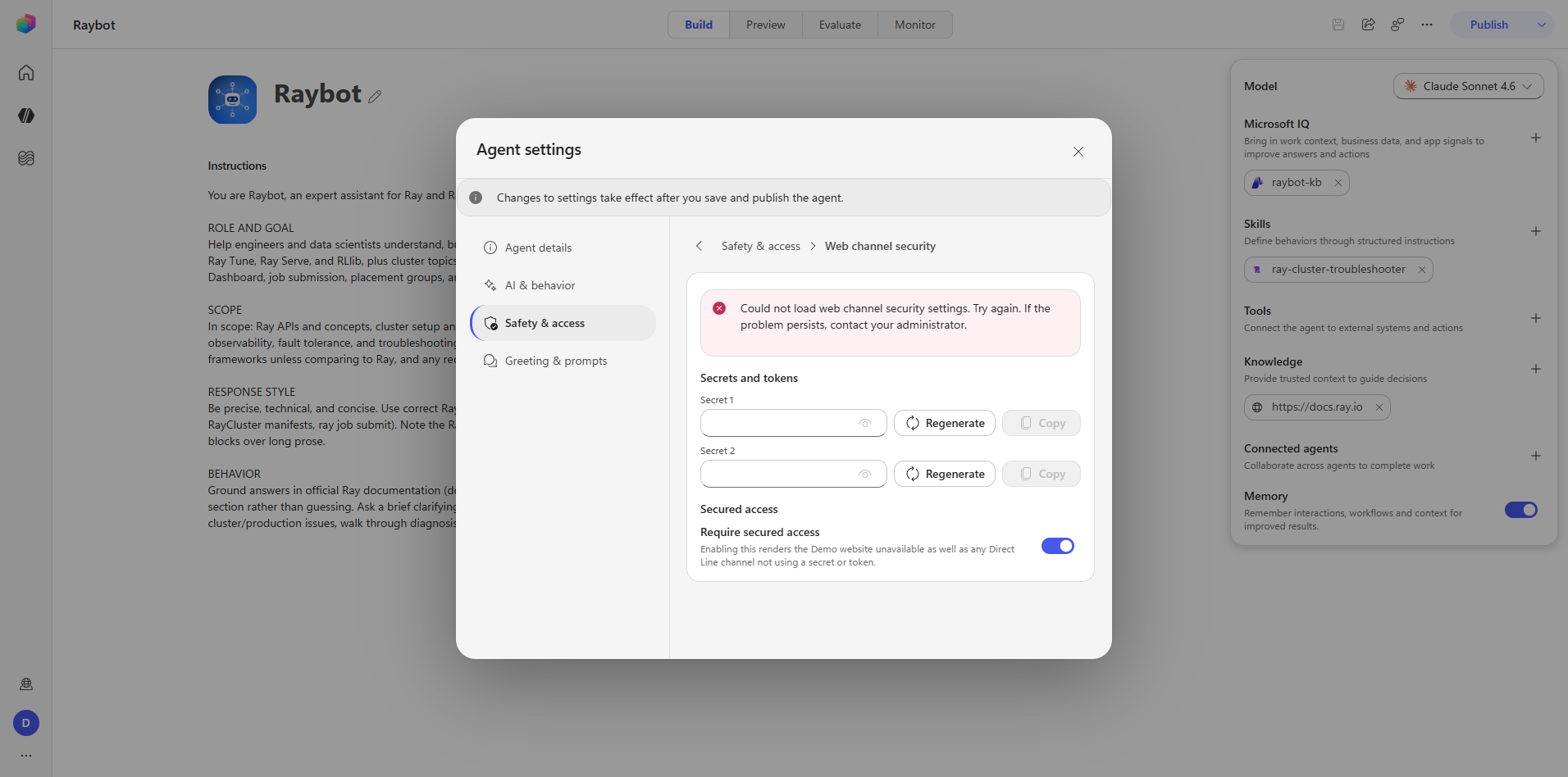
Web channel security. A drill-in at agent-settings-web-channel-security-drill-in, with a back
control at agent-settings-web-channel-security-header-back. It exposes two secrets, each with Show,
Regenerate, and Copy.
Enabling it renders the Demo website unavailable, which locks you out of the surface you are using to test the agent. Leave it off until a real channel is carrying traffic.
During this audit the panel additionally showed "Could not load…" — a transient server error consistent with the other channel-side HTTP 500s seen in Phase 6. The setting was not changed.
User feedback. Switch agent-settings-field-userFeedback, set OFF. The Feedback
disclaimer textbox stays disabled until feedback is switched on, so the disclaimer cannot be
pre-authored.
Captures: 28_settings_safety-access.png, 29_settings_authentication-options.png,
30_settings_web-channel-security.png
Step 13 — Greeting and prompts
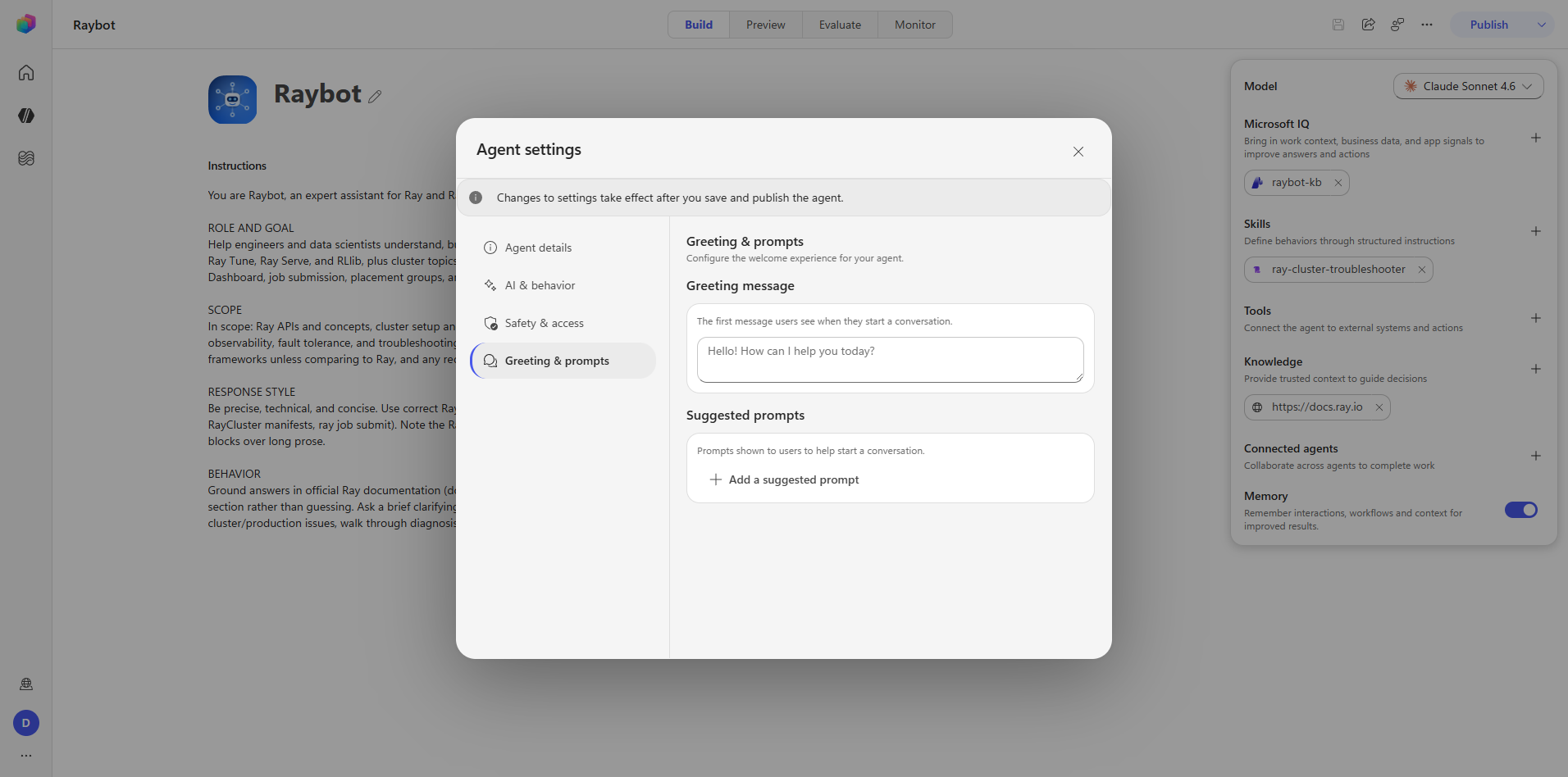
Greeting message. A textbox, left empty. The placeholder reads "Hello! How can I help you today?" — a placeholder, not a default. An empty greeting means no greeting is sent.
Suggested prompts. Empty, with an "Add a suggested prompt" button. None were configured.
Capture: 31_settings_greeting-prompts.png
Audit takeaways
What is sound. Identity is locked, which prevents a whole class of drift. Moderation at Medium and Authenticate with Microsoft are both sane defaults for an internal agent.
What is missing. No greeting, no suggested prompts, and feedback off. None of these block function. All three are cheap. A greeting plus three or four suggested prompts is the highest-value-per-minute change available on this agent, because first-run users currently face an empty chat box with no indication of what Raybot knows.
Captures
What Phase 4 establishes
- Settings are draft until save and publish. There is no immediate-apply setting on any tab.
- Identity is immutable after first save, and the UI reflects that by making the fields read-only rather than hiding them.
- Some settings are destructive to the development loop. "Require secured access" removes Demo.
- Dependent fields are disabled rather than hidden — the feedback disclaimer being the example — so the shape of a feature is discoverable before it is enabled.